Facebook Boost vs Ads Manager: Which One Actually Brings Sales in Bangladesh?
The blue Boost button or the full Ads Manager? A plain comparison for Bangladeshi shops, clinics and service brands, plus a fair way to test both on your own page.

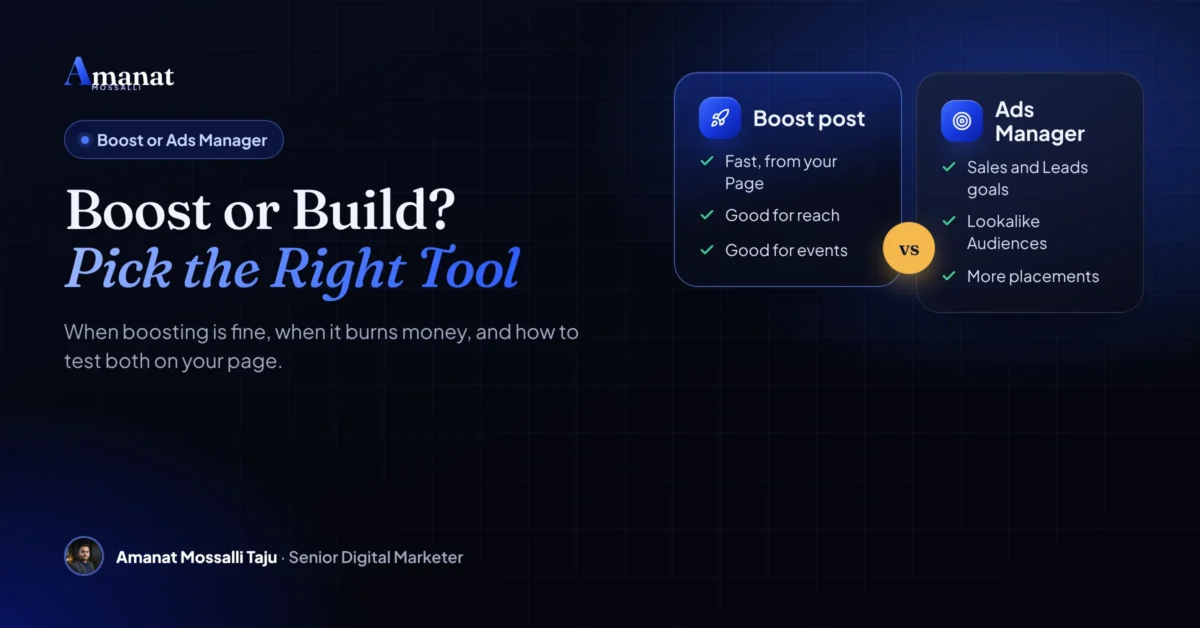
Ads Manager, if you want orders. Boost, if you want eyes. That’s the facebook boost vs ads manager answer in one line. Boosting is the quick button for reach and engagement. Ads Manager is the full tool, and it can optimise for purchases, track them and test several ads side by side.
That doesn’t make boosting useless. For an event, a new branch, or a Reel that’s already taking off, a boost is fast and fine. The trouble starts when a shop boosts every post and calls that a sales strategy. I see it most weeks.
How do I know? Since 2020 I’ve managed more than $4M in Google and Meta ad spend across 175+ brands. About half of those clients are in the UK, USA, Australia, Canada and Europe. Here’s how I decide between the two, and how you can run the same test on your own page.
Facebook Boost vs Ads Manager: What's the Actual Difference?
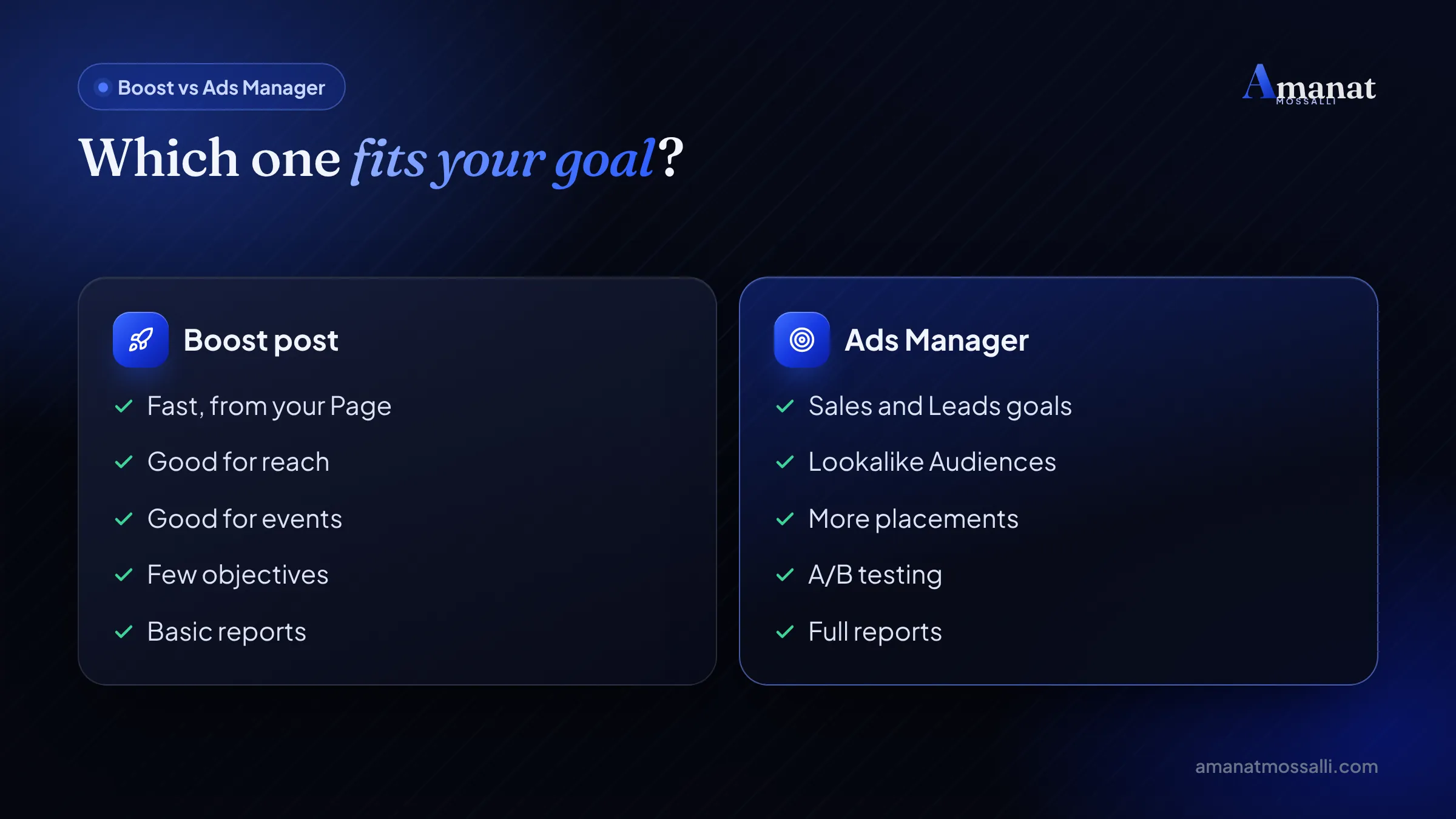
A boost turns one existing post into an ad in a few taps. Ads Manager builds whole campaigns, with more goals, placements, audiences and reports. That’s the difference, and it’s bigger than it sounds.
Meta’s own help page says boosted posts don’t have as many customisation and detailed targeting options as a traditional Meta ad. It also says boosted posts are still ads, and they show up on your bill as ads.
So this isn’t cheap ads versus expensive ads. Both enter the same auction. What differs is how much control you get over what Meta is trying to achieve.
| Feature | Boost post | Ads Manager |
|---|---|---|
| Starting point | An existing post, Reel or Story | Any creative, built from scratch |
| Goals | Engagement, messages, website visits and similar | Six objectives incl. Leads and Sales |
| Placements | Facebook, Instagram, Messenger | Adds Stories, WhatsApp status, Audience Network and more |
| Targeting | Age, gender, location, interests | Adds Custom and Lookalike Audiences |
| Creative | The post as it is, plus text variations | Carousels, multiple ads, Advantage+ creative |
| Testing and reports | Basic results | Full campaign, budget and performance tools |
| Best for | Reach, events, social proof | Sales, leads, scaling, testing |
One more line from that page: campaign creation, budget settings and performance metrics are only available in Ads Manager. If you’re selling, that last part is the whole story.
Which Objective Does Each One Give You?
The objective is the real reason Ads Manager tends to sell better. Meta shows your ad to people likely to do the action you chose. Choose the wrong action and you get the wrong people, cheaply.
Meta lists six objectives in Ads Manager: Awareness, Traffic, Engagement, Leads, App promotion and Sales. Its auction guide adds that the system looks for people more likely to take the action tied to your objective.
A boost usually optimises for simple actions like engagement or link clicks. The help page puts it this way. Boosted posts let you focus on website clicks, Page engagement and local promotions. Ads Manager adds leads, app promotion and sales.
Conversion ads vs engagement ads
This is the heart of the boost post vs ad campaign debate. Engagement ads find people who like and comment. Conversion ads, now under the Sales objective, find people who buy.
Those are often different people. Some users react to everything and rarely order. Pay Meta to find likers, and it will find you likers.
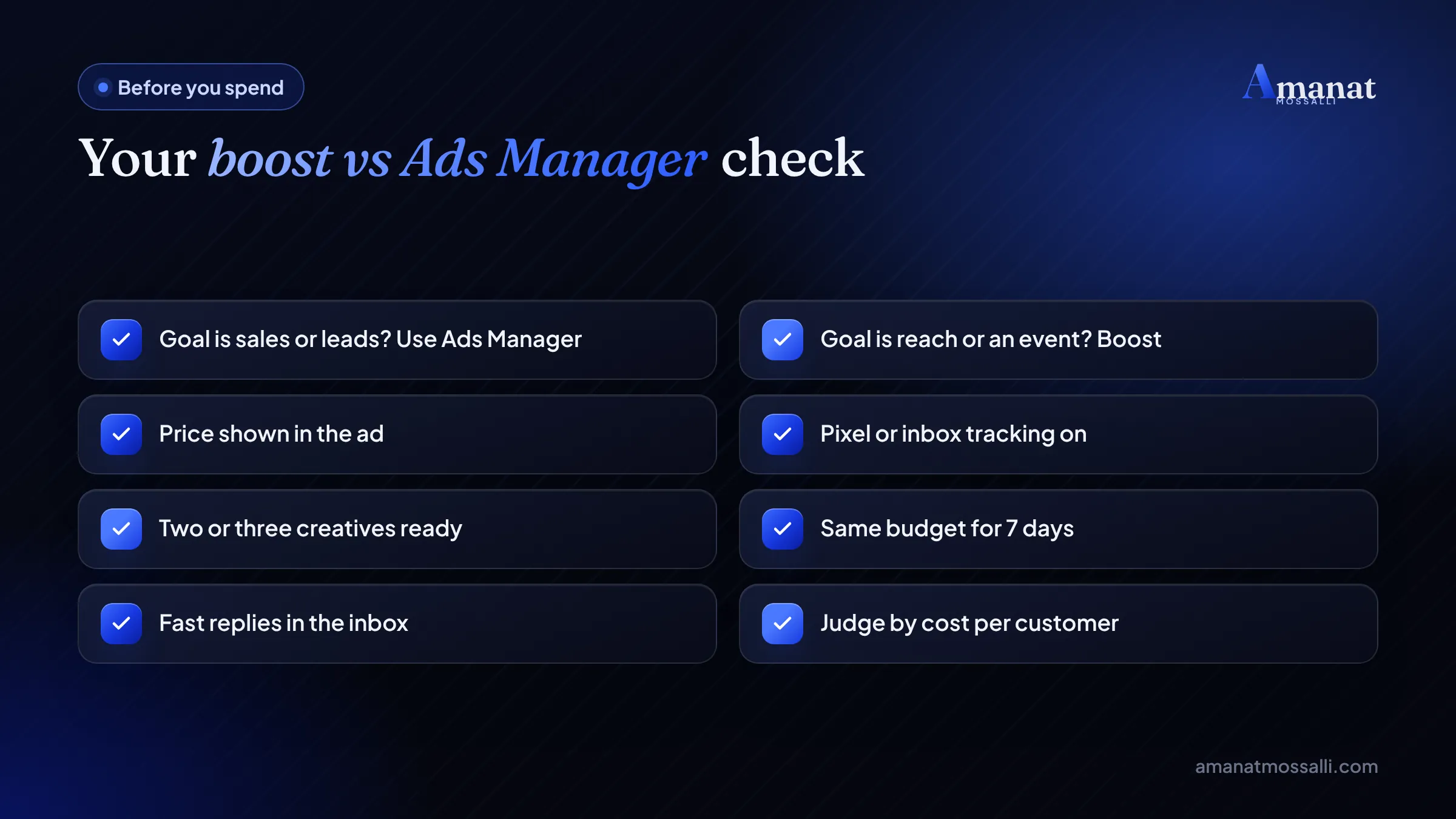
That’s why the facebook boost vs ads manager question is really a question about goals. Pick the goal first. The tool follows.
When Is Boosting Good Enough?
When you want more people to see something, and a sale isn’t the direct goal. Then a boost is quick, simple and perfectly fine.
For many f-commerce ads, a message boost is where owners begin. Fine as a first step. Once you’re spending every day, move to Ads Manager so you can test and track.
When Boosting Burns Money
A clothing page in Mirpur was boosting three posts a day. Had been for weeks. The owner showed me her phone one evening: likes everywhere, a full inbox, and a sales sheet that hadn’t moved. I asked which post had sold the most. She didn’t know. Nobody could know, because nothing was tracked. We stopped the daily boosts and built one Ads Manager campaign with a messages goal, three creatives and prices in every ad. The likes dropped. For the first time, she could see which ad the orders came from.
Boosting burns money when you need sales, leads or learning, and you use it anyway. These are the boosting mistakes I see most.
- Boosting every post with no plan, so no single ad gets enough budget to learn.
- Picking engagement when you actually want orders.
- Targeting only friends of fans or a tiny interest list, which drives costs up.
- Boosting a post with no price, so the inbox fills with “price koto?” and few buyers.
- No tracking, so you can’t tell which post sold anything.
- Judging success by likes, which are easy to buy and hard to bank.
What Ads Manager Can Do That a Boost Can't
Control. Over the goal, the audience, the creative and the test. That control is what turns ads from a lottery into a system.
Better audiences
You can build Custom Audiences, like everyone who messaged your page, and Lookalike Audiences that resemble your buyers. Both are listed as Ads Manager features on Meta’s help page.
More placements
Ads Manager can place ads in Instagram Stories, WhatsApp status and Meta Audience Network as well as Feed. From March 2026, Meta notes, the Facebook Feed placement includes the Friends tab.
Advantage+ sales campaigns
People still search for the “advantage+ shopping campaign”. Meta has replaced it with Advantage+ sales campaigns. Jon Loomer explains that the newer version brings back ad sets and lets you add audience suggestions and exclusions.
For a Bangladeshi online shop with a website and a pixel, this is often the strongest sales setup. For a page that sells only in the inbox, a Sales campaign with Messenger or WhatsApp as the conversion location is the closer fit.
Real testing
Run two or three ads in one ad set and let Meta move budget to the winner. A boost gives you text variations. It doesn’t give you that.
Messenger Ads: Boost or Ads Manager?
Both can start conversations. Ads Manager gives you the better messages setup. Since most f-commerce sales here begin in the inbox, this choice matters more than people think.
Messenger is big in Bangladesh. DataReportal’s Digital 2026 Bangladesh report puts Messenger ad reach at 35.0 million people in late 2025. Facebook ad reach was 64.0 million.
With messenger ads Bangladesh shops can open chats cheaply. In Ads Manager you choose Engagement, Leads or Sales with a messaging app as the conversion location. Meta’s objective guide shows how the old Messages objective maps onto these.
Set a greeting with three quick-reply questions: price, size and delivery area. It saves time and filters out people who were only curious.
Whichever you pick, reply speed decides the result. A cheap chat answered three hours later is usually a lost sale.
Step 1A Fair Test You Can Run on Your Own Page
Don’t trust anyone’s opinion on this, including mine. Test both on your own page with the same budget and judge them on real customers.
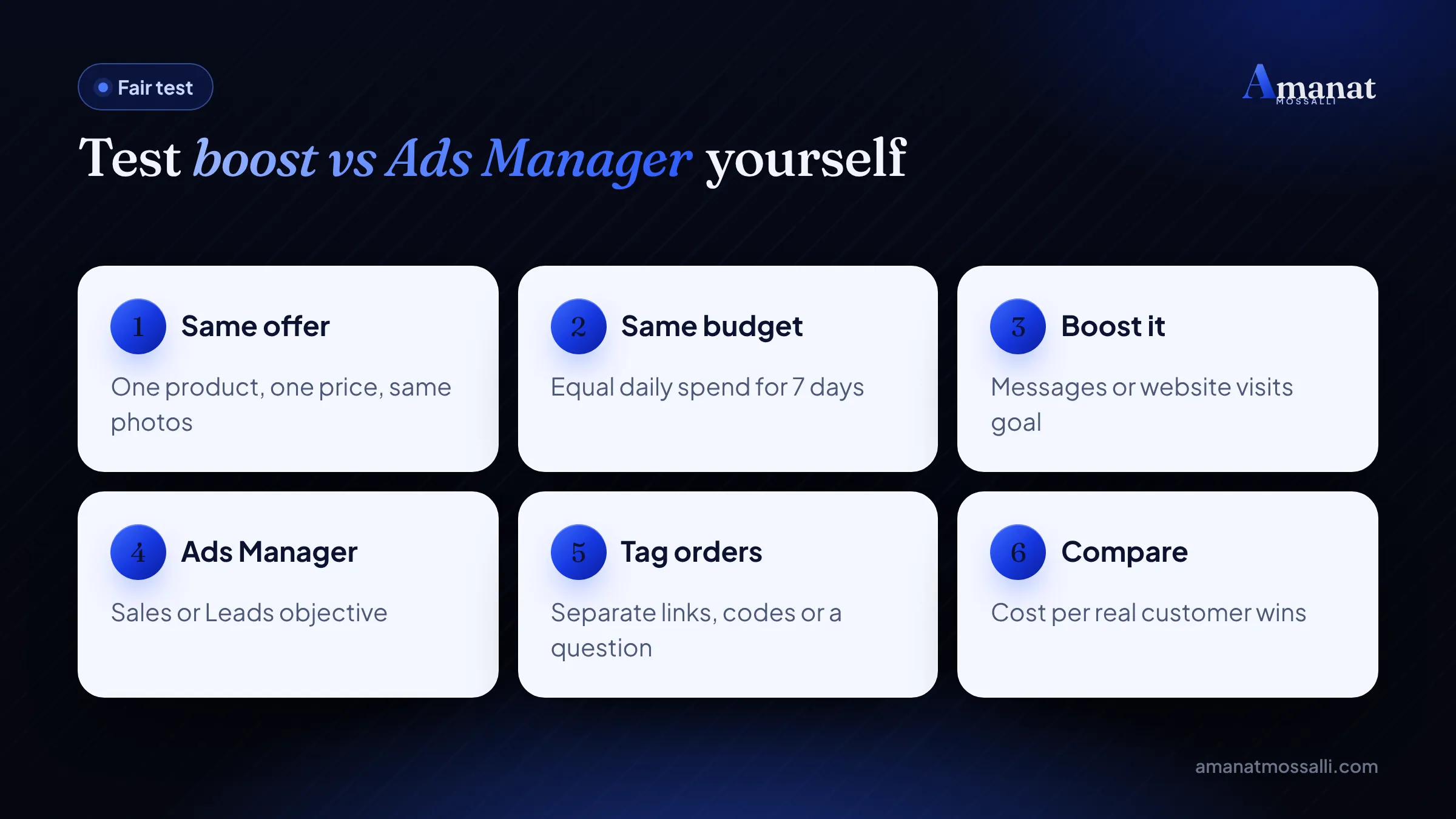
Sales campaigns may look worse on cost per click and better on cost per order. That’s normal. Clicks aren’t the goal.
Keep a simple sheet: spend, VAT, chats, orders, cost per order. After one fair facebook boost vs ads manager test, you’ll have your own answer, based on your own buyers. That beats any blog post, this one included.
Which Facebook Ads Objective Should You Pick?
The one that matches the action that makes you money. Here’s a simple map for Bangladeshi businesses.
| Your goal | Objective | Example |
|---|---|---|
| People should know you exist | Awareness | A new restaurant in Banani |
| Visits to a page or profile | Traffic | A blog or menu page |
| Chats and engagement | Engagement | An inbox-only clothing page |
| Phone numbers or bookings | Leads | A dental clinic in Dhanmondi |
| Orders on a website or chat | Sales | An online shop with a pixel |
New to ads altogether? Read my social media marketing guide for Bangladeshi businesses first. It covers content and pages before you spend a taka.
Moving From Boosting to Ads Manager, Step by Step
Small steps. You don’t have to stop boosting on day one. Shift the money that’s meant to sell into Ads Manager first, and leave a little for boosts.
- 1Open Ads Manager on a computer and check that your ad account, Page and payment method sit in one business portfolio.
- 2Install the Meta pixel on your website, or connect WhatsApp and Messenger if you sell in the inbox.
- 3Use your best boosted post as the creative. Choose “use existing post” so you keep its likes and comments.
- 4Pick the Sales or Leads objective and one clear conversion location.
- 5Add two fresh creatives next to the old post, so Meta has options to test.
- 6Keep a small boost budget for events and brand posts only.
Tracking is where most pages get stuck. If your pixel or Conversions API is missing, my tracking and analytics service sets it up so Meta learns who actually buys.
What a sensible monthly split looks like
Most small brands I work with keep the bulk of the budget in one or two selling campaigns. A small share goes to boosts for reach and goodwill. The exact split depends on your goals. Review it monthly.
The Boost Fee Nobody Mentions
A dental clinic owner in Dhanmondi ran all her boosts from the Instagram app on her iPhone, between patients. One Saturday she sent me a screenshot of the receipt and asked why the amount looked higher than the budget she’d typed. There was an extra line on it. She’d been adding funds inside the iOS app, and an Apple service fee had been applied on top. Nobody had told her. She now boosts from a laptop browser, and that line is gone.
So, is boosting cheaper than Ads Manager? No. Both are billed through the same auction, and you set the budget in both. Boosting can look cheaper per like, because it often chases easy actions.
Meta’s ad cost page lists your Page, your Instagram profile, Ads Manager and Meta Business Suite as places to buy ads. It describes the Page boost as the simplest option with fewer customisation choices.
Watch the iPhone boost fee
The one case where boosting can cost more is the clinic owner’s case. Meta’s boost help page has a warning. In most regions, an Apple service fee of 30% may apply when you add funds for boosts inside the Instagram iOS app. Apple keeps that fee, not Meta.
If you boost from an iPhone, do it from a browser or from Meta Business Suite on a computer. With 15% VAT already on top, a 30% fee would hurt any small budget.
Cheaper per like doesn’t mean cheaper per customer. The only fair measure is total spend divided by real orders or bookings. VAT and the card rate apply the same way to both tools.
FAQ: Facebook Boost vs Ads Manager
Is boosting a post the same as running a Facebook ad?
Which is better for sales in Bangladesh, boost or Ads Manager?
Can I boost from Ads Manager?
Why do boosted posts get many likes but few orders?
Is Ads Manager hard to learn?
What happened to Advantage+ shopping campaigns?
How long should I run a test before deciding?
Still Tempted by the Blue Button?
Use it, for the right job. In facebook boost vs ads manager there’s no villain. Boost when you want reach. Build in Ads Manager when you want customers. Test both on your own page if you’re unsure, and let your sales sheet decide.
The Mirpur clothing page still boosts, by the way. One post a week, for a new drop, from a laptop. The rest of the budget sits in one campaign that she can read. That’s the balance I’d aim for.
If you want your page to grow without paying for every view, my guide to brand building in Bangladesh covers the unpaid side.
Want me to look at your current boosts and campaigns before you spend more? Book a free 15-minute call, or message me on WhatsApp at +880 1782-790018. I answer within 12 hours, and anything we build together is covered by a money-back guarantee.

Amanat Mossalli Taju
Senior Digital Marketer & SEO Expert, Dhaka, BangladeshI have grown 175+ brands since 2020 with SEO, Google and Meta Ads, server-side tracking, WordPress and AI automation. Half of my clients are in the UK, USA, Australia and Canada. Everything I write here comes from real client work.
Want this done for your business?
Book a free 15-minute call. I look at your site and ads before we talk, so you leave with clear next steps.