Google Ads Conversion Tracking: Set It Up Once, Stop Wasting Budget
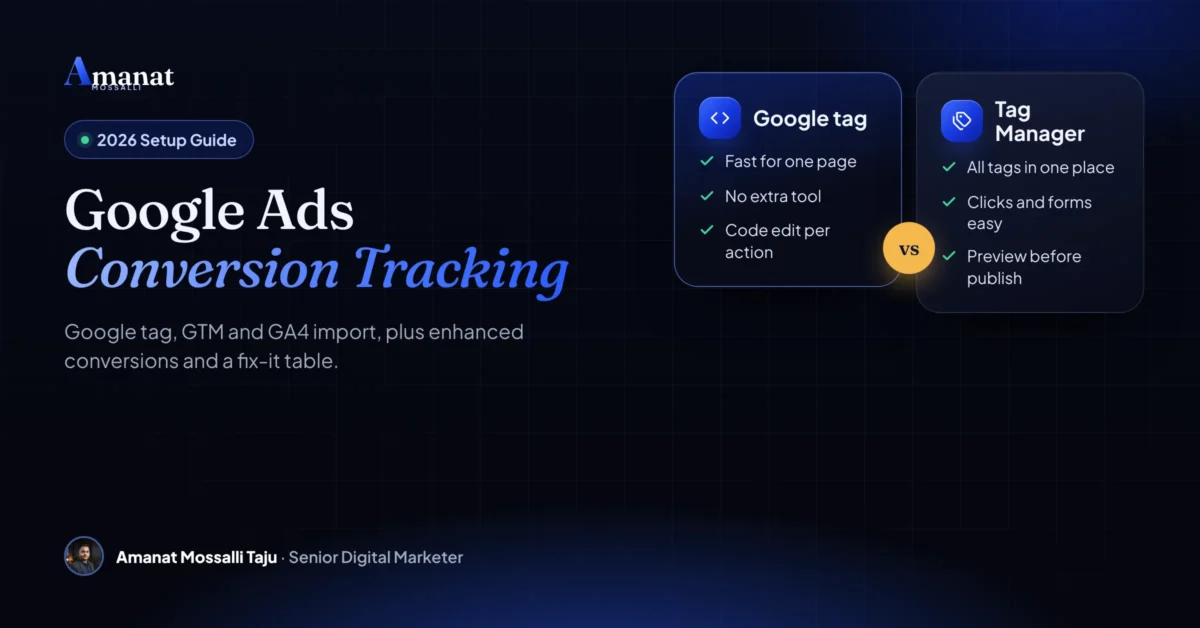
Three ways to set up Google Ads conversion tracking, how to pick one, and a symptom-by-symptom table for when the numbers look wrong.

“Google Ads says 46 conversions this month. My phone rang four times.” A furniture seller in Dhaka sent me that line on WhatsApp. I get some version of it every few weeks. Google Ads conversion tracking is the setup that tells Google which clicks became a sale, a form or a call. When it counts the wrong thing, Google spends your money finding more of the wrong people.
You can set it up three ways: the Google tag on its own, Google Tag Manager, or by importing key events from GA4. All three work. The right pick depends on what’s already on your site and who looks after it.
Below you’ll find each method step by step. After that come enhanced conversions, call and form tracking, offline imports and a fix-it table. Menu names match what Google’s help pages showed when I checked them in November 2026.
What Google Ads Conversion Tracking Actually Records
It records the actions you care about after someone clicks or sees your ad. That might be a purchase, a form, a WhatsApp tap or a phone call.
There are four kinds. Each needs a slightly different setup, so it helps to know which ones apply to you before you touch any code.
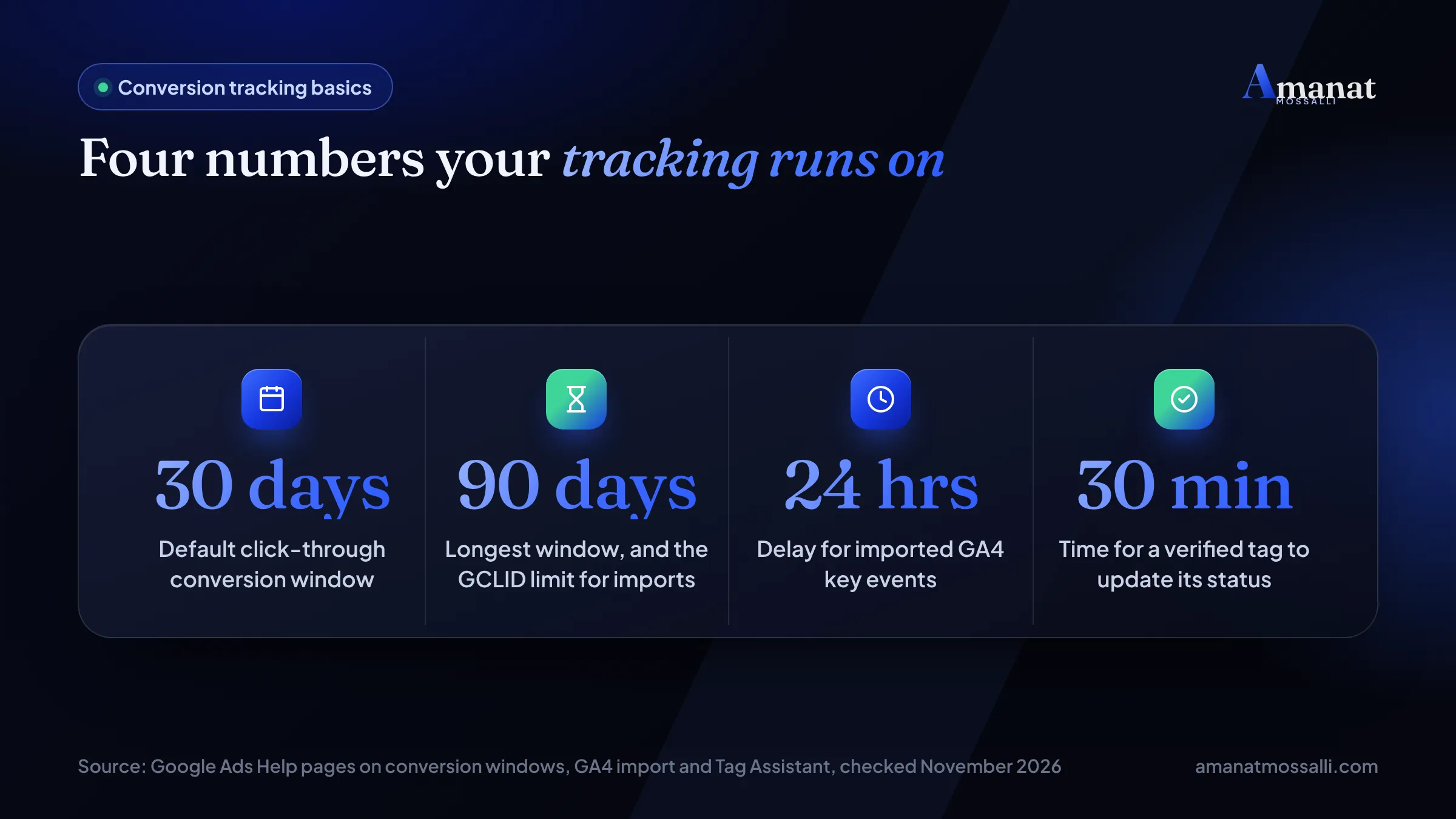
Why bother? Because Smart Bidding learns from these numbers. Google’s conversion help page says a new bid strategy needs a standard learning phase of 7 to 14 days. Feed it bad data during those days and it learns the wrong lesson.
Every action also gets a role. Primary actions are used for bidding. Secondary actions are just for watching. Mixing these up is the quiet cause of half the broken accounts I open.
Google Tag, GTM or GA4 Import: Which One Fits You?
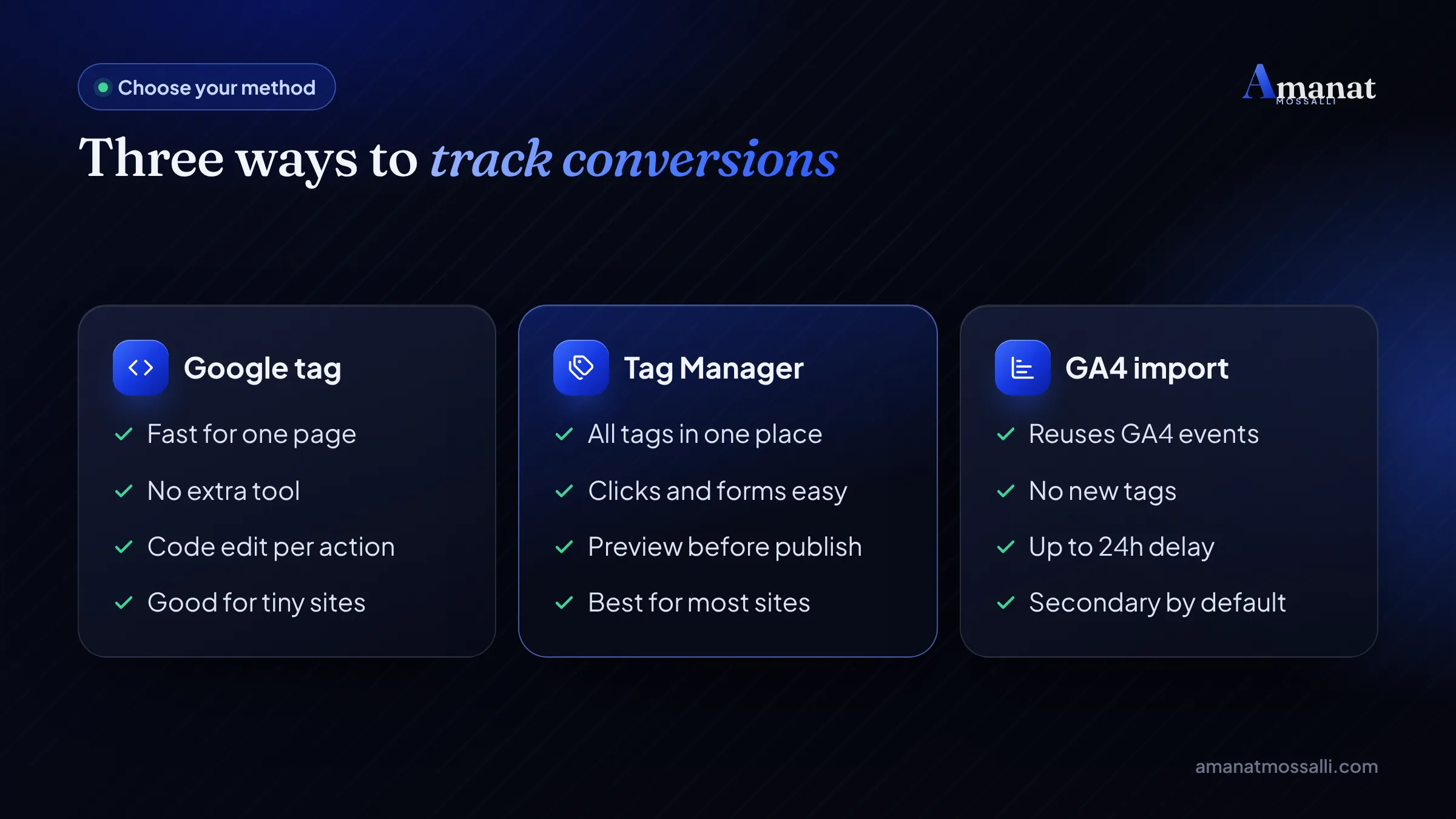
Use Google Tag Manager if you can. It keeps every tag in one place and lets you add call clicks and WhatsApp clicks later without a developer.
That said, each route has a fair use case. Here’s how I decide when a new client shares their site with me.
| Method | Best for | Watch out for |
|---|---|---|
| Google tag (gtag.js) | Simple sites with one thank-you page | Code edits for every new action. |
| Google Tag Manager | Most businesses, WordPress and Shopify stores | Needs a Conversion Linker tag on all pages. |
| GA4 key event import | Sites where GA4 is already set up well | Up to 24 hours delay, different dates. |
| Platform plugin | Shopify or WooCommerce apps | Double counting if you also add a tag. |
You’re allowed to mix sources. You can import a GA4 event for one action and use the Google tag for another. Just never count the same action twice as primary.
Method 1: The Google Tag on Its Own
It’s the fastest Google Ads conversion tracking setup for one goal and a thank-you page. A tutoring centre in Chattogram with one admission form is a perfect fit.
The no-code URL option is fast. Google’s website setup guide notes it can’t pass sale values or transaction IDs, though. Online shops need the code route.
WordPress and Shopify plugins often add the Google tag for you. Check the page source for a second copy before you paste anything. Two tags means every sale counts twice.
Method 2: Google Tag Manager Conversion Tracking, Step by Step
Set aside about 20 minutes for Google Tag Manager conversion tracking once you know it. The first time, give yourself an hour and a cup of tea.
- 1Create the conversion action in Google Ads. Copy the Conversion ID and Conversion Label it shows.
- 2In GTM, add a Conversion Linker tag that fires on All Pages. It stores the click ID so conversions can be matched.
- 3Add a Google Ads Conversion Tracking tag. Paste the ID and label.
- 4Set a trigger: a thank-you page view, a form submission or a click on a button.
- 5For shops, add value, currency and transaction ID from the data layer.
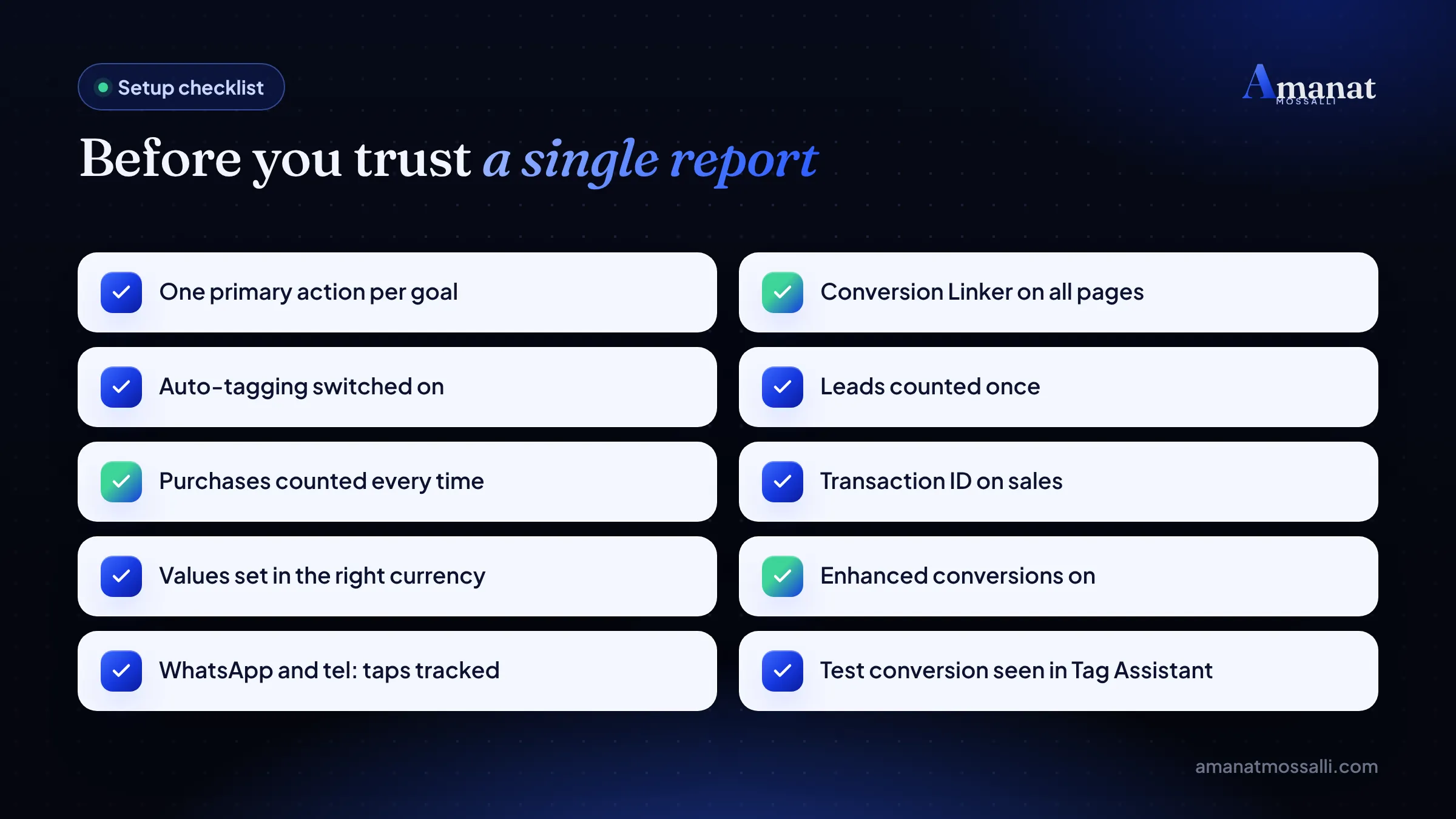
- 6Click Preview, run a test conversion and confirm the tag fired once.
- 7Publish the container and check the status in Google Ads after about 30 minutes.
Form tracking that doesn't lie
A thank-you page is the most reliable trigger. It only loads after a real send. GTM’s built-in form submission trigger is easy, but many form plugins submit by script, so it misses some or fires on errors.
No thank-you page? Ask your developer to push a small data layer event when the form succeeds. Then trigger on that. It’s a ten-minute job for them and it saves months of messy data.
WhatsApp and Messenger clicks
In Bangladesh, plenty of buyers skip the form and tap WhatsApp. Track that tap as its own action with a click trigger on links containing wa.me. I’d set it as secondary at first, then promote it once you see how many taps turn into orders.
Can You Import GA4 Conversions to Google Ads?
Yes, if your GA4 is already tracking the right events. You mark an event as a key event in GA4, link the accounts, and pull it into Google Ads.
Why GA4 and Google Ads never match exactly
Don’t panic when the two reports disagree. Google’s GA4 import page gives the reasons. Google Ads dates a conversion to the day of the click. GA4 dates it to the day it happened.
The cookies differ too. Google Ads cookies last 90 days, GA4 cookies up to two years. Imported data can also take up to 24 hours to arrive, and older history doesn’t come across.
So a sale on Monday from a click last Friday shows on Friday in Ads and Monday in GA4. Same sale. Two dates.
The Phone Shop That Counted Every Sale Twice
Here’s a typical case, and it shows why the method choice matters more than people think.
The owner of a small phone accessories shop near Elephant Road shared his screen with me after lunch. His Google Ads showed a cost per sale that looked too good to be true. It was. A Shopify app was sending purchases to Google Ads, and a GA4 import of the same purchase event was also set as primary. Each order counted twice. I’m Amanat Mossalli Taju. I’ve worked in digital marketing since 2020 and managed more than $4M in Google and Meta ad spend. I’ve seen this pattern many times. We kept the app’s action as primary and moved the GA4 one to secondary. His cost per sale doubled on paper overnight. He wasn’t thrilled. But a week later he stopped pausing campaigns that were actually working, because he could finally trust the number.
Nobody did anything wrong on purpose. Two sensible tools each did their job. The fix was a single setting.
If your own numbers look too rosy, open Goals and look at how many primary actions share one category. More than one purchase action set to primary is a red flag.
What Are Enhanced Conversions, Minus the Jargon?
They add a hashed copy of what the customer typed, like an email or phone, to the tag. Google matches that to signed-in Google accounts and fills gaps that cookies miss.
According to Google’s page on enhanced conversions, the data is scrambled with a one-way method called SHA256 before it reaches Google. Matching happens in what Google calls a confidential computing environment.
| Type | What it helps | Good for |
|---|---|---|
| Enhanced conversions for web | Online sales and sign-ups | Shops, booking sites, course sign-ups. |
| Enhanced conversions for leads | Sales that close offline after a web form | Real estate, clinics, B2B, study abroad. |
How to switch it on
- With the Google tag: turn it on in the conversion action’s settings and tell Google which form fields hold the email or phone.
- With GTM: add a user-provided data variable to your conversion tag, mapped to the form fields.
- With server-side GTM: data goes to your server container first, where the Google Ads tag handles it.
Update your privacy policy to say you share data with Google for ad measurement. Read Google’s own customer data terms for the exact wording you need. I’m not a lawyer, so I always send clients to those terms rather than guess.
How Do You Track Phone Calls From Bangladesh?
You track the tap on your number, not the call itself. Full phone call conversion tracking needs Google forwarding numbers, and Bangladesh isn’t on Google’s list.
I checked Google’s call reporting page in November 2026. It lists 30 countries with forwarding numbers, including India, the UK and the USA. Bangladesh isn’t one of them.
| Call action | Works with a Bangladeshi number? | What it counts |
|---|---|---|
| Calls from ads | No, needs a forwarding number | Real calls over a length you set. |
| Calls to a number on your website | No, needs a forwarding number | Calls after an ad click. |
| Clicks on a number on your mobile site | Yes | Taps on tel: links, not finished calls. |
| Clicks on call ads and assets | Yes | Taps, with Google estimating real calls. |
| Imported call conversions | No, needs a forwarding number | Calls matched to sales in a CRM. |
For a dental clinic in Dhanmondi, that means two actions. Track taps on the tel: link as a lead. Then, once a month, import the patients who actually booked, using the offline method below.
Selling abroad with a UK or US number? Then forwarding numbers work in that country, and you can count calls by length. Google’s own example counts calls over two minutes as a conversion.
Local calls from Google Maps are a separate stream. Your profile reports them on its own, and my Google Business Profile guide for Bangladesh shows where to find them.
Offline Conversion Import for Sales That Close Later
Offline conversion import lets you tell Google which leads became paying customers. That’s how a real estate firm or a clinic teaches Google the difference between a tyre-kicker and a buyer.
Don’t want to deal with GCLIDs? Enhanced conversions for leads does a similar job using the hashed email or phone from the form. Many CRMs support it now.
A developer in Bashundhara selling flats might get 200 form leads and five bookings. Importing those five is worth more to Smart Bidding than the 200 forms.
Settings That Quietly Bend Your Numbers
The tag can fire perfectly and the report can still mislead you. These settings live in each conversion action, and few people open them after day one.
Count: one or every?
For sales, the counting options page recommends Every. For leads, it recommends One. If one person sends your form three times, that’s still one lead. Call actions follow this by default. Website actions default to Every, so check yours.
Conversion windows
Google’s conversion window page sets the click window at 30 days by default, with options up to 90. Engaged-view defaults to 3 days and view-through to 1 day. A study-abroad agency with a two-month decision cycle should stretch the click window.
Value and currency
Give each action a value, even a rough one. A lead worth BDT 2,000 and a sale worth BDT 15,000 shouldn’t look equal to Google. Match the currency to your account, or values arrive wrong.
Questions People Ask About Google Ads Conversion Tracking
How do I set up Google Ads conversion tracking?
Is Google Ads conversion tracking free?
Should I use GTM or the Google tag?
Why does Google Ads show different numbers from GA4?
How long does it take for conversions to show?
Can I track WhatsApp clicks as conversions?
What are enhanced conversions in Google Ads?
Does call tracking work in Bangladesh?
Conversion Tracking Not Working? Symptoms and Fixes
When conversion tracking is not working, the symptom usually points straight at the cause. Start with the Status column in Goals, then use this table.
Google’s Tag Assistant guide lists the statuses you’ll see: Unverified, Tag inactive, Needs attention, No recent conversions and Recording. Once fixed, a verified action updates in about 30 minutes.
| Symptom | Likely cause | Fix |
|---|---|---|
| Status says Unverified | Google never saw the tag fire | Run a test with Tag Assistant. |
| Tag inactive or Needs attention | Tag missing on some pages | Check Tag coverage in Tag Assistant. |
| Conversions doubled overnight | Two primary actions for one goal | Keep one primary, set others secondary. |
| A conversion on every page | Trigger set to All Pages | Fire only on the thank-you page. |
| Sales counted on refresh | No transaction ID | Pass a unique order ID. |
| GA4 shows leads, Ads shows none | GCLID lost in a redirect | Fix redirects, keep auto-tagging on. |
| Imported numbers look low | Different dates and models | Compare by conversion time, wait 24 hours. |
| Calls never counted | Forwarding numbers not in Bangladesh | Track tel: taps instead. |
| Values look ten times too big | Currency mismatch | Send BDT to a BDT account. |
Mistakes I'd fix first
- Counting page views of the contact page as leads. Visiting isn’t converting.
- Leaving old actions as primary after a website redesign.
- Counting every form send when leads should be counted once.
- Turning off auto-tagging because a report looked messy.
- Changing bids daily during the 7 to 14 day learning phase.
If the ad side is fine but the page isn’t converting, read my take on common digital marketing mistakes in Bangladesh. A slow or confusing page is often the real leak, and a focused landing page fixes more than any tag can.
Quick recap
- Conversion tracking teaches Google’s bidding who your buyers are. Without it, you’re paying for clicks, not customers.
- Pick one method: Google tag for simple sites, GTM for most businesses, GA4 import if GA4 is already clean.
- Turn on enhanced conversions. It sends hashed customer details and fills gaps cookies leave.
- Google forwarding numbers don’t work in Bangladesh, so track call clicks and import real sales instead.
- Count leads once, purchases every time, and keep only one primary action per goal.
Only Have an Hour? Fix This One Thing
Open Goals, then Summary, and count your primary actions. Keep one per real business goal and set the rest to secondary. That single change has fixed more accounts for me than any new tag.
Remember the furniture seller with 46 conversions and four calls? His problem was a contact page view set as primary. Ten minutes in settings, and his reports started to match his phone.
Want a second pair of eyes on your Goals page? Grab a free 15-minute call, or drop your account question on WhatsApp (+880 1782-790018). Expect my answer the same day, weekends included. You can also read how this ties into your budget in my Google Ads cost guide for Bangladesh.

Amanat Mossalli Taju
Senior Digital Marketer & SEO Expert, Dhaka, BangladeshI have grown 175+ brands since 2020 with SEO, Google and Meta Ads, server-side tracking, WordPress and AI automation. Half of my clients are in the UK, USA, Australia and Canada. Everything I write here comes from real client work.
Want this done for your business?
Book a free 15-minute call. I look at your site and ads before we talk, so you leave with clear next steps.