bKash Payment Gateway Integration for Websites: Add bKash, Nagad and SSLCommerz to WooCommerce in 2026
How to get a bKash or Nagad merchant account, choose between a direct gateway and an aggregator, set it up in WooCommerce, and fix the errors that stall most launches.

The products are photographed and the WooCommerce theme looks decent. The only thing between you and your first order is a Pay with bKash button. That button is where most Bangladeshi shop launches stall for weeks. Not because the code is hard. Because the paperwork starts too late.
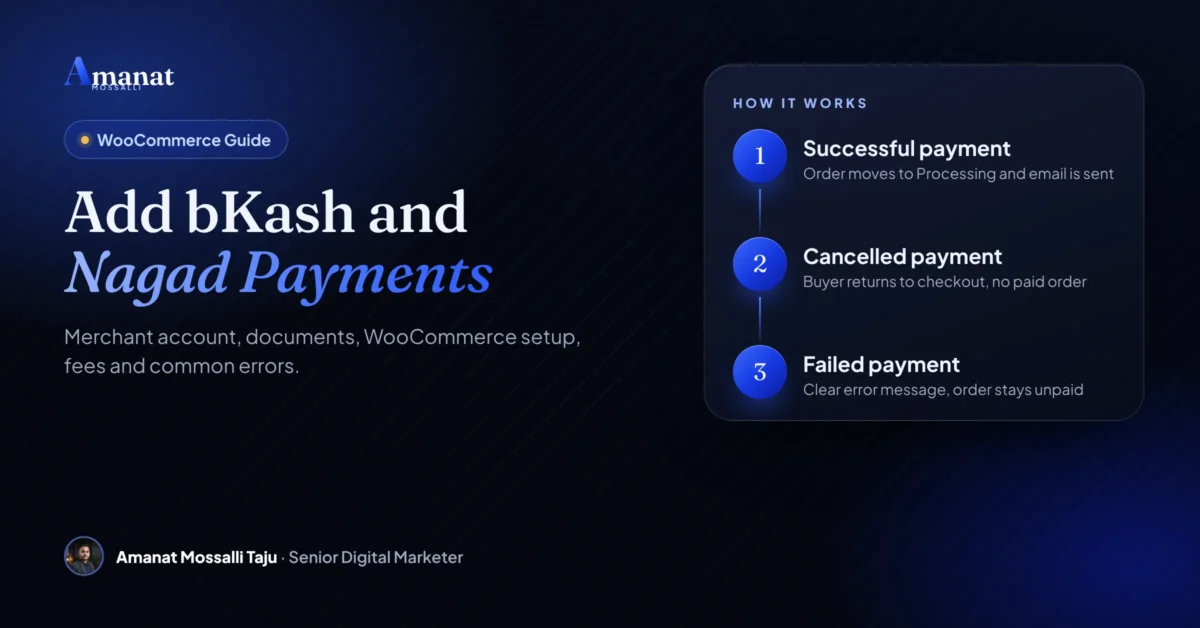
A bKash payment gateway integration for websites needs three things. An approved bKash merchant account. Four API credentials. And a plugin or a bit of code that connects your checkout. On WooCommerce the official plugin does nearly all the work once the credentials arrive.
You can also skip the direct deal and use an aggregator like SSLCommerz, aamarPay or shurjoPay. One account then gives you bKash, Nagad, cards and more. I’ll walk through both routes, the documents and the fees as far as anyone publishes them. Then the seven errors I keep seeing on launch day.
If you only read this
- No plugin works without an approved merchant account. Apply while the site is still being built.
- Direct integration means a separate deal with bKash and with Nagad. An aggregator gives you many methods through one account.
- bKash, Nagad and SSLCommerz all have official WooCommerce plugins. You rarely need custom code.
- Fees live in your merchant agreement. Nobody publishes one fixed public rate, so get a quote in writing.
- Test in sandbox, use SSL, and confirm every payment on the server before you mark an order paid.
What happens between Pay now and the receipt
The buyer picks bKash at checkout and lands on a secure bKash page. They enter their number, an OTP and their PIN, then come back to your site. Your site asks bKash whether the money really moved, and only then marks the order paid.
A woman who sells three-piece sets from a Facebook page in Mirpur 11 moved to a proper website last spring. For two years she had taken bKash “send money” payments and confirmed them from screenshots her customers sent on Messenger. One evening in Ramadan, around 11pm, she showed me a screenshot that had fooled her the week before. The font was slightly wrong. The parcel had already gone to Comilla. That was the night she decided she wanted a real gateway, and it’s the reason this article exists.
Behind the scenes your site talks to bKash through its API. It uses four credentials: an app key, an app secret, a username and a password. bKash hands these over during merchant onboarding. The checkout API has a sandbox version for testing and a live one for real money.
Every bKash payment gateway integration for websites project follows these five steps. WordPress, Laravel, a custom app, it doesn’t matter. On WordPress you won’t write any of it. The plugin handles each step.
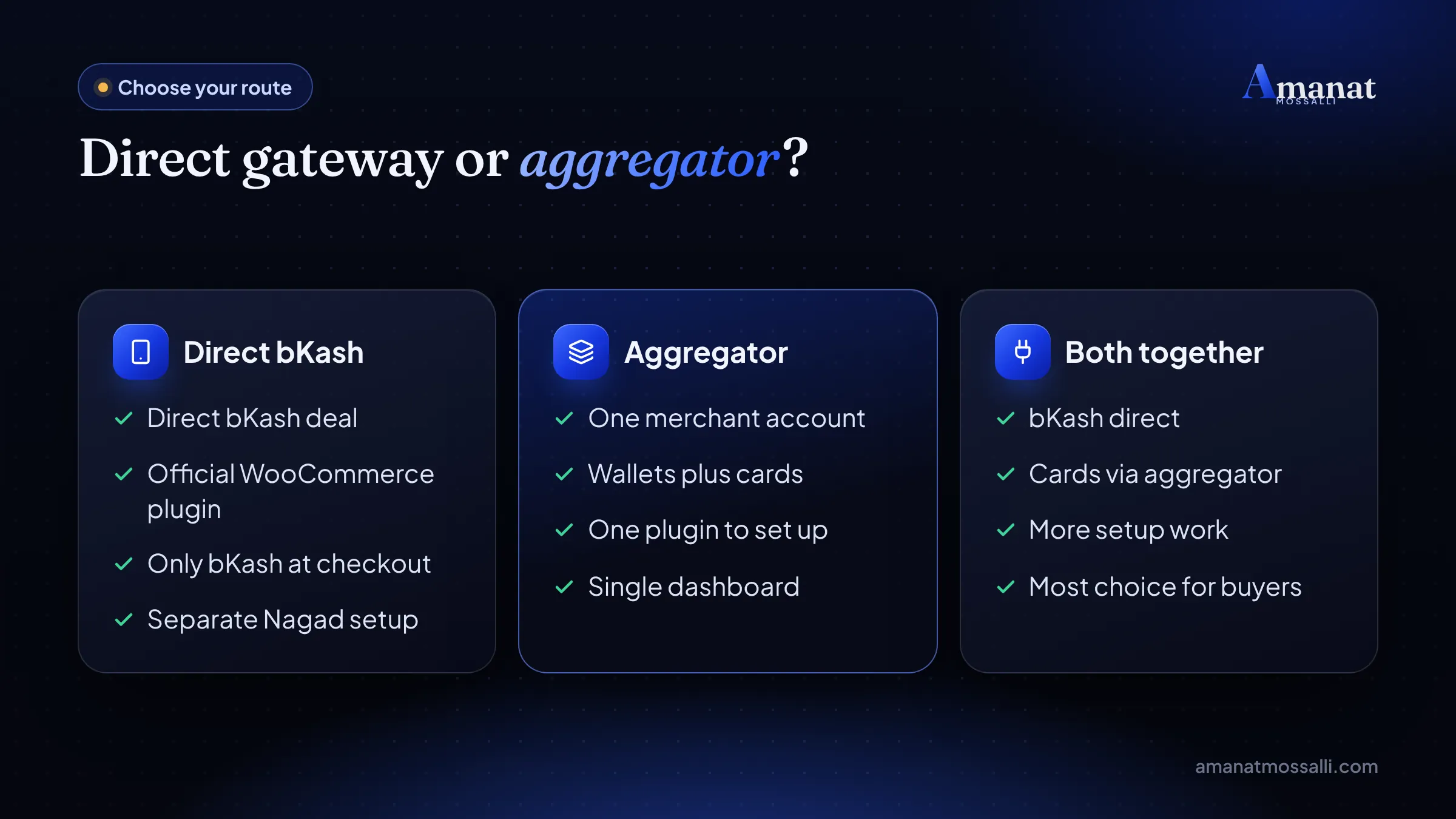
Direct bKash or an aggregator: pick one, or both
My blunt view: most new shops should start with an aggregator. You get bKash, Nagad and cards through one account and one set of paperwork. Go direct only if bKash is most of your sales and you want that relationship on paper.
| Point | Direct (bKash, Nagad) | Aggregator (SSLCommerz, aamarPay, shurjoPay) |
|---|---|---|
| Accounts needed | One per wallet | One for everything |
| Payment methods | Only that wallet | Wallets, cards, internet banking |
| Checkout | Wallet page directly | Aggregator page with all options |
| Paperwork | Repeat for each wallet | Once |
| Best for | Shops where bKash dominates | Most new online shops |
Plenty of shops end up doing both. The aggregator covers cards and the smaller wallets. Direct bKash sits beside it because it’s the button most buyers tap.
How do you get a bKash merchant account?
You apply to bKash as a business, usually with a trade licence. Once you’re approved for the payment gateway, bKash issues API credentials for sandbox and live use.
I’m Amanat Mossalli Taju. I’ve been building and marketing online shops in Dhaka since 2020, first as a lead digital marketer with Software Gaze. Now I work on my own, with 175+ brands behind me. Payment setup has stalled more launches than any design problem I’ve seen. So I wrote the process down exactly as I do it.
According to bKash’s online business page, businesses with a merchant account sign up for the bKash Business Dashboard. Sellers without a trade licence get pointed to a Personal Retail Account instead. That’s not a website gateway, and it won’t power a checkout.
The plugin page for bKash For WooCommerce says you must be an active bKash merchant. You can apply through bKash’s merchant registration page, or call customer care, who pass you to the business team.
Documents you'll usually need
- Trade licence in the business name.
- National ID of the owner or authorised person.
- TIN certificate, and a VAT or BIN certificate if you have one.
- Bank account details in the business name.
- A live website with clear prices, contact details, and privacy, refund and terms pages.
Exact lists change by provider and business type, so confirm with bKash before you submit. Start this paperwork before any plugin work begins. Missing policy pages are the delay I see most often, and the easiest one to avoid.
Publish your refund policy, delivery policy and terms first. Reviewers check that a real business stands behind the website. A shop with no refund page looks like a shop that plans to vanish.
Adding bKash to WooCommerce, step by step
Install the official bKash For WooCommerce plugin, enter your credentials, test in sandbox, then switch to live. The steps below follow the plugin’s own instructions.
If you need webhooks, copy the webhook URL from the plugin settings and send it to the bKash team. Your live site also needs an SSL certificate (https) before anything goes live. No https, no payments, no exceptions.
Nagad on WooCommerce
Nagad payment gateway integration on WooCommerce runs on the free Nagad Payment Gateway plugin published by Nagad Limited. You need a Nagad merchant account and three keys.
- 1Get your merchant ID, your merchant private key and the Nagad gateway public key from Nagad.
- 2Install and activate the plugin with WooCommerce active.
- 3Go to WooCommerce, Settings, Payments, Nagad Payment Gateway, and paste the three values.
- 4Copy the callback URL the plugin shows (your site address plus /nagad-pay/payment/confirmation/).
- 5Add that callback URL in your Nagad merchant panel and upload your merchant public key there.
One detail trips people up. Is your site on a server outside Bangladesh? Then the plugin page says you must share the server’s main IP address with Nagad for whitelisting. Skip that and payments simply fail, with no helpful message.
The plugin page also warns it hasn’t been tested with the latest three major WordPress releases. (This part annoys me, but it is what it is.) Test on a staging copy before you update WordPress on a live shop.
SSLCommerz setup in an afternoon
SSLCommerz on WooCommerce needs a store ID and a store password, entered in the official plugin. One setup gives buyers cards, mobile wallets and internet banking.
The SSLCommerz Payment Gateway plugin handles the IPN (instant payment notification) for you. IPN is the message SSLCommerz sends to your server to confirm a payment, even when the buyer closes the page early.
It needs PHP 7.4 or later, WooCommerce 3.6 or later and the cURL extension. If you hit a “store is de-active” error, check test mode, the store ID and the password before anything else.
aamarPay and shurjoPay, the other two aggregators
Both are local aggregators in the same family as SSLCommerz. Both bundle mobile wallets and cards into one checkout, and both offer a way to connect a WooCommerce shop.
shurjoPay
shurjoPay’s own website says it supports cards plus wallets like bKash, Nagad, Rocket and Upay. It lists WooCommerce among more than 21 ready plugins. Pricing isn’t public. Its team sends a quotation after you register.
shurjoPay lists these documents. A signed application form and a terms acceptance form. A trade licence and a sub-merchant agreement on a BDT 300 stamp. Two passport-size photos, a TIN or VAT certificate, and a copy of the NID.
aamarPay
With aamarPay you get merchant approval first, then connect using the plugin or the API credentials it issues. Its Shopify app listing describes fees as a minimum annual fee plus pay-as-you-go charges, with no public rates. Ask for the full fee sheet before you sign anything.
What are the payment gateway charges in Bangladesh?
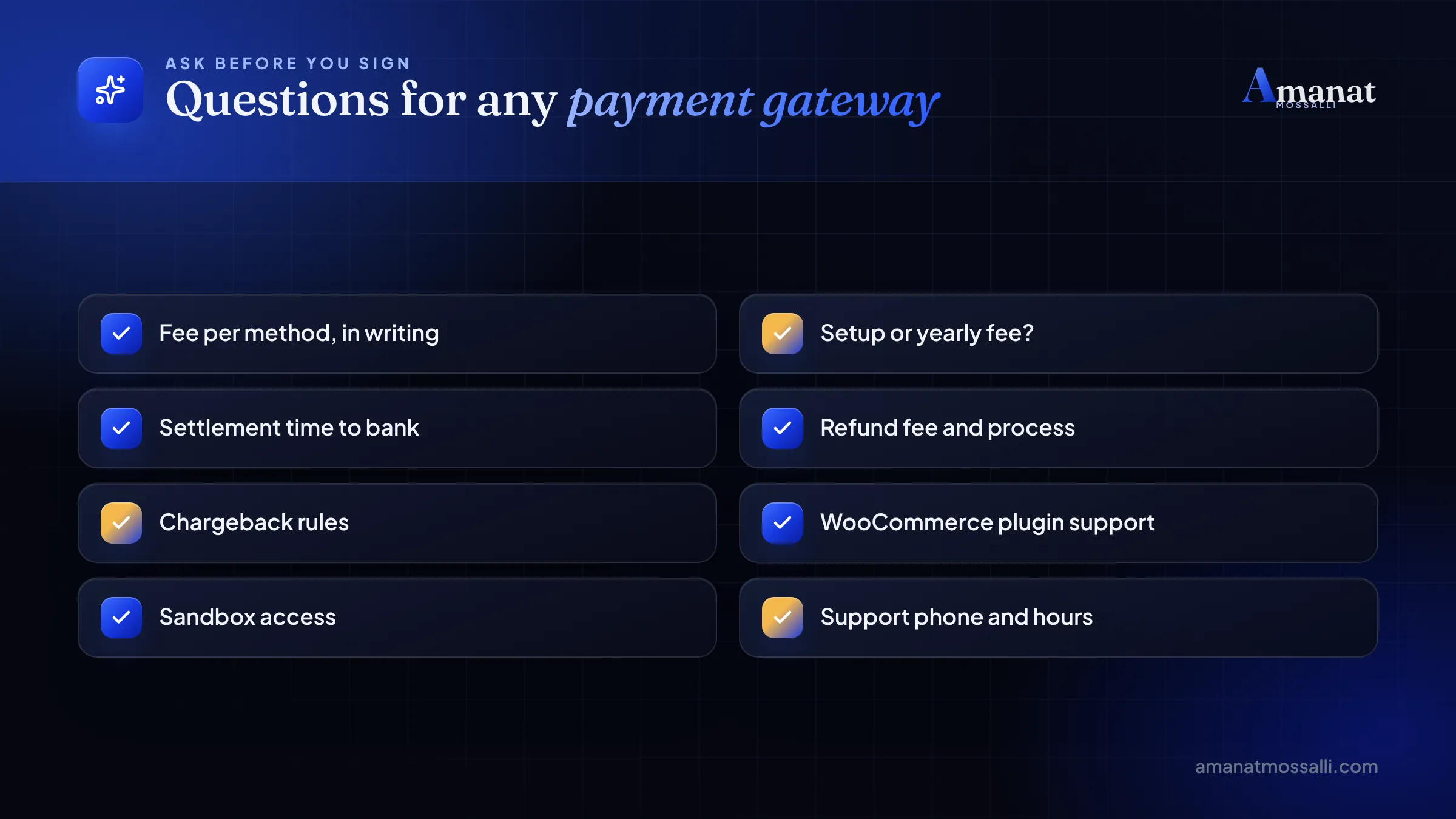
A percentage of each sale, set in your merchant agreement. That’s the honest answer. Most providers don’t publish a public rate, so you have to ask for a quote, and I’d ask two of them.
bKash is the clearest example. The bKash payment gateway terms say an additional fee may apply based on the understanding between merchant and bKash. In plain words, your rate is negotiated.
| Provider | Public rate? | What to expect |
|---|---|---|
| bKash PGW | No | Set in your merchant agreement |
| Nagad | No | Set in your merchant agreement |
| SSLCommerz | No | Quoted per business and method |
| aamarPay | No | Annual minimum plus per-sale fee |
| shurjoPay | No | Quotation after registration |
As a rough guide, local wallet and card payments through gateways tend to be quoted somewhere between 1.5% and 3% per transaction. International cards cost more. Your volume, category and bargaining power move the final number. I don’t know what bKash will quote you this month, and anyone who claims to is guessing.
One official benchmark does exist. The Business Standard reported that Bangladesh Bank capped the merchant discount rate on the National Payment Switch (NPSB) from 1 July 2026. The band is 1% minimum and 1.15% maximum. That covers POS, Bangla QR and e-commerce on that network. It doesn’t cover every gateway deal.
Six tests before you go live
Test every payment method, every order status and every failure case before a real buyer shows up. A payment that fails quietly costs you the sale and the customer, and you won’t even know it happened.
Run them in sandbox first, then repeat a few with small real payments after going live. Do it on a phone over mobile data too. That’s how most of your buyers will pay, and Wi-Fi hides problems.
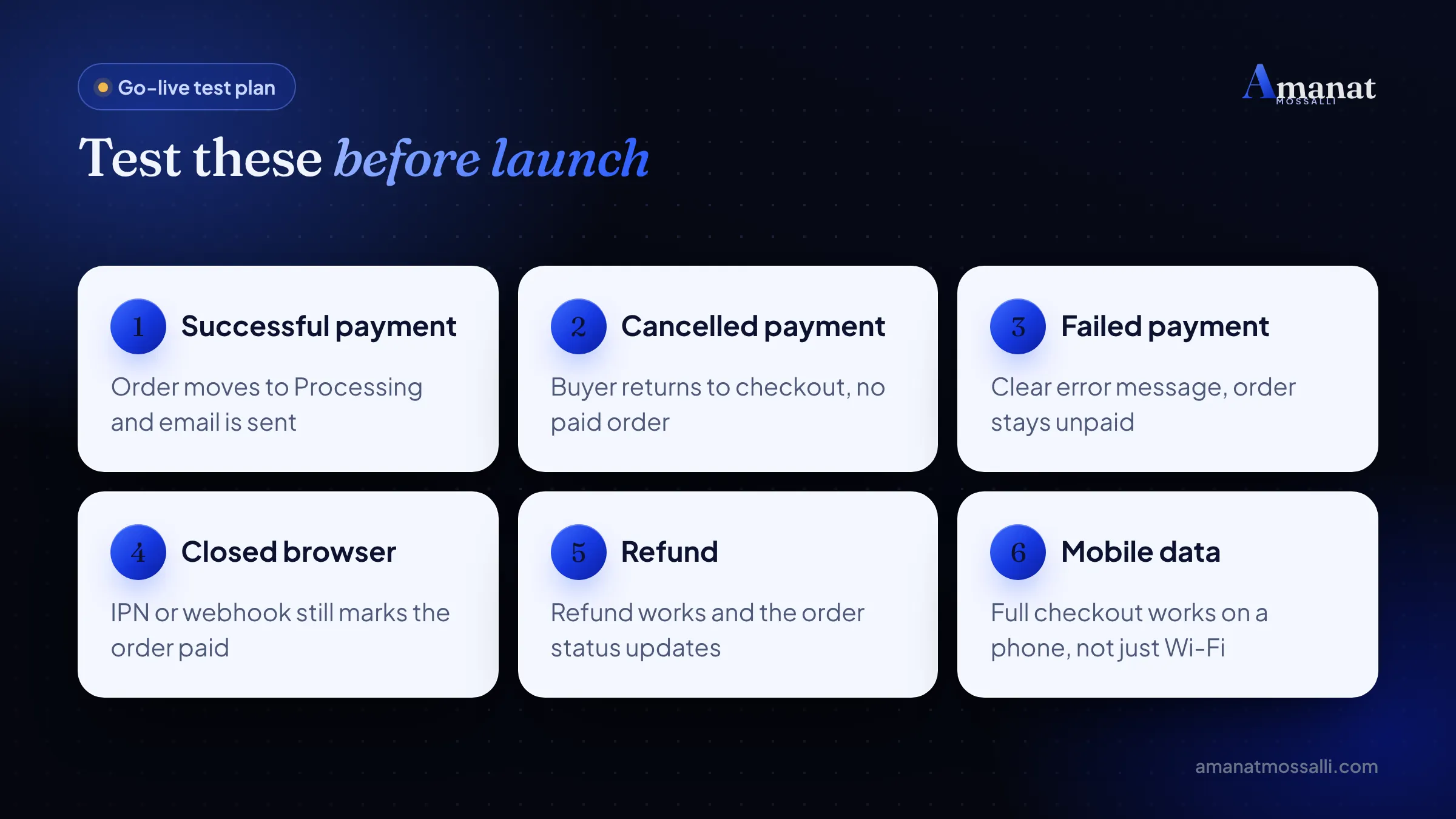
Keep a simple sheet with each test, the date and the result. When a gateway asks for proof of testing, you already have it.
Why do payment integrations break?
Wrong credentials, test mode left on, missing SSL, or callback URLs that don’t work. Those four explain most of it. They’re quick to fix once you know where to look.
A home-appliance shop in Mirpur 10 planned a Friday launch with a Facebook ad already scheduled. At 9pm the owner called me: the ad was live, people were clicking, and every bKash payment failed. The plugin still had the sandbox keys in it, with test mode switched off. Ten minutes of pasting the live credentials fixed it. The forty minutes of lost ad money didn’t come back. He now keeps the live keys in a note on his phone, which I’d call a different kind of problem.
- Sandbox keys on a live site. Live payments fail. Check that test mode is off and live credentials are entered.
- No SSL certificate. Gateways require https. Install a free certificate from your host first.
- Wrong permalinks. Plain permalinks can break callbacks. Use Post name.
- Caching the checkout. Exclude cart, checkout and callback pages from your caching plugin.
- Foreign server not whitelisted. Nagad needs your server IP if hosting is outside Bangladesh.
- Trusting the redirect only. Confirm payment through IPN or the validation API, not just the return page.
- Currency mismatch. Gateways expect BDT. If your shop uses another currency, set up conversion.
These seven cover most failed launches in any bKash payment gateway integration for websites project. When something breaks, open WooCommerce, Status, Logs first. Most gateway plugins write the exact error there.
Keeping your payment page safe
Never store card or wallet details yourself. Keep plugins updated. Verify every payment on the server. The gateway guards the sensitive data. Your job is to guard the shop around it.
- Never ask buyers for their bKash PIN or OTP. Real gateways never need it.
- Use strong admin passwords and two-factor login for WordPress.
- Keep payment plugins updated and delete the plugins you don’t use.
- Check that the amount and transaction ID match the order before shipping.
- Keep daily backups, so a bad update doesn’t take down checkout mid-sale.
Remember the Mirpur seller and her fake screenshot? That’s the whole case for a real gateway in one sentence. When the system confirms the payment, nobody can edit a font.
FAQ: bKash payment gateway integration for websites
How do I integrate bKash payment gateway in my website?
Can I get a bKash merchant account without a trade licence?
What is the bKash payment gateway charge for websites?
Which is better, SSLCommerz or direct bKash?
Do I need coding skills to add bKash or Nagad to WooCommerce?
Why does my Nagad payment fail on a foreign server?
How long does payment gateway approval take?
Does bKash at checkout really lift sales?
For most Bangladeshi shops, yes. Buyers who can pay the way they already pay for everything else are more likely to finish checkout. Prepaid orders also cut the cost of refused cash-on-delivery parcels, which is a bigger leak than most owners admit.
A clean payment page is part of trust, too. If you’re building a brand, my guide on brand building in Bangladesh explains why trust signals matter so much here. If the shop is still new, the future of e-commerce in Bangladesh shows where digital payments are heading.
Once payments work, track them. Set up purchase events in GA4 and the Meta pixel so you know which ads bring paid orders, not just clicks. My tracking and analytics service covers exactly that.
This week: paperwork first, plugin second
A smooth launch starts with documents, not code. Get the merchant application moving now. Once it’s approved, the plugin setup takes an afternoon, not a month.
- 1Decide on direct bKash, an aggregator, or both.
- 2Gather your trade licence, NID, TIN, bank details and policy pages.
- 3Install the official plugin and run the six sandbox tests.
- 4Go live, then track every paid order in GA4.
If you’d like a second pair of eyes on your setup, book a free 15-minute call or message me on WhatsApp at +880 1782-790018. I answer within 12 hours. My WordPress development service includes payment setup, and if the gateway doesn’t work when I’m done, you don’t pay.

Amanat Mossalli Taju
Senior Digital Marketer & SEO Expert, Dhaka, BangladeshI have grown 175+ brands since 2020 with SEO, Google and Meta Ads, server-side tracking, WordPress and AI automation. Half of my clients are in the UK, USA, Australia and Canada. Everything I write here comes from real client work.
Want this done for your business?
Book a free 15-minute call. I look at your site and ads before we talk, so you leave with clear next steps.