App Store Optimization (ASO): How to Rank Your App on Google Play and the App Store
A plain guide to app store optimization: the fields that count on each store, keyword research, screenshots that convert, ratings and listing tests.

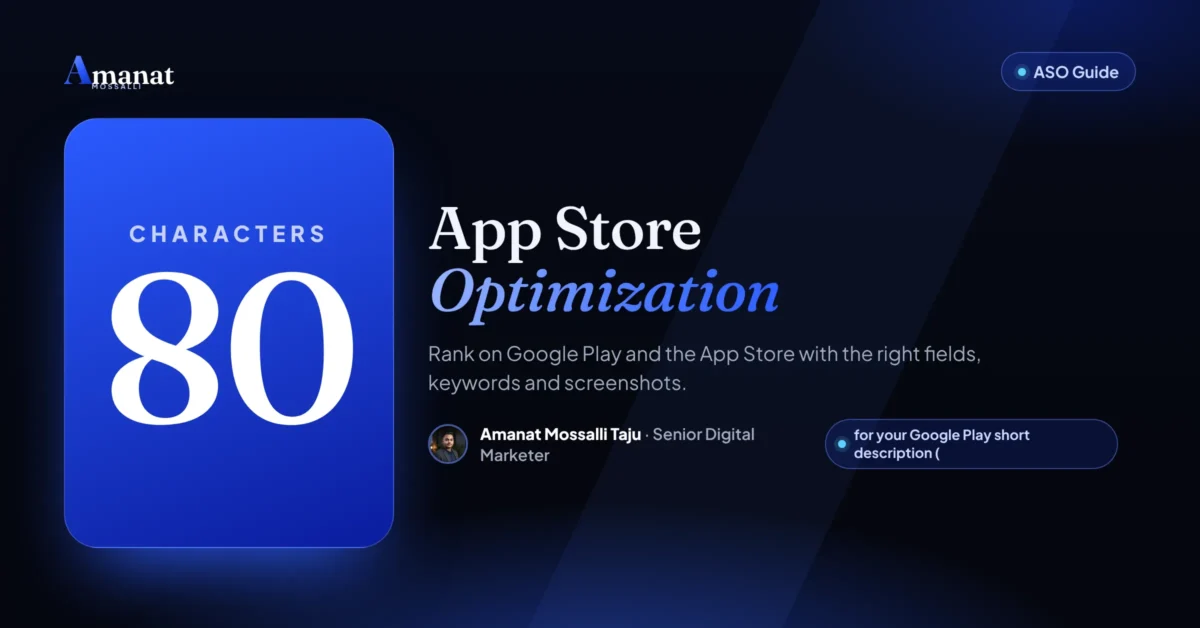
App store optimization is how your app gets found in store search and how a visitor becomes an install. It has two halves. One half helps Google Play and the App Store show your app for the right searches. The other half makes people tap Install once they land on your listing.
Most people ask about it the week after launch, staring at a download chart that went flat on day three. That’s the right moment. Everything in this guide is free to change. I checked every limit and rule on Google’s and Apple’s own pages on 12 November 2026.
Launch Week, Flat Line: Where ASO Starts
Two young developers from Nalitabari shared their Play Console screen with me on a video call last spring. Their app answers farmers’ questions about rice and vegetable diseases in Bangla. Installs had spiked on launch day, when friends and relatives downloaded it. Then the line went flat.
The title was just the brand name. The short description said “Welcome to our app”. The first screenshot was the login screen. Nobody searching “dhan rog” or “krishi app” had any reason to find it. Nobody who did find it had a reason to install.
We rewrote the title and short description around the words farmers actually typed. We added a Bangla listing and swapped the first two screenshots for a real diagnosis screen. Six weeks later, the share of listing visitors who installed had risen from about 18% to about 27%. Search visits roughly doubled from a small base. Nothing about the app itself had changed.
Their app wasn’t bad. Their listing just didn’t say what it did. That’s the most common problem I see, and it’s free to fix.
I’m Amanat Mossalli Taju. I’ve done SEO for over seven years, with clients ranked #1 on Google in the UK, USA, Australia and Canada. I treat ASO the same way: match the words people type, then make the page convince them. The store is just a smaller search engine with stricter boxes.
What Is App Store Optimization, in Plain Words?
It’s SEO for app stores. You choose the words in your listing so the store shows your app for the right searches. Then you design the icon, screenshots and text so more viewers install.
People call it ASO, Google Play store SEO or app store SEO. Same job. The stores weigh different fields, though, so you can’t copy one listing onto both.
In Bangladesh, Google Play matters most for most apps. DataReportal’s Digital 2027 Bangladesh report, published 5 November 2026, counts 185 million cellular connections. That’s 104% of the population. Its earlier Digital 2026 report had 186 million at the end of 2025. Most local users reach apps on Android phones, so I usually start ASO work on Play.
Google Play vs the App Store: Which Fields Count?
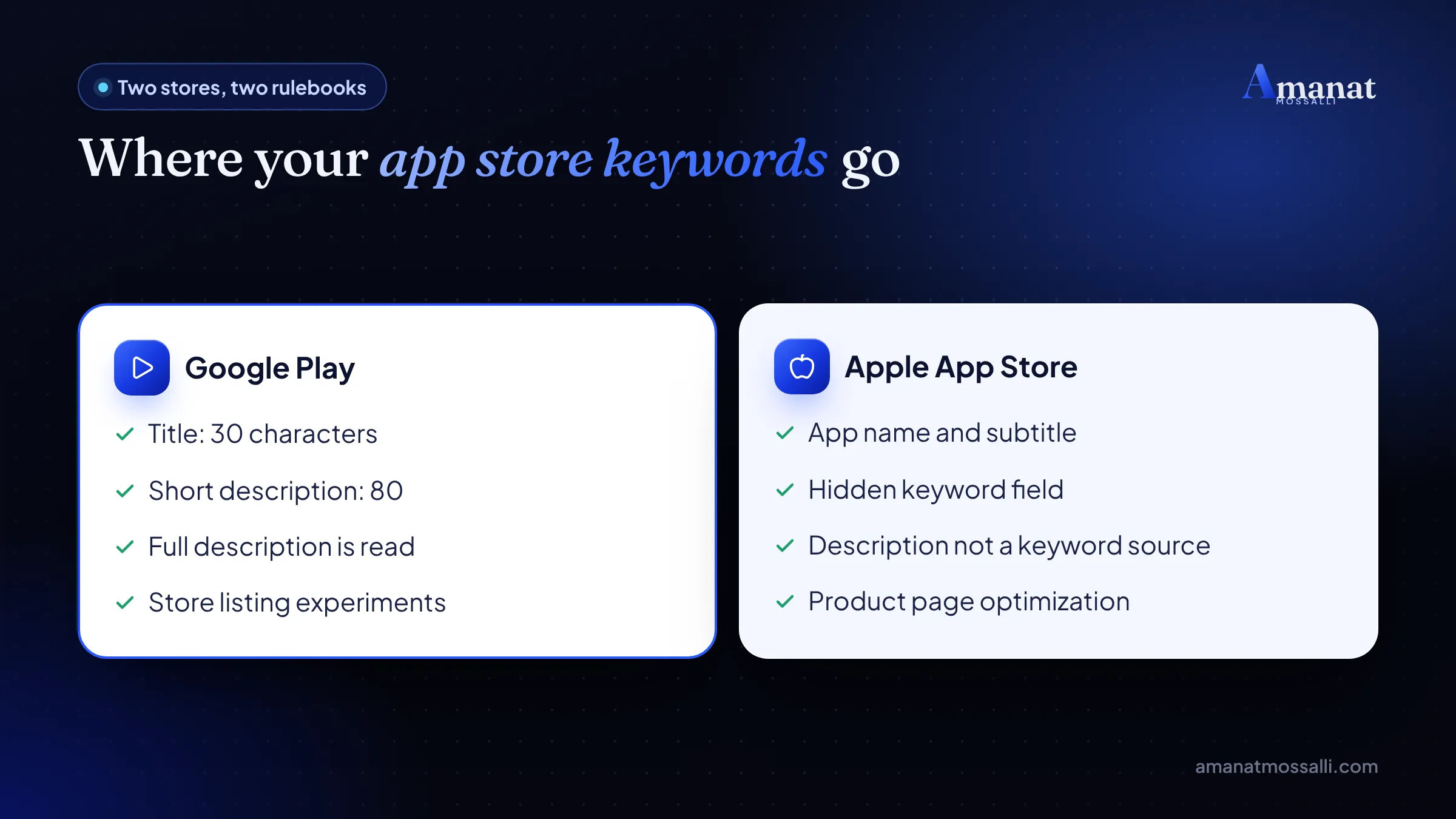
Both stores read your app name. After that, they differ a lot. Google reads your descriptions. Apple gives you a hidden keyword field instead.
| Field | Google Play | Apple App Store |
|---|---|---|
| App name | 30 characters, searchable | 30 characters, searchable |
| Second line | Short description, 80 characters | Subtitle, 30 characters, searchable |
| Long text | Full description, 4,000 characters, read for search | Description, written for people; Apple warns against adding keywords |
| Hidden keywords | None | Keyword field, 100 characters, comma-separated, no spaces |
| Extra promo text | Not a separate field | Promotional text, 170 characters, no effect on ranking |
| Screenshots and video | Screenshots and a promo video | Up to 10 screenshots, up to 3 previews of up to 30 seconds |
| Listing tests | Store listing experiments | Product page optimization |
| Audience-specific pages | Custom store listings | Custom product pages |
The Google Play limits come from Google’s Create and set up your app help page. Google says the limits apply the same to full-width and half-width characters, which matters if you write in Bangla.
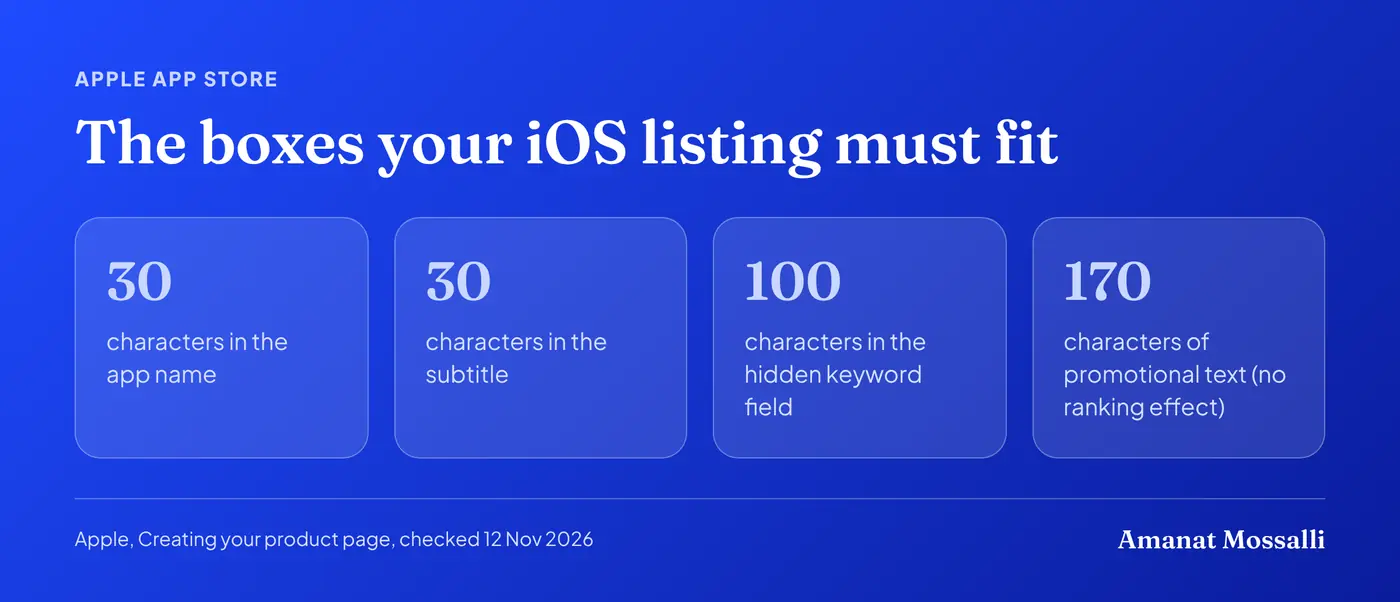
The Apple limits come from Apple’s Creating your product page guide. Two lines there are worth reading twice. First: “Keywords help determine where your app displays in search results.” Second, promotional text “doesn’t affect your app’s search ranking”. So don’t waste it on keywords.
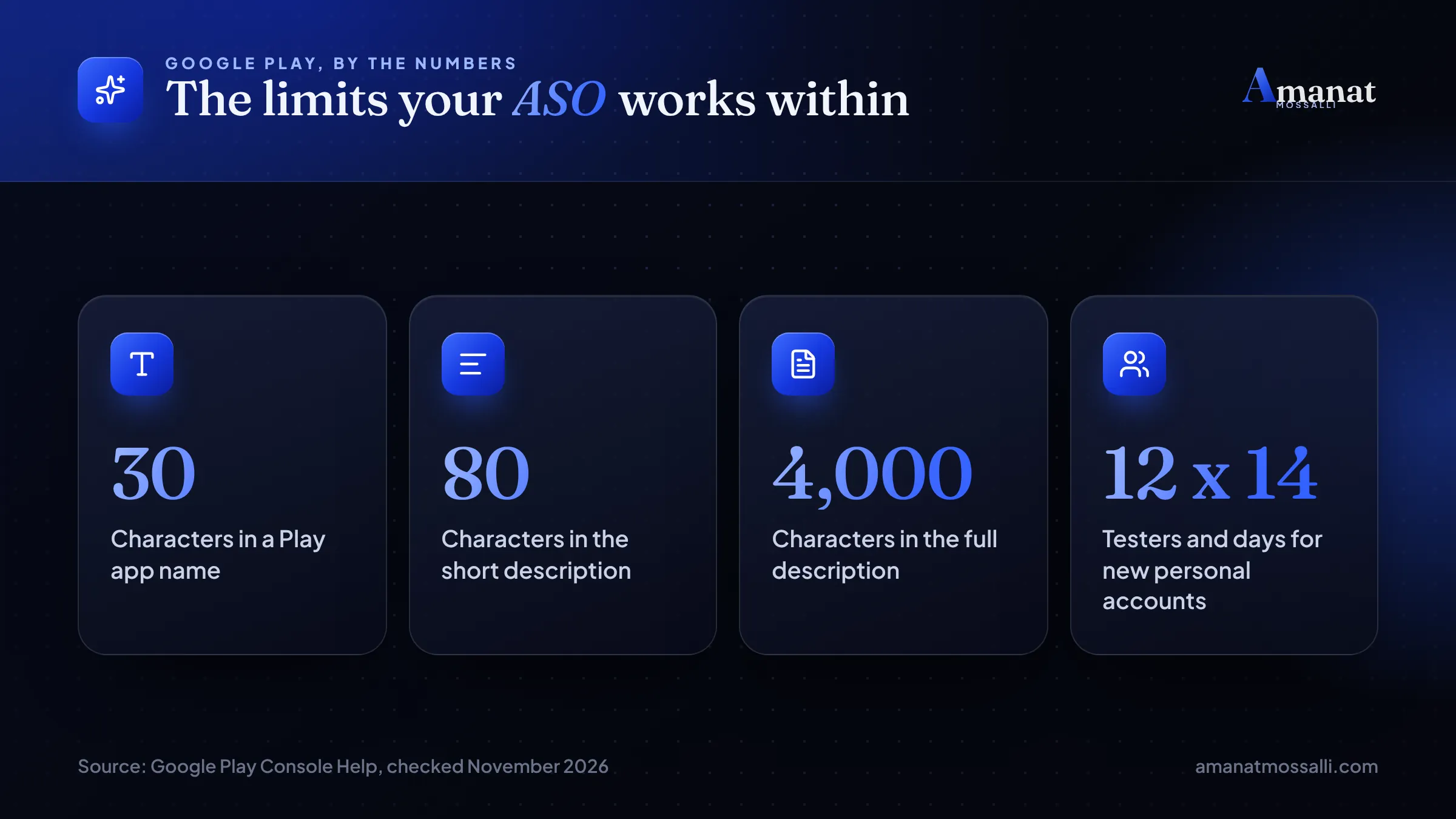
Apple’s side has tighter boxes, so it gets its own picture. The 100-character keyword field is where most iOS ranking work happens.
Using Apple’s 100 characters well
Apple’s guide asks for commas with no spaces, like “Property,House,Real Estate”. A few habits from my own listings help squeeze in more.
- Don’t repeat words already in your app name or subtitle. They already count.
- Use single words where you can. The store can combine them into phrases.
- Skip your brand name and the word “app”. Both waste space.
- Leave out competitor brand names. I never risk a rejection over them.
How Do You Find App Store Keywords People Actually Type?
Start with your users’ words, not yours. Founders say “on-demand grocery platform”. Users type “bazar delivery”.
Good app store keywords have three traits. They describe a job your app really does. People actually type them. And you have a fair chance against the apps already ranking. Miss any one and the keyword won’t pay off.
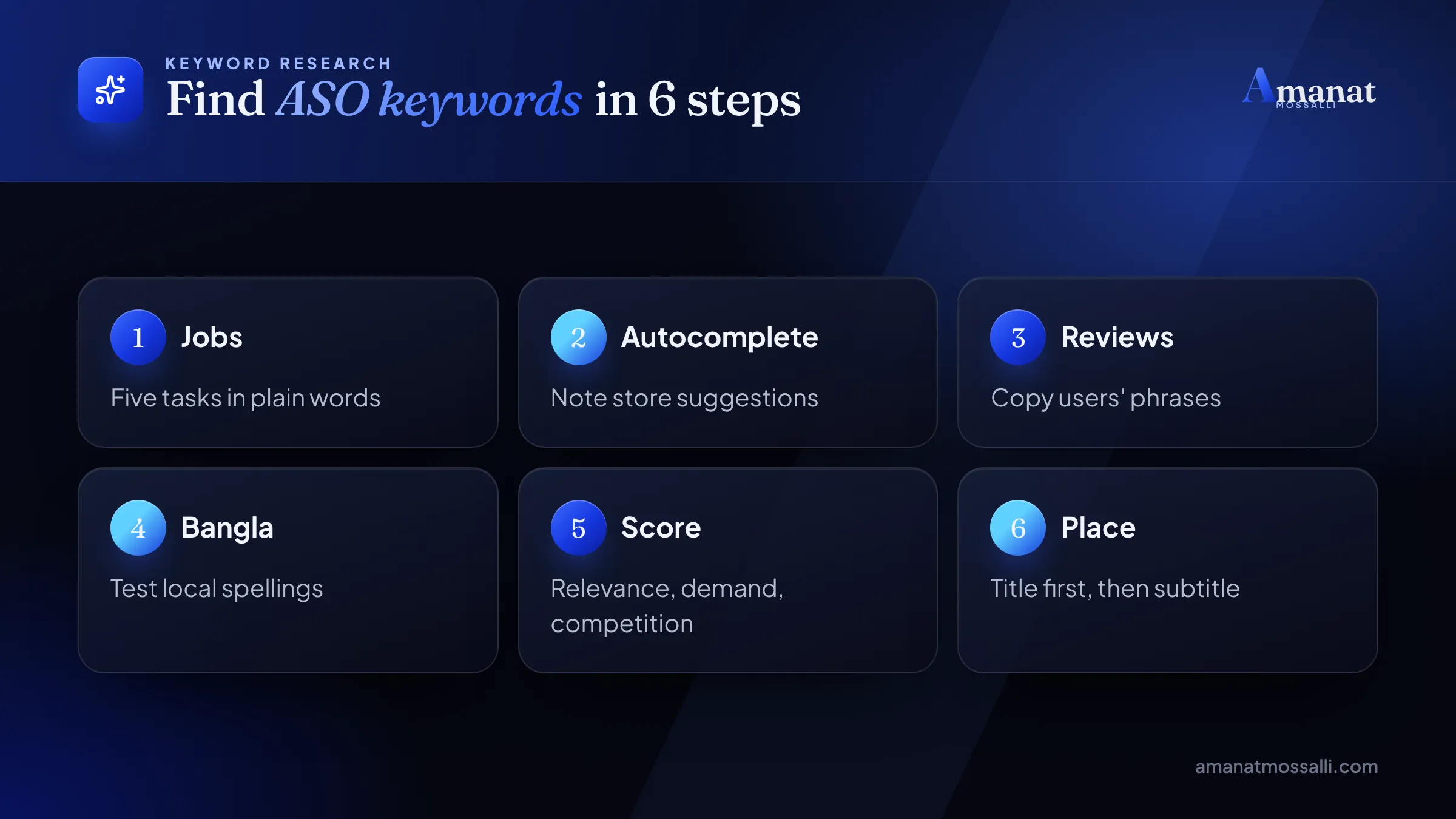
Here’s how the scoring in step 5 looks for a grocery app. Each column runs from 1 to 3.
| Phrase | Relevance | Popularity | Chance vs rivals | Total |
|---|---|---|---|---|
| grocery delivery | 3 | 3 | 1 | 7 |
| bazar app | 3 | 2 | 3 | 8 |
| fresh fish home delivery | 2 | 2 | 3 | 7 |
| online shopping | 1 | 3 | 1 | 5 |
“Bazar app” wins here, even though “grocery delivery” is more popular. The big apps own that phrase. A small app can own “bazar app” sooner. The scores are my own judgement from autocomplete and rival listings, not data from a tool.
Web search data helps too. My guide on growing organic traffic in Bangladesh covers keyword research that works for both your site and your app.
Writing Your App Title and Description
Your app title and description do two jobs. They tell the store what you’re about, and they tell a person why to care. Write for the person first.
The title
Use your brand plus your main keyword, if it fits naturally. “Brand: Grocery Delivery” beats “Brand” alone. Don’t stuff it. A title packed with keywords reads like spam.
Google’s metadata policy is strict about the title, icon and developer name. I checked it on 12 November 2026. These are the rules that catch local apps most often.
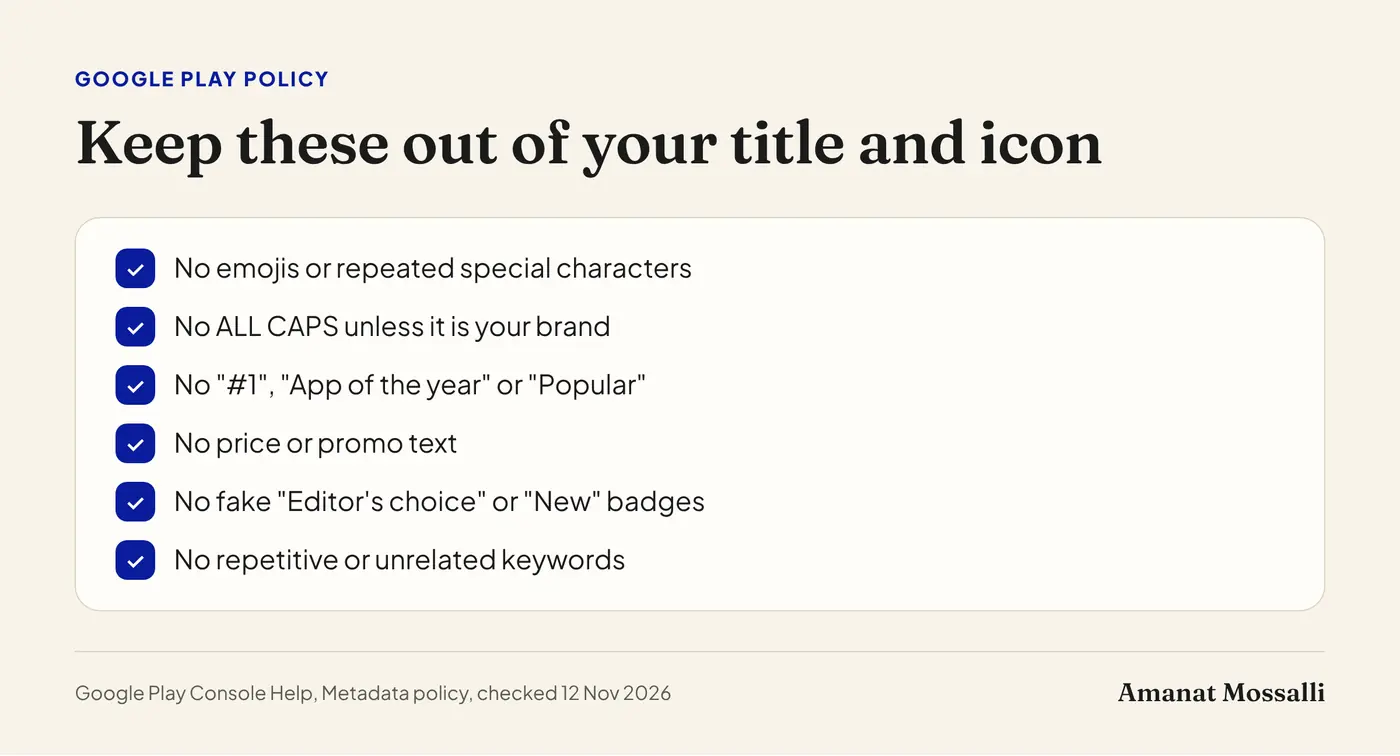
- No emojis, emoticons or repeated special characters.
- No ALL CAPS unless it’s really your brand.
- No ranking or performance claims like “#1”, “App of the year” or “Popular”.
- No price or promo text, such as “free for limited time only”.
- No fake badges like “Editor’s choice” or “New”.
- No repetitive or unrelated keywords.
The same page bans unattributed or anonymous user testimonials in the description. So a line like “Best app ever! – a happy user” has to go.
The short description or subtitle
On Play you have 80 characters. Lead with the benefit and include one keyword. For example: “Order groceries in Dhaka, pay with bKash, get it in under an hour.” Only promise times you can actually deliver.
On iOS, the subtitle has 30 characters. Use it for your second-best phrase, not a slogan.
The full description on Google Play
Google reads all 4,000 characters, but people read the first few lines. Put the main benefit and two or three keywords up top. Then use short paragraphs and simple lists for features.
- Open with what the app does and who it’s for.
- List three to five main features in plain words.
- Mention local details: bKash, Nagad, Bangla support, cities served.
- Repeat your main keyword a few times, never in a block.
- End with a line about support, such as a WhatsApp help number.
On iOS, Apple’s guide says the first sentence matters most, because that’s what people see without tapping “more”. Write it like an ad headline.
Localizing for Bangladesh
A Bangla listing isn’t a word-for-word translation. Write it the way your users talk. Some will search in Bangla script, some in Banglish, and many in English with local words like “bazar” or “bkash”.
Keep the English listing for users whose phones are set to English. Add the Bangla listing as a separate language. Play lets you add localized text and graphics for each language you support. Then check both on a real phone, because long Bangla words can wrap in odd places.
Screenshots, Icon and Video: The Conversion Half of ASO
Most people decide from the icon and the first two screenshots. They rarely tap “read more”. That’s why app screenshots conversion work often beats keyword work.
On iOS, Apple says the first one to three screenshots show in search results when you have no app preview. Previews autoplay muted, so the first few seconds must work without sound.
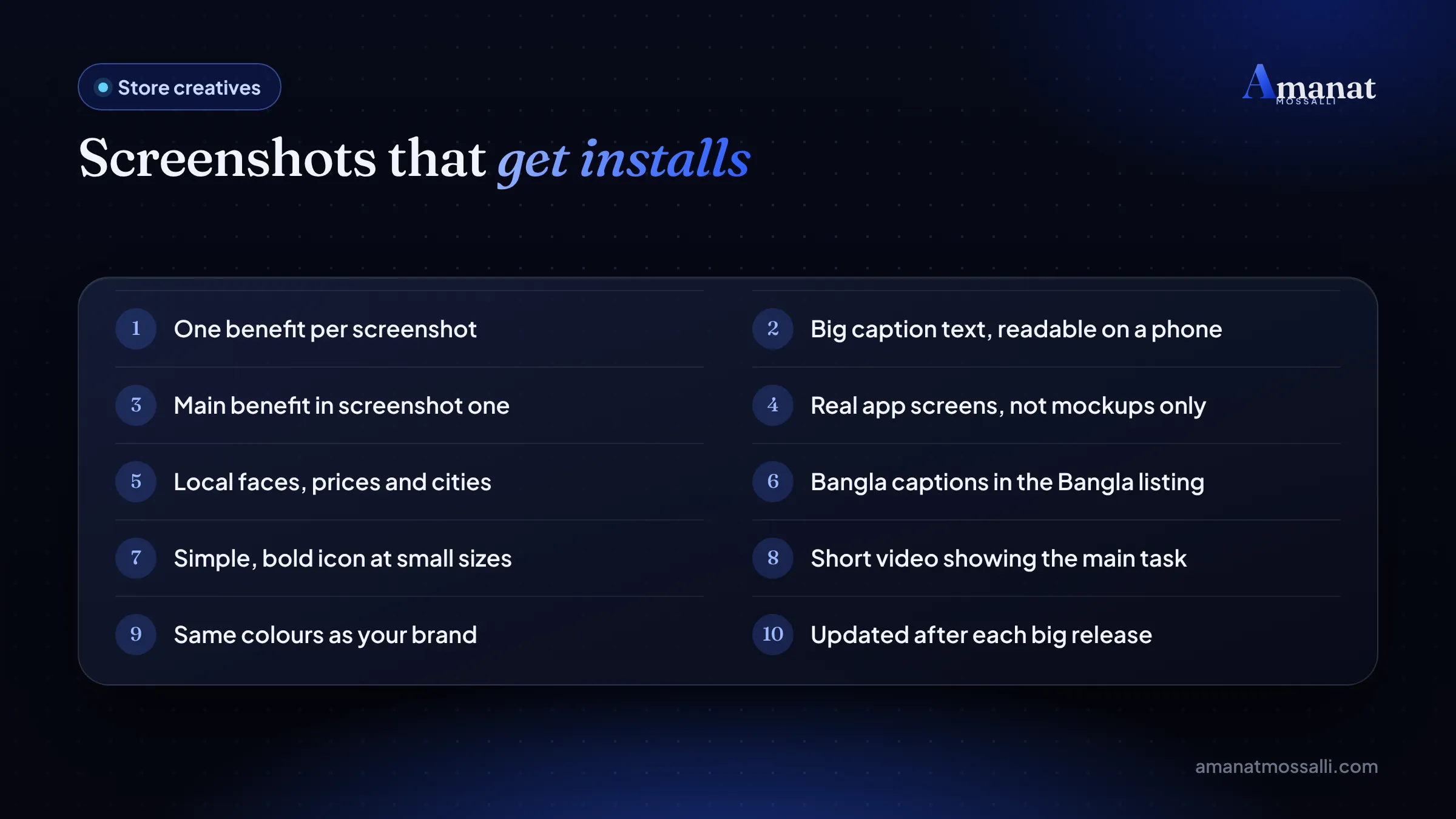
Test your icon at thumbnail size next to rivals. If it blurs into the crowd, simplify it. One shape and one strong colour usually works best. Google’s policy also bans misleading symbols on icons, like a fake notification dot.
Google Play’s Asset Library lets you upload, crop and tag graphics once and reuse them across your main listing, custom listings and experiments. It saves real time when you test.
A screenshot order that works
Here’s the order I’d suggest for a grocery app. Each screenshot answers one question a buyer has.
- 1“Groceries at your door in Dhaka” with the home screen.
- 2“Pay with bKash, Nagad or cash” with the checkout screen.
- 3“Track your rider live” with the map screen.
- 4“Fresh fish and vegetables daily” with a product screen.
- 5“Help in Bangla, any time” with the support chat.
Notice the pattern. Benefit first, proof second, comfort last. Swap in your own app’s answers.
Which App Ranking Factors Can You Control?
Neither store publishes its full formula. But the signals below are widely understood, and most are in your hands.
| Factor | What you control | How to improve it |
|---|---|---|
| Keyword match | Title, short text, keyword field | Use real user phrases in the right fields |
| Install rate from the listing | Icon, screenshots, text | Test creatives one at a time |
| Ratings and reviews | App quality, review prompts | Ask at a happy moment, reply to reviews |
| Stability | Crashes and slow screens | Fix crashes first, keep the app light |
| Retention | Onboarding and value | Get users to the main task fast |
| Outside traffic | Ads, website, social | Send people to the listing from your channels |
Speed matters more here than people think. DataReportal’s Digital 2027 report puts median mobile download speed in Bangladesh at 38.67 Mbps, using Ookla data to August 2026. The year before, it was 36.84 Mbps. That’s an average. On a crowded tower outside a town centre, a large download still gets cancelled.
Ask your developer for the app’s download size on Play. If it’s large, ask what can be trimmed. Every megabyte you cut helps users on prepaid data packs finish the install.
Outside traffic helps too. Search and Facebook ads that point to your listing bring installs the store can learn from. I’ve managed more than $8M in Google and Meta ad spend, and app installs are the campaigns where tracking gets skipped most. My guides to Google Ads cost in Bangladesh and Facebook ads cost in Bangladesh show how to budget for it.
Ratings and Reviews Without Begging
Ask for a rating right after a good moment. A finished order or a completed lesson works well. Never ask on first open, and never ask after an error.
Both stores limit how often their built-in prompt appears. Apple’s ratings and reviews page says you can prompt “up to three times in a 365-day period”. Google’s In-App Review API guide uses a time-bound quota it doesn’t publish. It says calling the flow more than once in under a month might not show anything.
- Use the official in-app review prompts, not a pop-up that sends people out of the app.
- Don’t ask “Do you like the app?” first. Google’s guide forbids questions before or during the prompt.
- Don’t put a “Rate us” button on the API. If the quota is used up, the button does nothing.
- Reply to every negative review within a day or two, politely and with a fix.
- Turn repeated complaints into your next release notes.
- Don’t buy reviews or trade rewards for five stars. Both stores have strict review rules.
Your replies are public. New users read them to judge whether you care. Apple’s advice is to keep replies concise, respectful and free of marketing language. If you can’t answer all, start with the lowest ratings and bug reports.
A reply you can adapt
Sorry your order arrived late on Friday. That’s not the service we want to give. We’ve added more riders in your area this week. Please message our support on WhatsApp and we’ll make it right.
It names the problem, says what changed and offers a next step. It doesn’t argue. Readers notice that more than the star count.
One iOS option many owners miss: Apple lets you reset your summary rating when you release a new version. Old written reviews stay visible. Apple suggests using it sparingly, and so would I. It’s for a real fix, not a bad month.
How Do You A/B Test a Store Listing?
Use each store’s built-in tool. Google Play has store listing experiments. Apple has product page optimization. Both split real store visitors between your current listing and a new version.
| Rule | Google Play experiments | Apple product page optimization |
|---|---|---|
| What you can test | Icon, feature graphic, screenshots; descriptions in localized tests | App icon, screenshots, app previews |
| Versions per test | Up to 2 variants against the current listing | Up to 3 treatments against the original |
| Tests at once | 1 default graphics test, or up to 5 localized tests | 1 test at a time |
| How long | Stops automatically after 6 months | Up to 90 days |
| Catch | Experiments have their own review status | Alternate icons must be in the app binary |
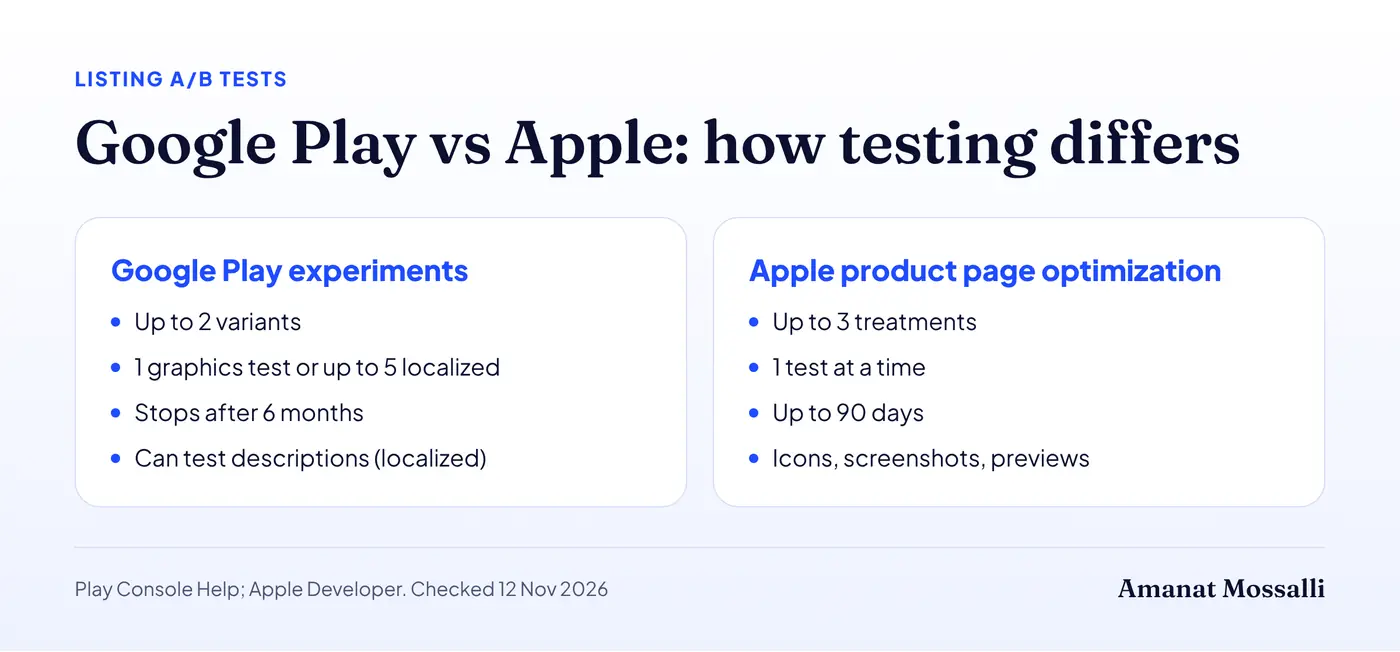
Google Play’s page recommends testing one asset at a time, the same advice. It also lets you set a minimum detectable effect. Smaller differences are called a draw, which stops you chasing noise.
A primary school teacher in Delduar built a Bangla alphabet app for small children with her nephew. When installs stalled, she was sure their cartoon owl icon was the problem. She wanted to redesign everything that weekend.
I asked her to test only the first screenshot instead. We put a real tracing lesson with a big Bangla caption against the old welcome screen. After about four weeks, the new screenshot won clearly. Install rate from the listing went from about 22% to about 26%. The icon test that followed came out a draw, so she kept the owl. She was relieved. So was the nephew who drew it.
Google Play also offers custom store listings for specific user segments, such as a country or a campaign. Apple’s version is custom product pages. Use them when one audience needs a different message.
Updates and experiments can go through review. Google’s publishing page says some accounts may face reviews of “up to seven days or longer in exceptional cases”. Don’t launch a test the day before Eid.
FAQ: App Store Optimization
What is app store optimization?
How long is a Google Play app title?
Does Apple use the app description for search?
How long does ASO take to work?
What are the best ASO tools?
Can I A/B test my app listing for free?
How much does it cost to publish an app?
ASO Tools Worth Trying First
Start with the free tools inside each store. They show real data about your own app, which no outside tool can match.
- Google Play Console: store performance reports, acquisition sources and search terms that bring visitors.
- App Store Connect analytics: impressions, product page views and conversion for your iOS app.
- Store autocomplete: free, current and local. Your best source of real phrases.
- Google Trends: seasonal demand for the job your app does, such as Eid shopping.
Paid ASO tools such as AppTweak, Sensor Tower and MobileAction estimate keyword popularity and track rivals. I haven’t priced them for this article, so check their own sites. For a single local app, the free tools are often enough for the first six months.
Before you pay for any app store optimization tool, check three things. Does it cover Bangladesh as a store country? Does it handle Bangla keywords? Can you export the data? If any answer is no, the free consoles may serve you better.
Want the SEO side covered too? My SEO guide for Bangladeshi businesses explains how your website and app listing can support each other.
Mistakes That Sink a Store Listing
- Brand name only in the title. Nobody searches for a brand they’ve never heard of.
- Keyword stuffing. It reads badly and breaks Google’s metadata policy.
- Keywords in Apple’s promotional text. Apple says it doesn’t affect ranking.
- Screenshots of the login screen. Show the value, not the sign-up form.
- One listing for both stores. Apple and Google read different fields.
- English only. A Bangla listing can reach users an English one misses.
- Testing five things at once. You’ll never know which change worked.
- Ignoring crashes. No listing can rescue an app people uninstall.
The Nalitabari team had four of these on day one. Fixing the title and screenshots took one afternoon.
Your First 30 Days of ASO, Week by Week
You don’t need a big team to start. One person with two hours a week can do all of this.
| Week | Task | Done when |
|---|---|---|
| Week 1 | Keyword list from autocomplete, reviews and support chats | You have 20 scored phrases |
| Week 2 | New title, short description and first two screenshots | Changes pass review |
| Week 3 | Bangla listing and an in-app review prompt | Both are live |
| Week 4 | First store listing experiment on screenshot one | Console shows a result |
After that, run one test a month and refresh your keyword list every quarter. Big shopping seasons like Eid and Pohela Boishakh are worth a listing update of their own.
Keep a simple change log with the date and what you changed. When installs move, you’ll know why. Without it, you’re guessing.
Should You Fix the Listing or the App First?
Fix crashes first, then the listing. A great listing sends people to an app that breaks, and they leave a one-star review on the way out. Once the app is stable, the listing is the cheapest growth lever you have.
If you haven’t published yet, budget for the gate fees and the wait. Google Play’s registration fee is US$25 one time. Apple’s program costs 99 USD per membership year. Personal Play accounts created after 13 November 2023 face one more gate. They must run a closed test with at least 12 testers for 14 days in a row. If a tester opts out, their count restarts.
Those 14 days are useful. Ask your testers what they’d type to find an app like yours. Their answers are your first keyword list. Running a website too? A landing page that sends each phone to the right store saves lost installs.
Do one thing today. Pick up the cheapest Android phone in your house. Search for the job your app does, and look at your listing next to the three apps above it. Whatever makes you scroll past yours is your first fix.

Amanat Mossalli Taju
Senior Digital Marketer & SEO Expert, Dhaka, BangladeshI have grown 235+ brands over more than seven years with SEO, Google and Meta Ads, server-side tracking, WordPress and AI automation. Half of my clients are in the UK, USA, Australia and Canada. Everything I write here comes from real client work.
Want this done for your business?
Book a free 15-minute call. I look at your site and ads before we talk, so you leave with clear next steps.