Facebook Ads Attribution: Why Ads Manager Reports Sales That Never Happened
Why Meta Ads Manager often shows more sales than your shop received, how the 2026 attribution rules work, and how to match it to real orders with CAPI and UTMs.

You’ve seen the screenshot. ROAS 5.8, 112 purchases, a green arrow. Then you open your courier dashboard. Forty of those parcels came back refused, another dozen were never real orders, and the bank balance doesn’t look like a 5.8 of anything.
Facebook ads attribution is the reason those two screens disagree. It’s the set of rules Meta uses to decide which ad gets credit for a sale. When Ads Manager shows more purchases than your shop received, the cause is nearly always one of three things. Generous attribution windows. Duplicate events. Or orders placed but never paid for.
That last one bites hard in Bangladesh, where so many orders are cash on delivery. An order counts in Ads Manager the moment it’s placed. If the buyer refuses the parcel three days later, Meta never hears about it. Below are the 2026 rules, including a change that starts today, 12 November 2026. Then a way to line Ads Manager up with real orders, and the fix: Conversions API, deduplication and UTM tags.
Quick answers
- Meta’s default credits a sale up to 7 days after a link click, 1 day after an engagement and 1 day after a view.
- View-through credit and duplicate pixel events are the two most common reasons sales look inflated.
- Cash on delivery means placed orders are not paid orders. Compare against delivered orders, not placed ones.
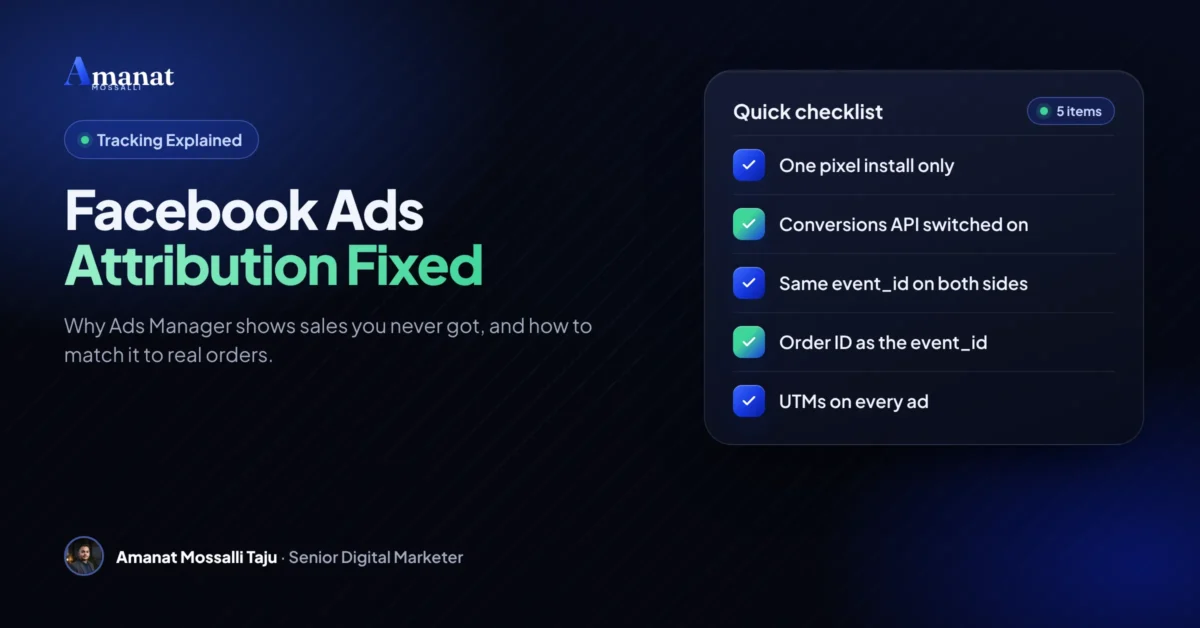
- Fix it with one pixel install, Conversions API with a matching event_id, and UTM tags on every ad.
- Judge Meta by revenue in your own records, never by the ROAS column in Ads Manager alone.
What is Facebook ads attribution, really?
It’s how Meta decides that a sale happened because of your ad. Meta looks at who clicked, engaged with or saw an ad, then checks whether they bought within a set time. That time is the attribution window.
The rules are generous by design. Meta counts a sale if the buyer touched your ad at any point in the window. Even if they also saw a Google ad, a friend’s post and your shop sign on the way home.
So Ads Manager doesn’t tell you “sales caused by ads”. It tells you “sales from people who interacted with ads”. Those are very different numbers, and the whole article hangs on that difference.
How do the 2026 windows work?
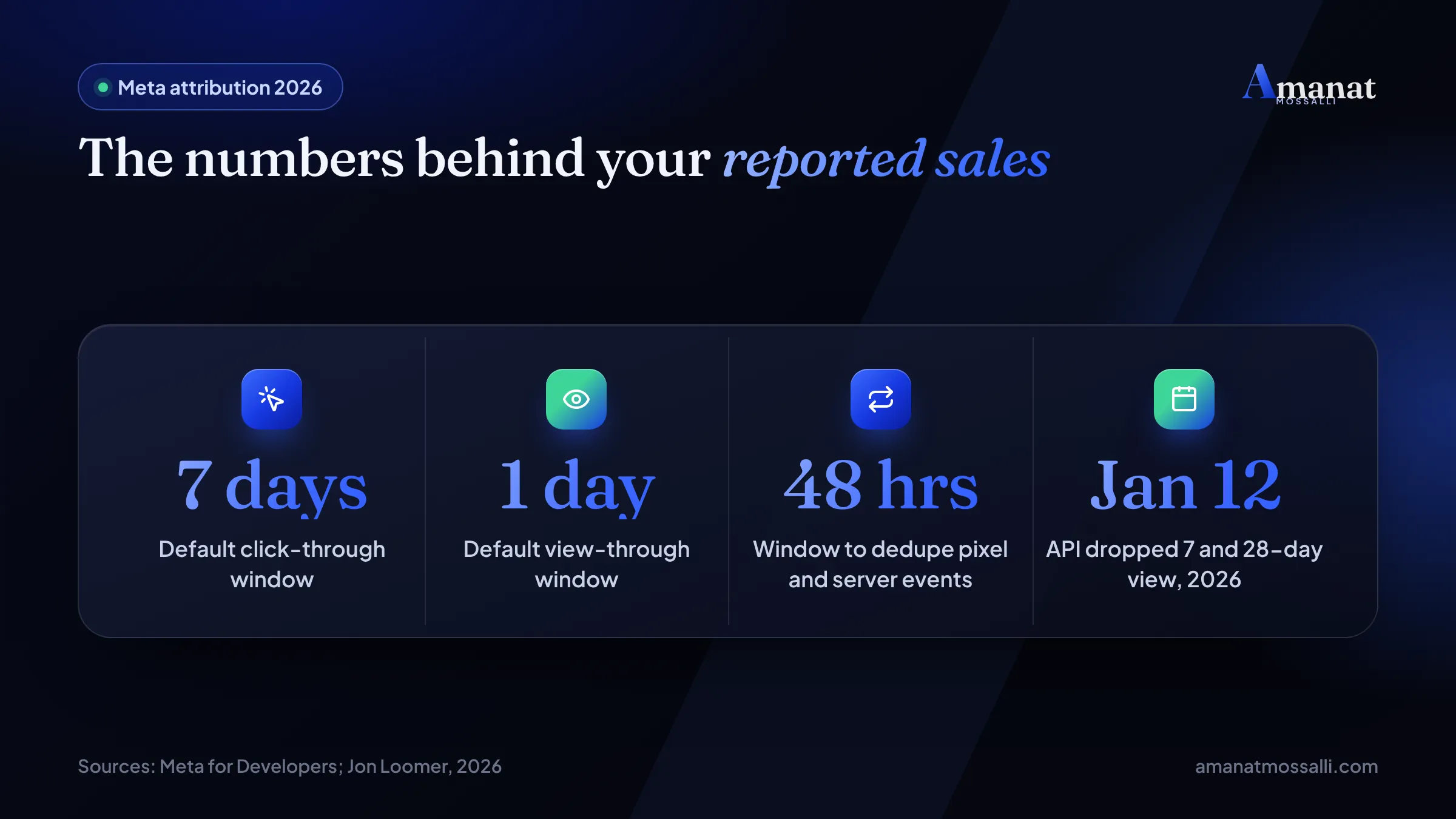
Meta’s default in 2026 is 7-day click, 1-day engage-through and 1-day view. Meta also changed what counts as a click in March 2026, which shuffled some results into new columns.
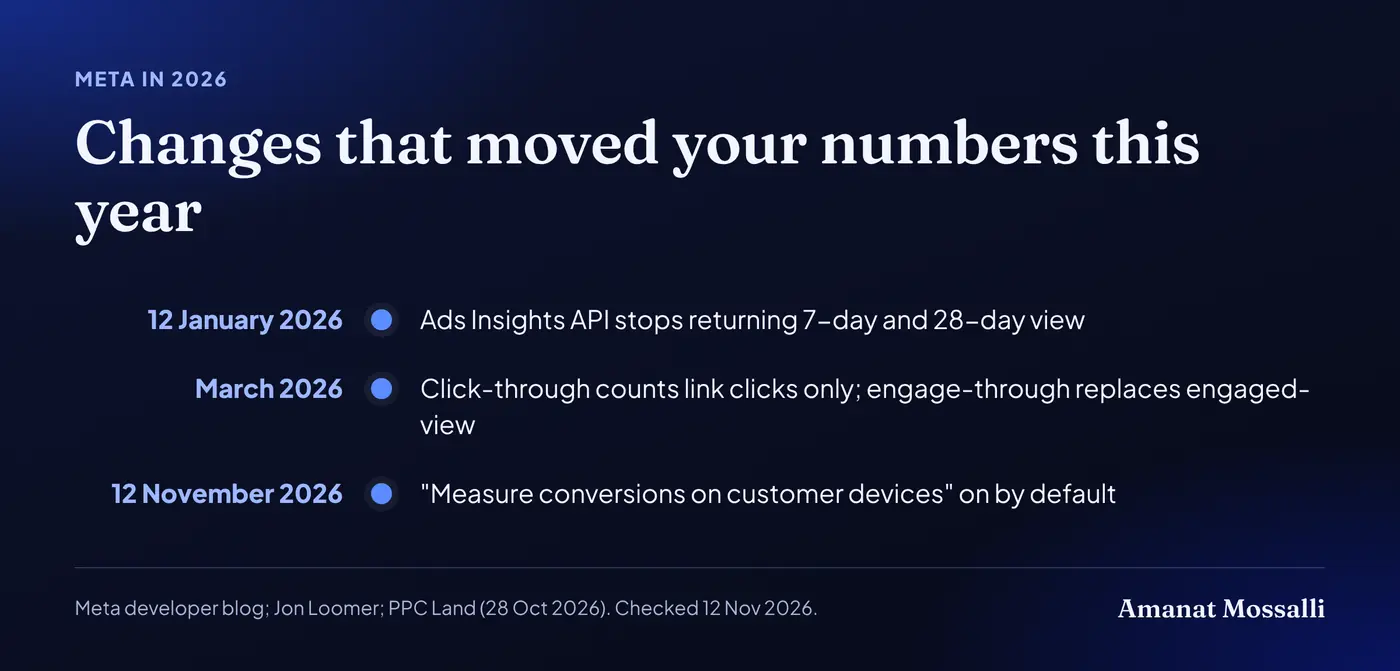
According to Jon Loomer’s 2026 breakdown, checked on 12 November 2026, click-through now covers link clicks only. That still includes click-to-call, click-to-message and lead forms. Likes, comments, shares, saves and engaged video views now fall under engage-through, which replaced the old engaged-view setting.
| Window type | What it credits | Default | Options |
|---|---|---|---|
| Click-through | Sale after a link click on the ad | 7 days | 1 or 7 days |
| Engage-through | Sale after a like, comment, share, save or engaged video view | 1 day | 1 day or none |
| View-through | Sale after only seeing the ad | 1 day | 1 day or none |
Two quieter settings sit next to the windows. Conversion count defaults to All Conversions, so one buyer’s repeat purchases all count. First Conversion counts only the first. The 28-day click window is gone as an optimisation choice, though you can still view it with Compare attribution settings.
What else changed this year
Meta’s developer blog announced that from 12 January 2026 the Ads Insights API stopped returning 7-day view and 28-day view windows. If your reporting tool suddenly showed fewer conversions in January, that’s probably why.
Meta also offers an Incremental attribution model. Instead of counting every sale in the window, it uses modelling to estimate which sales the ad actually caused. Social Media Today reported that Meta has been widening access to it. Loomer notes that choosing it locks your window settings.
The newest change lands today. PPC Land reported on 28 October 2026 on a new Events Manager setting, “Measure conversions on customer devices”. It switches on by default from 12 November 2026. Meta says it will recover purchases that never reached its reports, so reported sales may rise. Windows and models stay the same. PPC Land also notes that it only works where the site asks buyers to log in with an email or mobile number. Most guest-checkout shops here won’t see much change. If you do, it’s one more reason to keep reconciling.
Why does Ads Manager report sales that never happened?
A handful of reasons, and most accounts I audit have at least two running at once.
Fake orders train the algorithm
Prank orders with wrong phone numbers are common on cash-on-delivery shops here. Each one fires a Purchase event. Worse, it teaches Meta to go and find more people like that.
A cricket gear seller in Dhaka came to me in the run-up to a Bangladesh series, with bats and pads flying off his page. Roughly one order in five was fake or unreachable. The pixel fired Purchase on the thank-you page, so Meta was learning from all of them. We moved Purchase to the server and sent it only after his team confirmed the order by phone. Ads Manager purchases fell on paper. Within about six weeks, unreachable orders were closer to one in ten, and his cost per delivered order dropped by roughly a fifth.
And the opposite: tracking that under-counts
Sometimes Ads Manager shows fewer sales than you got. Usually the pixel is missing from the checkout, a theme update removed it, or iPhone privacy settings and ad blockers are hiding browser events. The fix is the same either way: clean tracking plus server events.
One more cause is easy to miss. Meta credits the ad that got the last qualifying interaction inside its own platform. It knows nothing about the Google ad, the influencer post or the WhatsApp chat that also helped. Every platform does this, so their totals always add up to more than your real sales.
A worked example of the gap
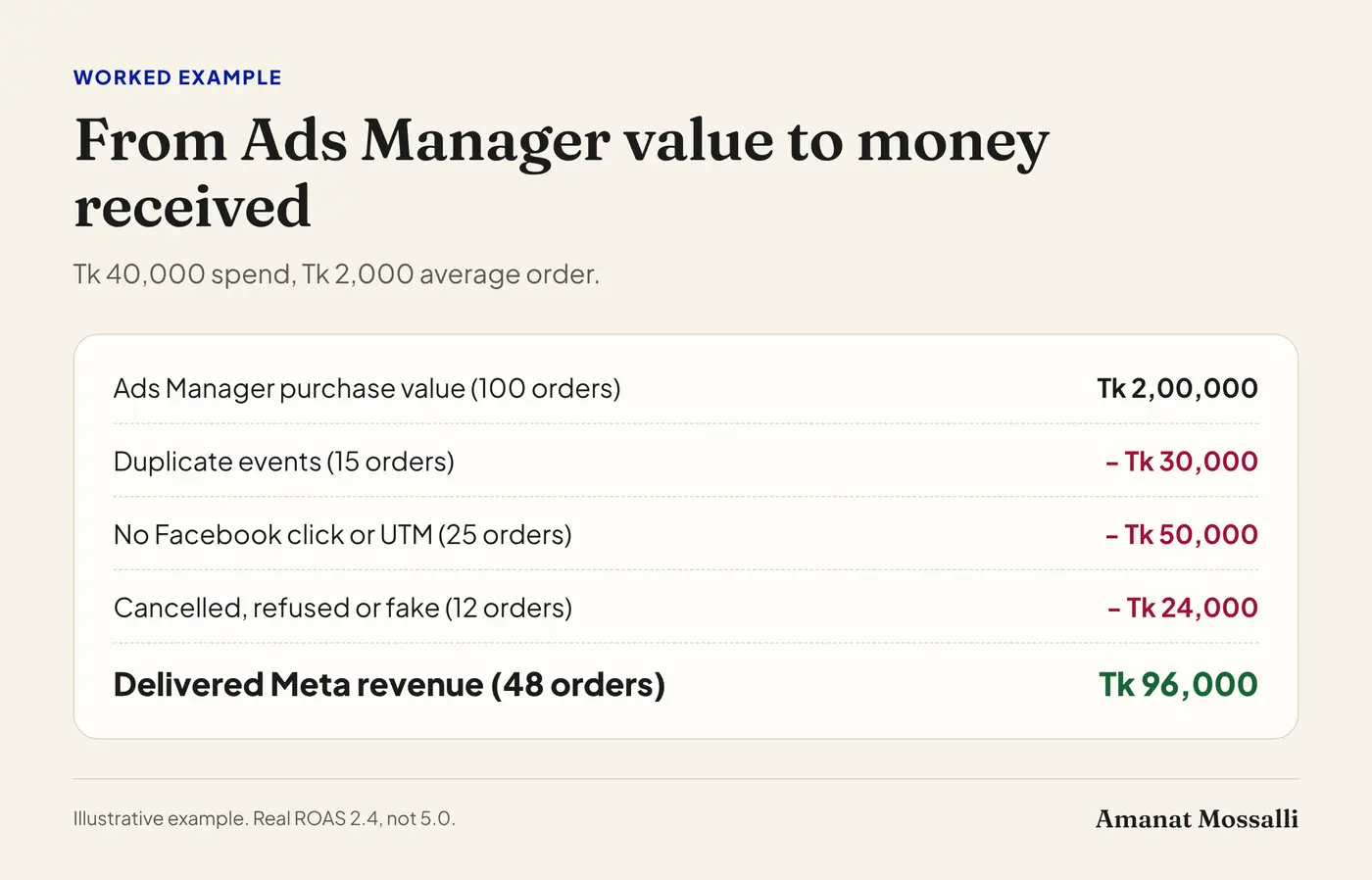
Here’s how a gap builds up, step by step. Say you spent Tk 40,000 on Meta last month and your average order is Tk 2,000.
| Step | Orders | What happened |
|---|---|---|
| Ads Manager purchases | 100 | All windows, default setting |
| Remove duplicate events | 85 | Pixel fired twice on some orders |
| Real orders in WooCommerce | 85 | Matches after deduplication |
| Orders with Facebook UTM or click | 60 | The rest came via view or other channels |
| Delivered and paid | 48 | Cancellations, refusals and fake orders removed |
Ads Manager shows 100 sales worth Tk 2,00,000, a ROAS of 5.0. The business got paid for 48 orders that came through Facebook clicks. That’s Tk 96,000, a real ROAS of 2.4. In money terms, the 15 duplicate orders take off Tk 30,000. The 25 orders with no Facebook click or UTM take off Tk 50,000. The 12 cancelled, refused or fake orders take off Tk 24,000. Set next month’s budget from the 5.0 and you’ll overspend.
An online attar and perfume seller from Gopalganj video-called me from his shop last Ramadan, phone propped against a row of glass bottles. Ads Manager showed a ROAS of 6.1 for the month. He wanted to double the budget before Eid. His accountant was nervous and couldn’t say why.
I asked for the courier’s delivered list. It took him ten minutes to find it. A big share of the orders Meta claimed had never reached a customer. Some were refused at the door. Others were cancelled, or had phone numbers that rang nobody. The pixel had also been installed twice, by two different freelancers.
Once we matched the three lists, his delivered ROAS was about 2.6. He kept the budget flat, removed the second pixel and added Conversions API. Two months later his delivered ROAS sat around 3.1. Not spectacular. But it was money in the bank, not a green arrow.
I’ve managed more than $8M of Google and Meta ad spend. That account was the most ordinary one I saw all year. If your ROAS looks wrong next to your bank balance, this is almost always why. The dashboard isn’t lying. It’s answering a different question.
How do you reconcile Ads Manager with real orders?
Line up three lists for the same date range: Ads Manager purchases, orders in your shop system, and delivered orders from your courier. Then explain every gap between them.
In the worked example the ratio is 48 out of 100, or 0.48. Do this once a month. After two or three months you’ll know your normal ratio, and you can read Ads Manager with the right discount already in your head. Your ratio will be your own. Don’t borrow anyone else’s.
Conversions API or pixel: which one do you need?
Both. The pixel sends events from the visitor’s browser. The Conversions API sends the same events from your server. Meta’s Conversions API best practices say to use it “in addition to the Meta Pixel”, as long as the two are deduplicated.
This is Amanat Mossalli Taju speaking from Dhaka. Roughly half my clients are in the UK, USA, Australia, Canada and Europe, where iPhone share is high and browser tracking is weak. So I’ve set up Conversions API more times than I can count. The step people skip is always the same one: the matching event_id.
On reliability, the server wins. Ad blockers and browser privacy don’t stop it. But without deduplication, running both doubles your purchases.
How deduplication works
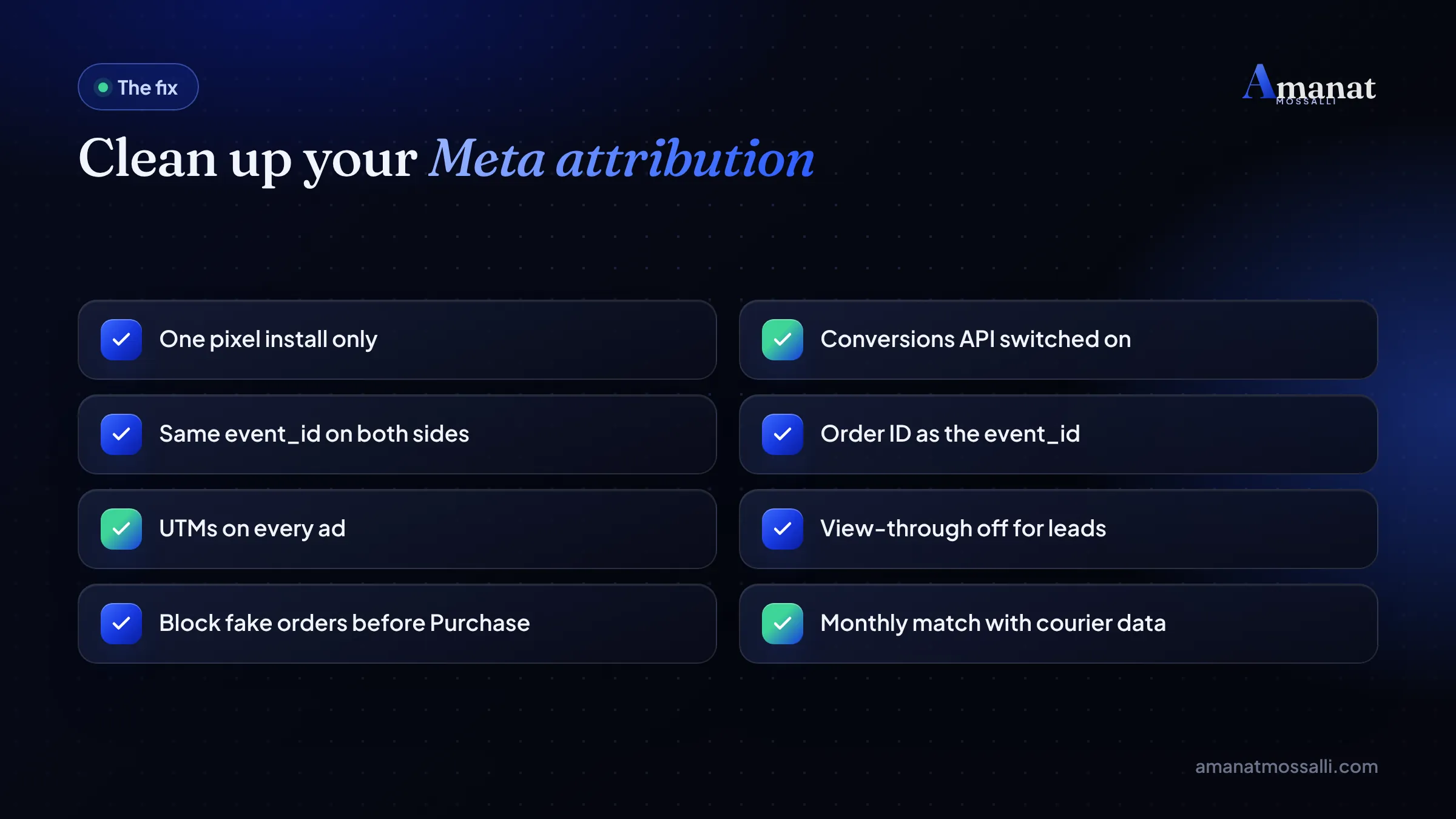
Meta’s deduplication guide says the pixel’s eventID must match the server’s event_id, and the event names must match. Matching events received within 48 hours of the first count once.
For a shop, use the order number as the event_id on both sides. Then a refresh, a slow server or a plugin retry still counts as one sale.
Check your Event Match Quality
Events Manager gives each server event an Event Match Quality score out of 10. Meta’s best-practices page says only matched events can be used for attribution and delivery. Sending a hashed phone number and email with each Purchase usually lifts the score. For cash-on-delivery shops the phone number is the one you always have.
Is server-side tracking worth it for a small shop?
Yes, once you spend on ads every month. Server-side tracking through a plugin or Meta’s Conversions API Gateway is now within reach for small WooCommerce stores. Full server-side Tag Manager can wait until you have a developer. My guides to Facebook Conversions API and setting up GA4 and the Facebook pixel walk through both.
How do UTM parameters give you a second count?
UTM parameters are tags added to your ad link that tell GA4 and your shop where a visitor came from. They give you an independent count of Facebook clicks and sales that Meta can’t inflate.
In Ads Manager, add them in the ad’s URL parameters field. Meta supports dynamic values, so one template fills in the right names for every ad.
A simple template: utm_source=facebook&utm_medium=paid_social&utm_campaign={{campaign.name}}&utm_content={{ad.name}}
- utm_source names the platform: facebook or instagram.
- utm_medium names the type: paid_social, so it isn’t mixed up with free posts.
- utm_campaign and utm_content name the campaign and the ad.
GA4 will usually show fewer Facebook sales than Ads Manager. It can’t see ad views at all, and it shares credit with every other channel. Google’s attribution help page says data-driven attribution is the default model in GA4, with last click as the main alternative. The truth sits somewhere between GA4 and Ads Manager.
What does iOS tracking do to your numbers?
iPhone privacy rules mean Meta sees less browser data from iPhone users who opt out of tracking. Meta fills part of the gap with modelling, which adds estimated conversions to your reports.
Since iOS 14.5, Apple’s App Tracking Transparency lets people stop apps tracking them across other companies’ apps and websites. Facebook ads tracking on iPhones has been weaker ever since.
Most Bangladeshi shoppers use Android. StatCounter puts Android at 93.47% of mobile use in Bangladesh in September 2026, and iOS at 6.46%. So the effect is smaller here than in the UK or USA. Sell premium products or target buyers abroad, though, and your iPhone share climbs. Then Conversions API matters more.
Which attribution window should you pick?
For online sales, keep the default and judge results against delivered orders. For leads, I’d turn off view-through and engage-through so Meta only gets credit for people who clicked.
| Goal | Suggested setting | Why |
|---|---|---|
| Online purchases | 7-day click, 1-day engage-through, 1-day view | Matches how people browse, then buy |
| Lead forms and WhatsApp leads | 7-day or 1-day click only | Avoids credit for people who never clicked |
| Remarketing campaigns | Click only | These people often buy anyway, view credit inflates results |
| Big budgets, many conversions | Test the Incremental model | Estimates sales the ad really caused |
Jon Loomer gives similar advice in his 2026 guide: keep defaults for purchases, and consider turning off view-through for non-purchase events, especially remarketing. Change the window only to solve a specific problem.
The attribution setting changes how Meta optimises delivery, not just how it reports. Don’t flip it every week. Pick one per campaign and leave it alone.
Working out your true ROAS
True ROAS is delivered revenue from Meta-driven orders divided by what you spent on Meta. It’s usually lower than the Ads Manager figure, and it’s the number your budget should follow.
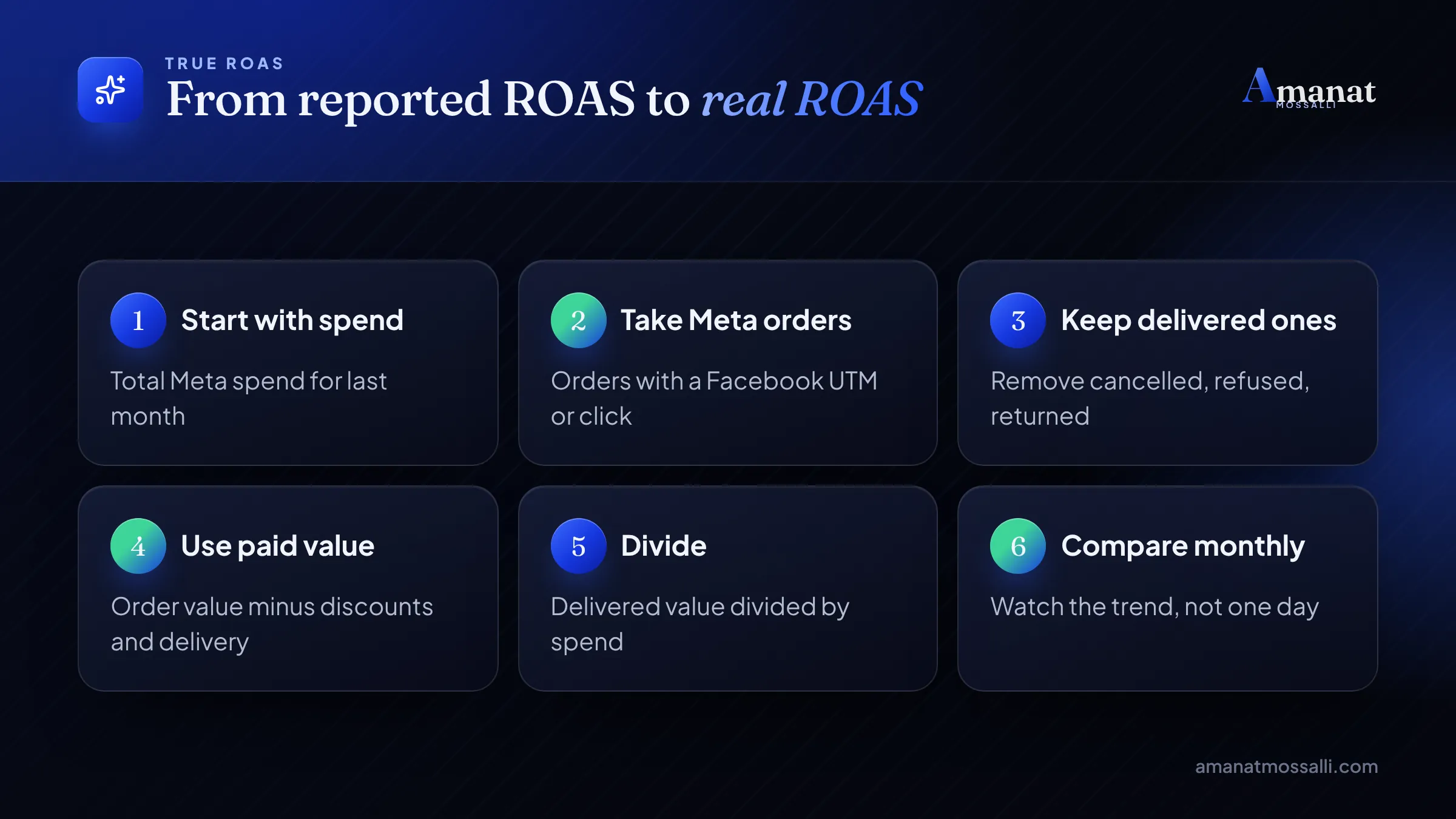
Think about profit, not just revenue. A ROAS of 3 sounds fine, but with a 30% product margin and high courier costs, you can still lose money on every order.
Use your break-even ROAS as the line. Divide 1 by your profit margin. With a 30% margin, break-even is about 3.3. The worked example’s real ROAS of 2.4 sits well under that line, even though Ads Manager said 5.0. My ROAS calculator does the sum for you.
When I manage Meta Ads campaigns, this is the number I report each month, next to the Ads Manager figure. Seeing both side by side stops bad budget decisions before they happen.
FAQ: Facebook Ads Attribution
Why does Facebook show more purchases than my store?
What is the default Facebook ads attribution window in 2026?
Should I turn off view-through attribution?
Does Conversions API cause duplicate conversions?
Why does GA4 show fewer Facebook sales than Ads Manager?
How do I stop fake cash on delivery orders affecting my ads?
What is Meta's incremental attribution?
Attribution mistakes that cost real money
These turn a useful report into a misleading one.
- Raising budgets on Ads Manager ROAS without checking delivered orders.
- Running pixel and Conversions API without a matching event_id.
- Counting placed cash-on-delivery orders as revenue.
- Comparing campaigns with different attribution settings side by side.
- No UTMs, so GA4 lumps paid and free Facebook traffic together.
- Letting fake orders fire Purchase, which trains Meta to find more fake buyers.
- Judging a campaign the day after it ran, before late conversions arrive.
- Reading a jump after 12 November as better ads, when it may be the new on-device measurement.
Most of these sit inside a wider pattern. My post on digital marketing mistakes for Bangladeshi businesses covers the rest.
Before the next budget change, do these four things
Facebook ads attribution isn’t broken. It’s generous, and it answers a different question from “how much money did the ads make me?”. Your job is to close that gap before you touch the budget.
- 1Check that the pixel is installed once.
- 2Turn on Conversions API with the order ID as event_id.
- 3Add UTM parameters to every ad.
- 4Reconcile Ads Manager with delivered orders every month.
Then write one line on a sticky note and put it on your monitor: delivered Meta revenue divided by Meta spend. Next to it, your break-even number. The attar seller has his taped under the shop till. He hasn’t looked at the green arrow the same way since.

Amanat Mossalli Taju
Senior Digital Marketer & SEO Expert, Dhaka, BangladeshI have grown 235+ brands over more than seven years with SEO, Google and Meta Ads, server-side tracking, WordPress and AI automation. Half of my clients are in the UK, USA, Australia and Canada. Everything I write here comes from real client work.
Want this done for your business?
Book a free 15-minute call. I look at your site and ads before we talk, so you leave with clear next steps.