How to Rank on Google Maps: 12 Things That Move You Into the Top 3
Google weighs relevance, distance and prominence. Here are the 12 changes that actually move a business into the map pack, plus a 30-day plan.

The business with the most reviews doesn’t always win on Google Maps. I’ve watched a clinic with hundreds of reviews sit below a newer one with a few dozen.
Last spring a veterinary clinic in Aftabnagar asked me why it kept losing “vet near me” searches. It had close to 300 Google reviews, nearly all good. A newer clinic two lanes away, with a few dozen reviews, sat above it every time.
I opened both profiles side by side. The newer clinic’s primary category was Veterinarian. The older one had been set up years ago as “Pet store”, because the owner also sold food and leashes at the counter.
We changed the primary category, kept “Pet supply store” as a secondary one, and listed every treatment as a service. Within about three weeks it showed in the top three from its own gate and the next block. From a kilometre away it still traded places with the newer clinic. Distance is distance.
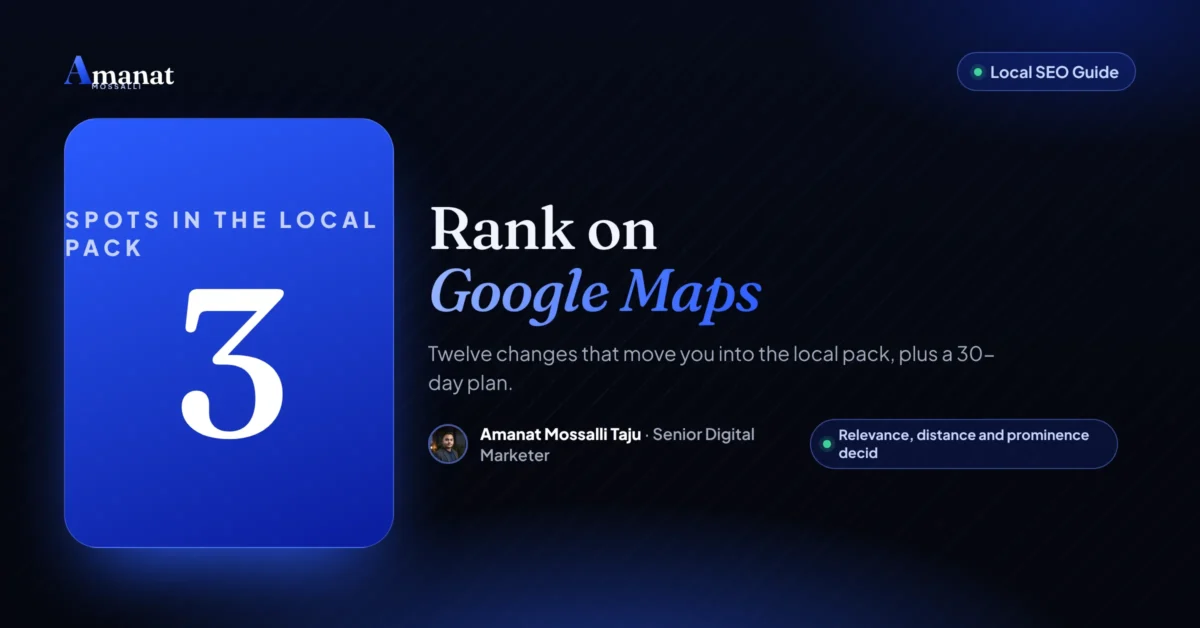
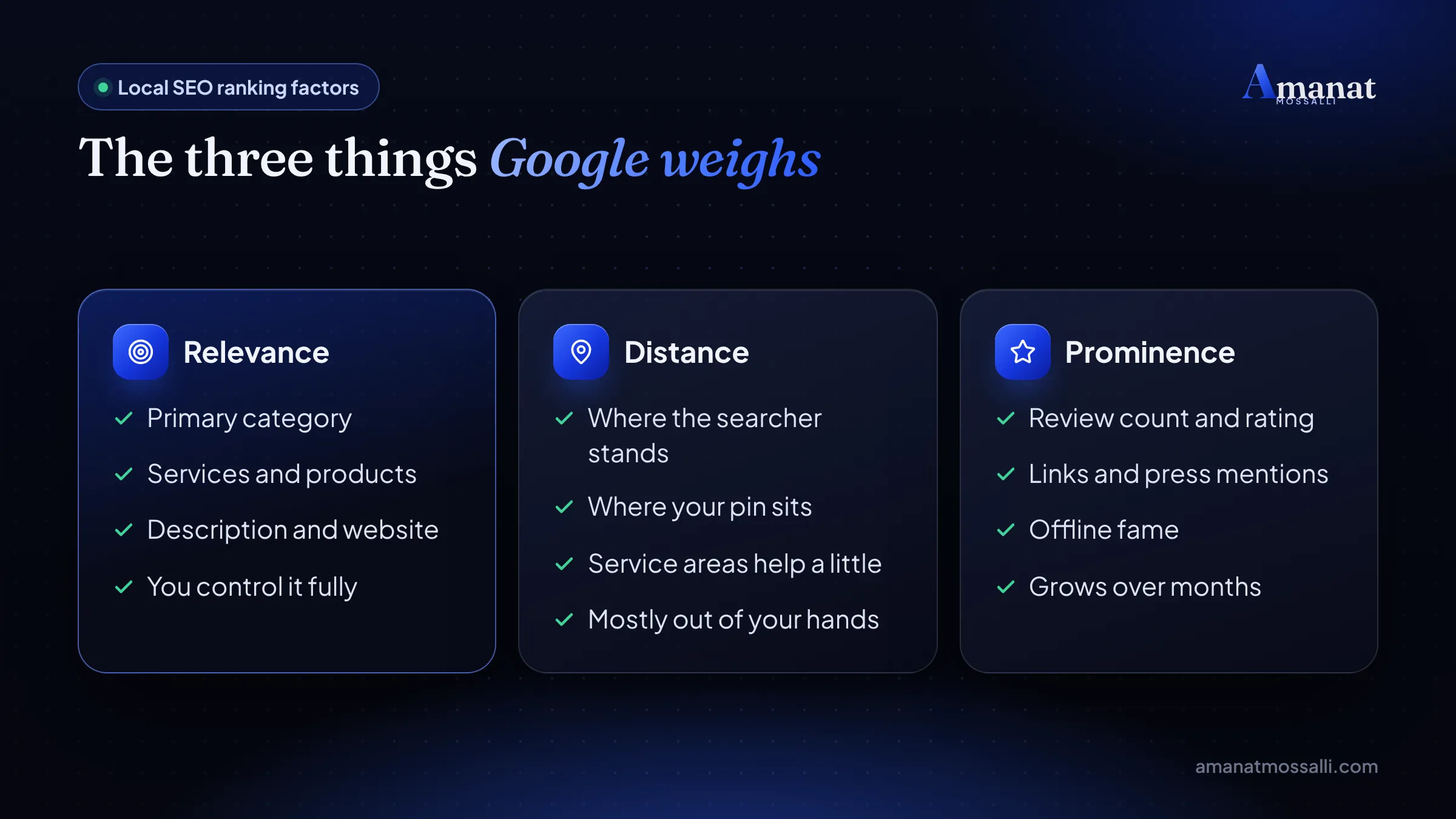
That story is the whole lesson in small. If you want to know how to rank on Google Maps, drop the idea that reviews decide everything. Google says it weighs three things: relevance, distance and prominence. Reviews are only part of the third.
So the real answer is this. Pick the right primary category. Fill every field. Earn steady, honest reviews. Build a local page on your website. Then accept that distance is partly out of your hands, and work on the parts you control.
Local SEO is a regular part of my client work, from Dhaka shops to service firms in the UK. My Google Business Profile setup guide covers creating the profile. This one is about climbing once it exists.
How Does Google Decide Who Ranks on Google Maps?
Google tells you, in plain words. Its help page on local ranking names three factors and defines each one (checked 12 November 2026).
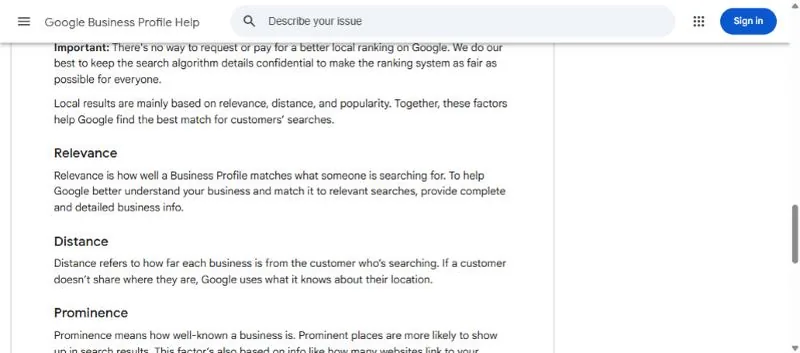
- Relevance: “how well a Business Profile matches what someone is searching for”.
- Distance: “how far each business is from the customer who’s searching”.
- Prominence: “how well-known a business is”.
Prominence includes your reviews. Google writes that “more reviews and positive ratings can help your business’s local ranking”. It also counts what the web says about you, like links and articles.
The same page has a line every owner should read twice. “There’s no way to request or pay for a better local ranking on Google.” So anyone selling you a guaranteed map position is selling something Google says doesn’t exist.
What Google doesn’t publish is the weighting. So every list of local ranking factors, mine included, is informed judgement. I’ll tell you where I’m sure and where I’m guessing.
Five Map Ranking Myths I Still Hear Every Month
Each of these costs owners time or, worse, their profile.
- “More reviews means first place.” Reviews help prominence. A closer, more relevant rival can still beat you, as the Aftabnagar clinic found.
- “Posting every day boosts ranking.” Posts help people who already found you. I’ve never seen solid proof they move rankings much.
- “Adding keywords to my name is smart.” It can work short term. It also breaks Google’s rules and risks suspension.
- “I’ll rank across all of Dhaka.” Map results depend on where the searcher stands. Nobody ranks first everywhere.
- “A virtual office gives me a second location.” Google’s guidelines say a virtual office “isn’t eligible for a Business Profile”.
Notice the pattern. The tricks are risky, and the boring work is what lasts.
The 12 Things That Move You Into the Google Local Pack
The local pack is the box of three businesses under the map. Here’s the full list in one table, grouped by Google’s three factors. The detail for each follows.
| # | Action | Factor | Effort |
|---|---|---|---|
| 1 | Pick the most specific primary category | Relevance | Ten minutes. |
| 2 | Add a few accurate secondary categories | Relevance | Ten minutes. |
| 3 | List every service and product | Relevance | One hour. |
| 4 | Write a plain, honest description | Relevance | Thirty minutes. |
| 5 | Use your real-world name only | Relevance and trust | None, just restraint. |
| 6 | Earn reviews every week | Prominence | Ongoing. |
| 7 | Reply to every review | Prominence | Ten minutes a week. |
| 8 | Upload real photos and videos | Prominence | One hour, then monthly. |
| 9 | Keep hours and details exact | Relevance | Five minutes when things change. |
| 10 | Build a local landing page | Relevance and prominence | A day. |
| 11 | Match your details across the web | Prominence | A few hours. |
| 12 | Place your pin and service areas right | Distance | Fifteen minutes. |
If you only have one afternoon, do 1, 3, 9 and 12. They cost nothing and fix the most common gaps I find.
Which Primary Category Should You Choose?
Choose the most specific category that describes your main business. This is the biggest single lever you fully control.
Google’s guidelines say to “use as few categories as possible to describe your overall core business”. They also say to choose categories “as specific as possible, but representative of your main business”. A teeth whitening clinic should pick Dentist or Cosmetic dentist, not Health.
Google gives a neat test. A category should complete the sentence “This business IS a…”. It shouldn’t describe things the business merely has or sells. A vet clinic IS a veterinarian. It merely has a shelf of pet food.
1. Find the category your top rivals use
Search your main service on Google Maps from your shop’s location. Open the top three profiles. The category shows under each name. If all three use “Bakery” and you use “Restaurant”, you’ve found a reason you’re missing.
2. Add secondary categories with care
A cake shop that also sells coffee can add “Coffee shop”. Don’t add categories for things you barely do. They blur what Google thinks you are.
3. List every service and product
The Services and Products sections tell Google, and buyers, what you really offer. A dental clinic in Wari should list root canal, scaling, braces and whitening, each with a one-line note. Use the words customers type, including common Banglish ones.
Bangla, Banglish and near me searches
People in Bangladesh search in three ways. Some type English, like “dentist near me”. Some type Banglish, like “kacher dental clinic”. A few type in Bangla script. Your profile can’t target all three with keywords, but your services, description and replies can use the words people really say.
Near me searches lean hard on distance. You can’t fake that. What you can do is make sure Google knows exactly what you sell, so you’re the relevant answer for people close by. In a crowded area, be the clearest match on your street.
4. Write a description people would actually read
Say what you do, where, and for whom, in two or three short lines. Mention your area naturally. Skip the keyword list, which reads badly to humans.
Why Is My Business Name Hurting or Helping?
Your name should match your signboard, nothing more. Google’s guidelines say “including unnecessary information in your business name isn’t permitted”, and that it “could result in the suspension” of the profile. Their own example: “TD Bank” is fine, “TD Bank, America’s Most Convenient Bank” isn’t.
Here’s the uncomfortable truth. Keywords in a name do seem to help rankings. That’s why you see listings like “Best AC Repair Service Dhaka 24/7”. But it breaks the rules, and anyone can suggest an edit or report it.
If a rival stuffs keywords, you can use Google’s “Suggest an edit” option on their listing. Keep it factual. I’d rather do that than copy them and risk my client’s profile.
Change it in the real world first: signboard, receipts, Facebook page, trade licence. Then update Google. A name that matches everywhere is safe.
5. Use your real-world name only
That’s thing number five on the list, and it’s mostly about restraint. Keep the name clean, and let categories and services carry the keywords.
How Many Reviews Do You Need to Rank Higher on Google Maps?
There’s no magic number. You need more steady, recent reviews than the businesses you compete with in your area. For a tea stall that might be 20. For a hospital it could be thousands.
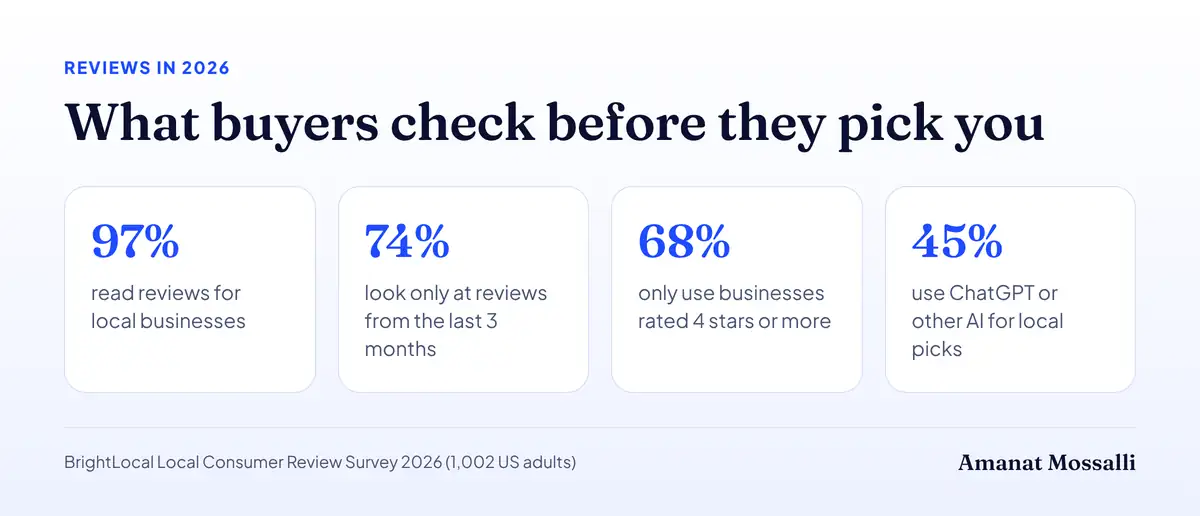
Recency and rating matter to buyers, which is reason enough. BrightLocal’s 2026 consumer review survey, published 11 February 2026, asked 1,002 US adults. 97% read reviews for local businesses. 74% look only at reviews from the last three months. 68% will only use a business with 4 stars or more, up from 55% a year earlier.
Those are US numbers. I see the same habits in Dhaka, especially the glance at the date on the newest review.
6. Earn reviews every week, not in bursts
Ask at the moment someone is happiest. For a parlour, that’s when the client looks in the mirror. For a courier, it’s right after delivery. Send your review link on WhatsApp with one friendly line.
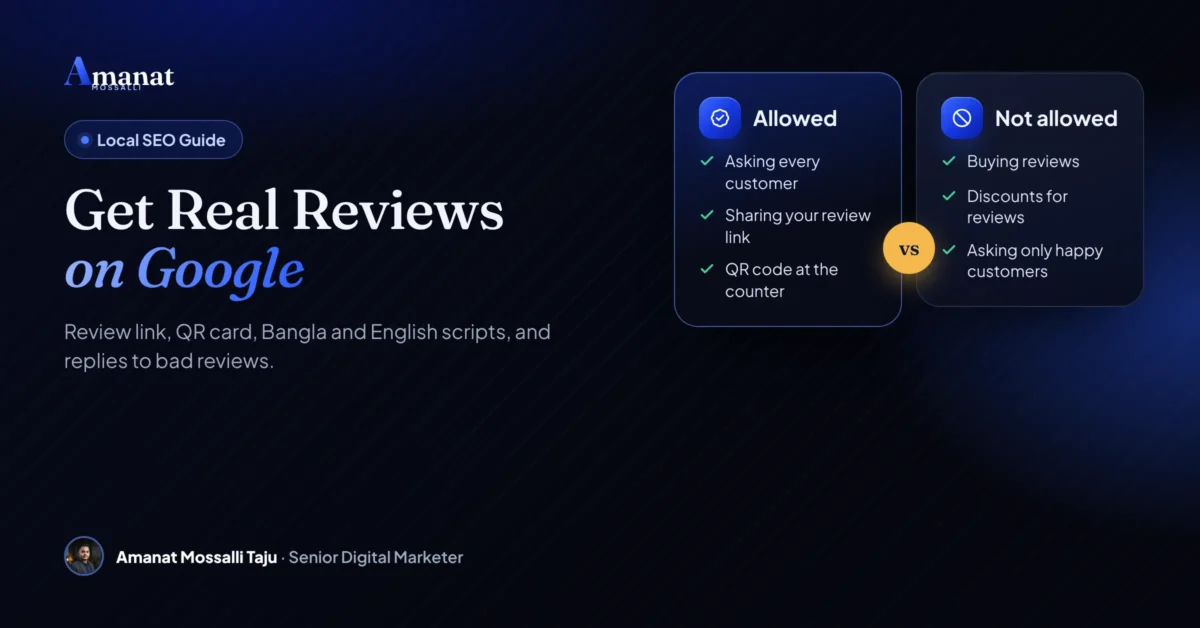
Stay inside the rules. Google’s content policy bans offering “incentives – such as payment, discounts, free goods and/or services”. Businesses must not “selectively solicit positive reviews” or “discourage or prohibit negative reviews”. And you shouldn’t pressure people to review while they’re still on your premises. So no discounts for stars, and ask every customer, not just the happy ones.
What Google does to profiles caught faking reviews
This is no longer just a few deleted reviews. Google’s page on Business Profile restrictions lists what it can do on top of removing fake reviews:
- block the profile from receiving new reviews for a set period;
- unpublish its existing reviews for a set period;
- show customers a warning that fake reviews were removed.
Google emails the owner before a restriction starts, and you can appeal. But imagine a warning banner on your listing during Eid week. That’s the real price of a bought review.
7. Reply to every review
Google’s ranking page says replying “shows that you value their feedback”. Keep replies short and specific. Mention the service, thank them by first name, and fix complaints in public.
BrightLocal found 50% of people are put off by generic, templated replies. It also found 89% expect owners to respond. So skip “Thanks for your valuable feedback!” on every review, and write two real lines instead.
Do Photos and Posts Help Your Google Maps Ranking?
They help people choose you more than they help you rank. I’d still do both, because a click and a call are the point.
8. Upload real photos and videos
Show your signboard, the entrance, the inside, your team and your actual products. A Dhaka customer often uses photos to find the shop in a crowded lane. A clear shot of the gate next to a known landmark saves you a confused phone call.
Skip stock photos. They don’t help buyers, and they make a profile look fake.
9. Keep hours and details exact
Google’s page says businesses with complete and accurate info “are more likely to show up in local search results”. Update hours for Eid, Puja and hartal days. A customer who arrives to a closed shutter won’t come back, and might leave a review about it.
Posts are useful for offers and news. Post when you have something real to say. Weekly is plenty for most small shops.
Your Website Still Counts: Local Pages and Citations
Your profile links to your website, and Google reads both. A strong local page is one of the most underused moves in map pack SEO.
10. Build a local landing page
Make one page per location, not one page per keyword. It should show your real address, a map, your phone and WhatsApp, hours, services, and a few local details. Link your Business Profile to that page, not just your home page.
For a business with branches in Rampura and Brahmanbaria, that means two pages, each with its own photos, reviews and directions. Copy-pasted pages with only the area name changed don’t help.
11. Match your details across the web
Your name, address and phone should match everywhere: your website, Facebook page, delivery apps and directories. These mentions are called citations. Mixed versions, like “House 12” in one place and “H-12” with a different phone in another, make Google less sure about you.
Links from local news sites, associations and partners also build prominence. My guide on growing organic traffic in Bangladesh covers how to earn them.
Where AI answers fit in
Local recommendations now come from chatbots too. In the same BrightLocal survey, 45% of people said they use ChatGPT or other AI tools for local recommendations. A year earlier it was 6%. Those tools lean on the same signals: clear profiles, consistent details and reviews that say what you do. The work above covers both.
What Can You Actually Do About Distance?
Less than you’d like, and more than nothing. Distance is the searcher’s location against yours, and you can’t move your shop for Google.
12. Place your pin and service areas right
Zoom in and drag your pin to your real door. In Dhaka, the auto pin often lands on the wrong lane or the main road. A wrong pin can push you out of near me searches from your own block.
If you visit customers, like a pest control or AC repair firm, set service areas. Google’s service area page allows up to 20 areas and advises keeping them within about two hours’ drive of your base. Areas are set by city, postal code or similar, not as a radius. If you don’t serve customers at your address, Google says to remove it from the profile. The page says service areas help people find you. It doesn’t promise better ranking.
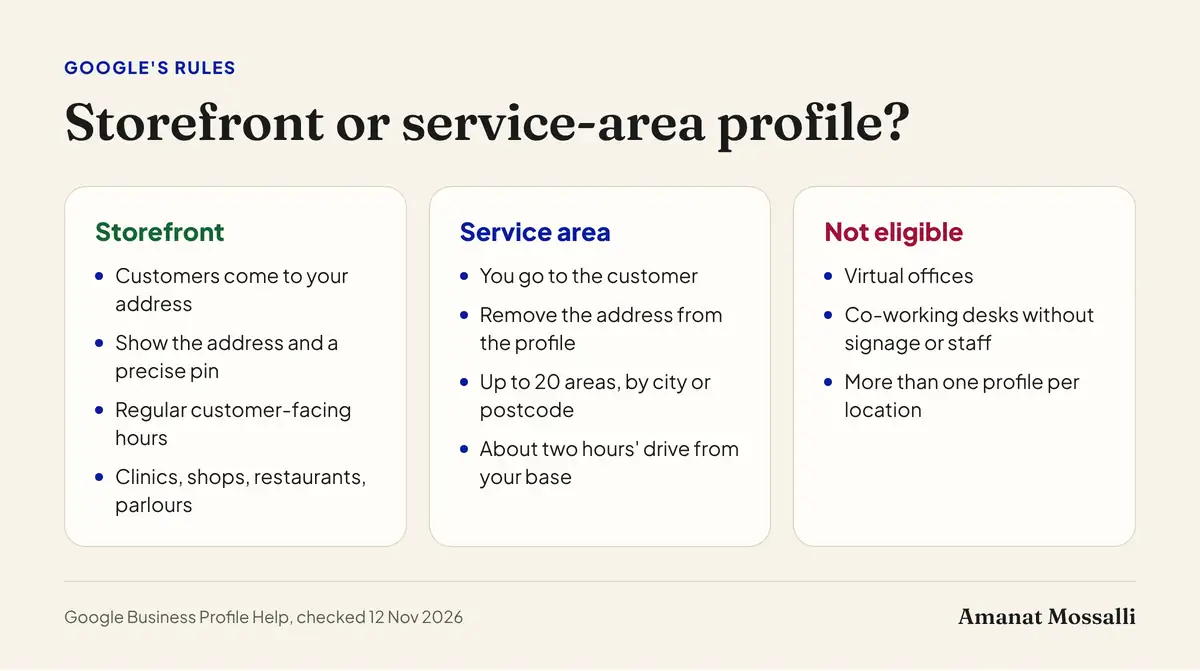
What you shouldn’t do is rent a desk or a virtual office in a smarter area to fake a branch. A co-working desk only qualifies if it has your signage and your own staff there during business hours. If you want to rank in a new area, open a real branch with real staff and signage.
One honest note. I don’t know of any reliable way to rank in the map pack far from your location. Search ads with location targeting do that job better. Paying for reach is fine. Faking an address isn’t.
How Do You Check Where You Rank?
Search from where your customers are, not from your desk. Map results change street by street.
- 1Open Google Maps on your phone in an incognito tab.
- 2Search your main keyword, like “dental clinic”, from three spots: your shop, 1 km away and 3 km away.
- 3Note your position each time in a simple sheet.
- 4Repeat on the same day each month so you compare like with like.
- 5Check the Performance tab in your Business Profile for calls, direction requests and website clicks.
Paid grid tools show this as a heat map across your area. They’re handy for agencies. For a single shop, the phone test gets you most of the way.
Want a quick look at your website side too? Run it through my free SEO audit tool. I built it to flag the basics I kept finding on local business sites. Think missing titles, slow pages, or no map and phone on the location page.
A 30-Day Plan to Reach the Map Pack
This is the order I use with new local clients. It front-loads the free, fast wins.
| Week | What to do | Done when |
|---|---|---|
| Week 1 | Fix primary category, services, hours, description and pin | Every field is filled and accurate. |
| Week 2 | Upload 15 to 20 real photos, set up a review link and ask every customer | First new reviews arrive. |
| Week 3 | Build or fix the local landing page and link the profile to it | Page is live with map, phone and services. |
| Week 4 | Match name, address and phone on Facebook and key directories, reply to all reviews | Details match everywhere. |
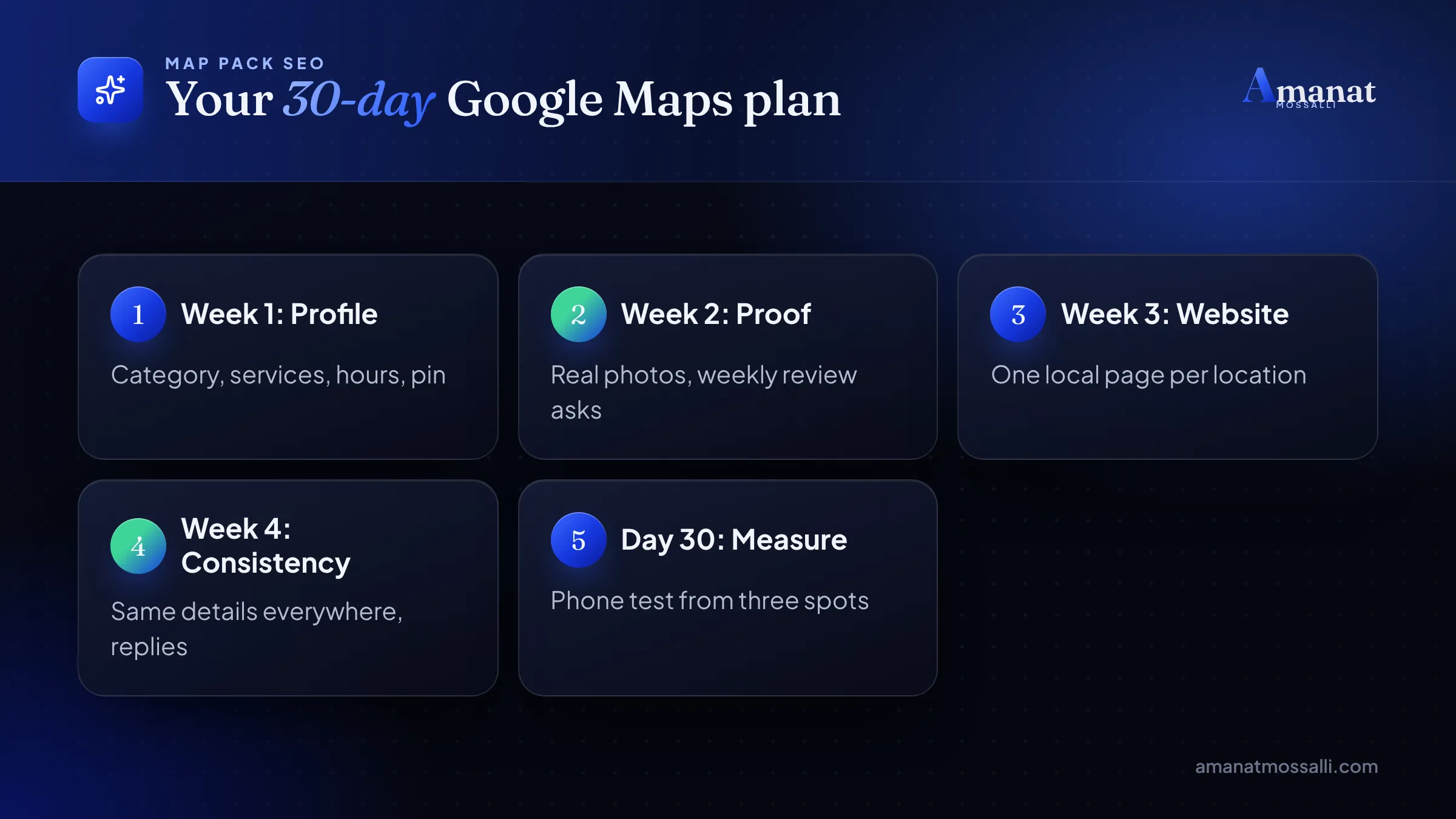
Expect some movement within a few weeks if your category was wrong before, as with the vet clinic. Prominence takes months. How long depends on your rivals, so I won’t promise a date. Anyone who names a fixed day is guessing.
Mistakes That Get Profiles Suspended or Buried
Some mistakes slow you down. Others take you off the map for weeks.
- Keyword-stuffed names. They break the guidelines and invite reports.
- Fake or virtual addresses. Not eligible, and a common reason for suspension.
- Buying reviews or trading discounts for stars. Banned, and now punished with review blocks and a public warning.
- Two profiles for one business. Google’s guidelines say “Do not create more than one page for each location”.
- Changing everything at once. Big sudden edits can make Google ask you to verify again.
- Ignoring bad reviews. Silence looks worse than a calm, public fix.
A parlour owner in Kalabagan messaged me on a Thursday evening last November, upset. A week earlier, a friend had told her to rename her profile “Best Bridal Makeup Parlour Kalabagan Dhaka”. For a few days, she climbed.
Then the profile disappeared. On her screen was a suspension notice, and her December bridal bookings were weeks away. Most of her new brides found her on Maps.
We changed the name back to the one on her signboard. We filed a reinstatement request with photos of the sign, her trade licence and the shop front. The profile came back after about three weeks, with its reviews intact. She lost the early part of her busiest season to a free tip.
FAQ: How to Rank on Google Maps
How long does it take to rank on Google Maps?
Can I rank on Google Maps without a physical address?
Do Google Business Profile posts improve ranking?
Why does my business show on Google Maps for some people but not others?
Is it okay to ask customers for Google reviews?
Does keyword in business name help Google Maps ranking?
How do I rank higher on Google Maps for near me searches?
What to Do in Your First Seven Days
Start small. Ranking on Google Maps comes down to doing the basics better than the shop next door. This week, do just these four things.
- 1Check your primary category against your top three rivals. Use the “This business IS a” test.
- 2Fill every empty field, including services, hours and holiday hours.
- 3Drag your pin to your real door.
- 4Ask your next ten customers for a review on WhatsApp. All ten, not only the smiling ones.
Then stand outside your shop next Friday, open Maps and search your main service. Write down where you appear. That number, checked once a month, will tell you more than any tool.
For why local search matters at all, this piece on local SEO explains it. I’ve put clients at #1 on Google in Bangladesh and abroad. If you’d like me to look over your profile, my contact page is the place.

Amanat Mossalli Taju
Senior Digital Marketer & SEO Expert, Dhaka, BangladeshI have grown 235+ brands over more than seven years with SEO, Google and Meta Ads, server-side tracking, WordPress and AI automation. Half of my clients are in the UK, USA, Australia and Canada. Everything I write here comes from real client work.
Want this done for your business?
Book a free 15-minute call. I look at your site and ads before we talk, so you leave with clear next steps.