Website Speed Optimization in Bangladesh: How to Make WordPress Fast on Mobile Data
A plugin-light plan to make a WordPress site fast for Bangladeshi visitors on phones, with my own site rebuild as the honest, imperfect example.

Speed, I found out rebuilding my own site, is mostly subtraction. Website speed optimization in Bangladesh comes down to four jobs: a light theme, smaller images, cached pages and a server close to your visitors. Do those well and most WordPress sites pass Google’s Core Web Vitals on mobile data.
This is the order I work in, on client sites and on my own. It’s plugin-light on purpose. A non-developer can at least start every step, and I’ve marked the few that need a developer. I’ve also added the numbers that matter here. How fast our mobile networks really are. How heavy a typical page has become. And what Google counts as “good”.
Why Speed Hurts More in Bangladesh Than Almost Anywhere
Your visitors are on phones. Mostly mid-range ones, on mobile data, often with one bar of signal. A page that feels fine on office Wi-Fi in Gulshan can feel broken on a budget phone in Bogura.
The owner sent me a screen recording at 8.40 one morning in January. He was in a rickshaw outside Azimpur, loading his own site on mobile data, the way parents would. Nine seconds of white screen. Then a slider that jumped three times before it settled. His message said only: “Ei jonno keu order kore na?” (Is this why nobody orders?)
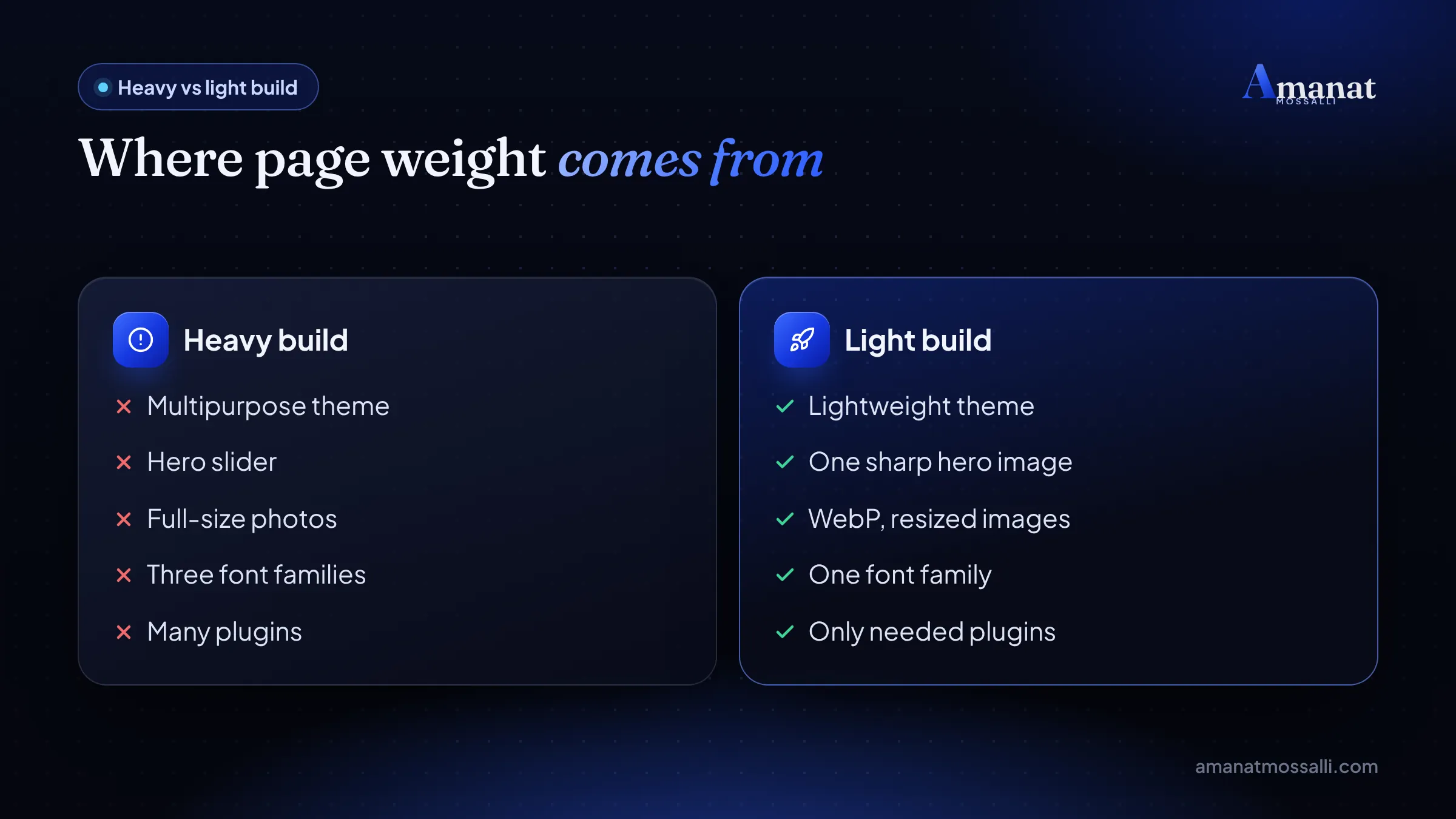
Partly, yes. The site ran a multipurpose theme with a hero slider and a chat widget. It loaded two font families and raw phone photos of every shirt. Some photos were over 4 MB each. We didn’t add a single speed plugin that week. We removed things. The slider went first.
Four weeks later his field data in PageSpeed Insights showed mobile LCP at about 2.4 seconds, down from roughly 6.8. The site didn’t suddenly sell out. But WhatsApp orders from the website went from about 9 a week to about 14. That was the February rush before the school year. He now tests every new banner from that same rickshaw route.
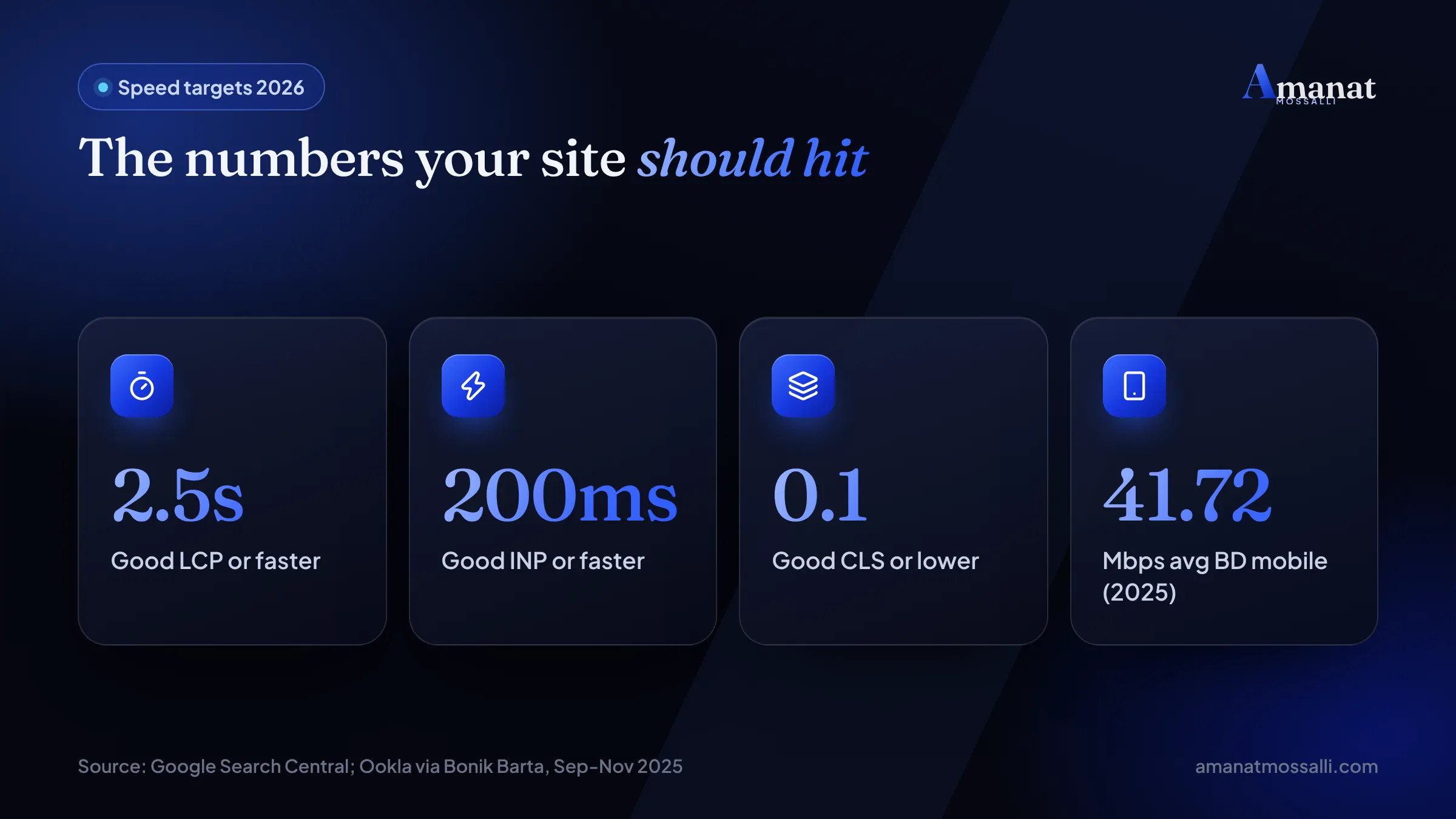
Mobile networks are improving. Bonik Barta, citing Ookla’s Speedtest Global Index, reported that Bangladesh ranked 86th for mobile internet speed in September to November 2025. The average download was 41.72 Mbps, up from 28.26 Mbps a year earlier.
The newer picture isn’t much brighter. The World Bank’s Atlas of Global Development 2026 used Speedtest data for February 2026. It put Bangladesh 91st of 103 countries, at about 43 Mbps on mobile. Vietnam was at 188 Mbps. That’s from The Financial Express report of 4 August 2026, checked 12 November 2026.
An average hides a lot, though. Signal drops, crowded towers and data packs still make big pages slow and costly. Every extra megabyte costs your visitor money and patience, and they notice both.
Pages keep getting heavier
While networks crawl forward, pages grow. The HTTP Archive’s 2025 Web Almanac found the median mobile home page weighed 2.56 MB. Images made up 911 KB of that, and JavaScript 632 KB (checked 12 November 2026).

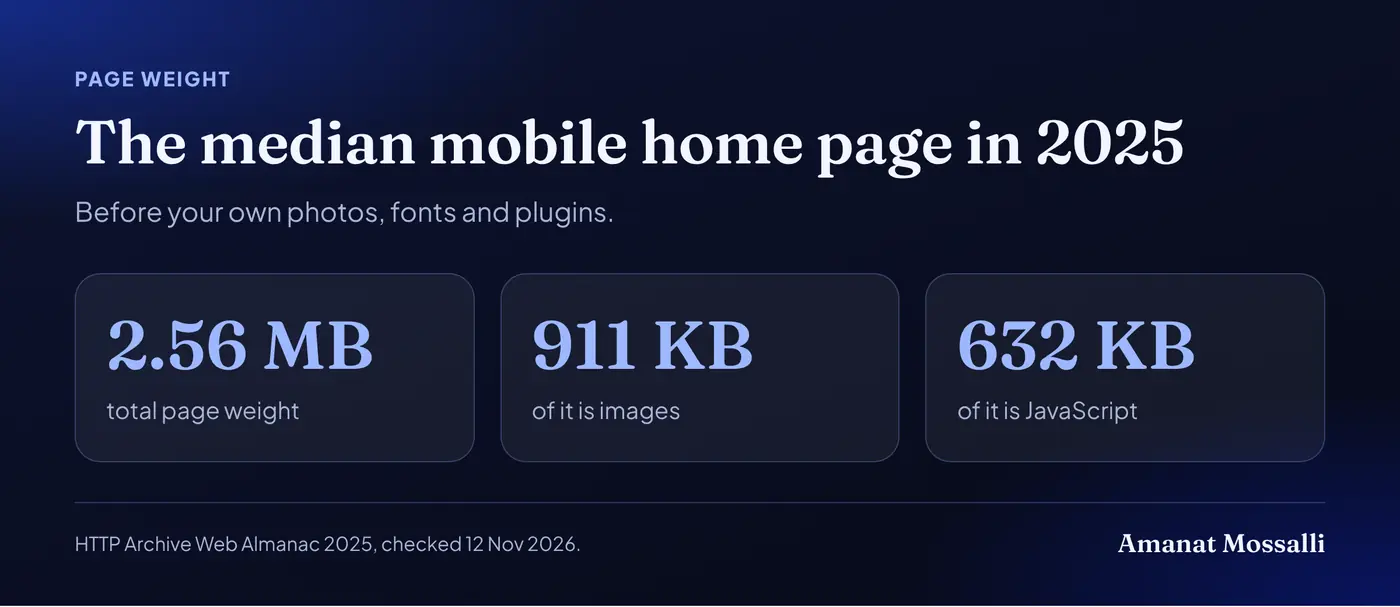
That’s the median. The Bangladeshi business sites I audit are usually heavier, because of sliders and full-size phone photos. If your home page is 6 MB, a visitor on a weak signal waits for every byte.
Speed also decides how far your ad budget goes
A slow landing page wastes paid clicks. You pay for the click whether the page loads or not. Someone taps an ad on a bus and sees a blank screen for five seconds. They scroll on, and your money goes with them.
Google Ads also looks at landing page experience as part of Quality Score, and a fast, relevant page is part of that. I’ve managed more than $8M in Google and Meta ad spend. The campaigns with the slowest landing pages were nearly always the ones with the costliest leads. If ads are your main channel, my landing page design service builds pages made to load fast and convert.
Core Web Vitals: The Three Numbers Google Watches
Core Web Vitals are Google’s three measures of real user experience: loading, responsiveness and visual stability. Google’s Core Web Vitals guide draws the “good” line for each (page last updated 10 December 2025, checked 12 November 2026).
| Metric | What it measures | Good score |
|---|---|---|
| LCP (Largest Contentful Paint) | How fast the main content appears | 2.5 seconds or less |
| INP (Interaction to Next Paint) | How fast the page reacts to taps | Under 200 ms |
| CLS (Cumulative Layout Shift) | How much the layout jumps | Under 0.1 |
INP is the newest of the three. It replaced First Input Delay on 12 March 2024. Old guides that still talk about FID are out of date.
Google doesn’t call these a direct ranking factor. Its guide says good scores, “along with other page experience aspects”, align “with what our core ranking systems seek to reward”. Plain version: speed won’t rank a weak page, but a slow page holds back a good one.
And it costs sales. A buyer in Khulna who waits too long for a product page goes back to Facebook or Daraz, where things load.
One number that isn’t a Core Web Vital, but should worry you
Time to First Byte (TTFB) is how long your server takes to start answering. web.dev’s TTFB guide calls 0.8 seconds or less good, and over 1.8 seconds poor. A slow TTFB eats into your 2.5-second LCP budget before the phone has drawn anything. That’s why cheap, crowded hosting can sink a site that did everything else right.
How Do You Read a PageSpeed Insights Score?
Two parts: real user data from the last 28 days at the top, and a lab test run on the spot below it. Read the real user data first, if your site has enough traffic to show it.
According to Google’s PageSpeed Insights documentation, the mobile lab test simulates a mid-tier phone (a Moto G4) on a mobile network. A score of 90 or above is good, 50 to 89 needs improvement, and below 50 is poor. The real user data uses the 75th percentile, so it reflects the slower visits rather than the lucky ones.
- Field data (top): real Chrome users over 28 days. This is what Google uses for Core Web Vitals.
- Lab data (below): one simulated load. Good for finding causes and testing fixes.
- Diagnostics: the list of problems. Start with the ones that save the most time.
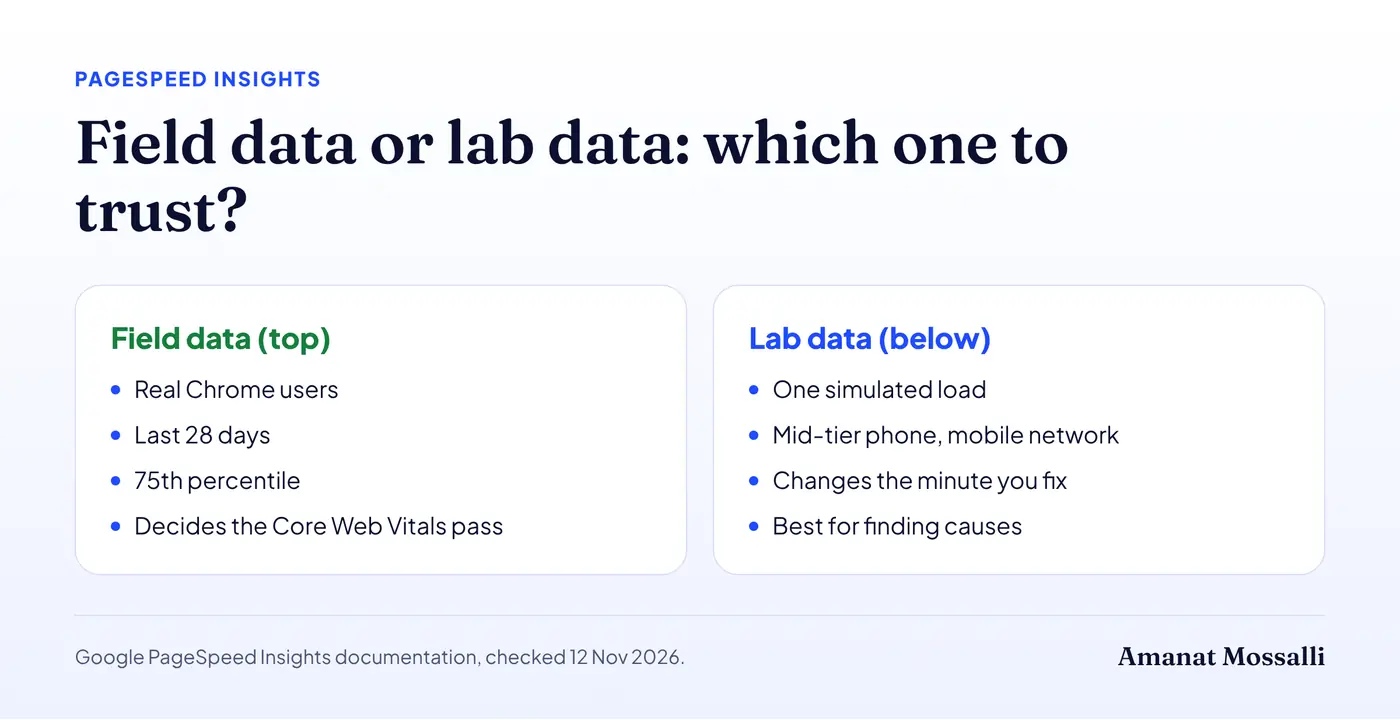
The same documentation explains the pass rule. A page passes the Core Web Vitals assessment when the 75th percentile of all three metrics is good. If there isn’t enough INP data, LCP and CLS alone can decide it.
Lab scores drift a few points between runs. Test three times and look at the middle result before you change anything. This drift annoys me every single week.
“No data” at the top is normal for small sites
Many small Bangladeshi sites don’t get enough Chrome visits to show field data. That doesn’t mean Google ignores speed for you. It means you work from the lab test and your own phone until traffic grows. Search Console falls back to a wider origin-level group when single pages have too little data.
My Own Rebuild: 87 on Mobile, and Why That's Fine
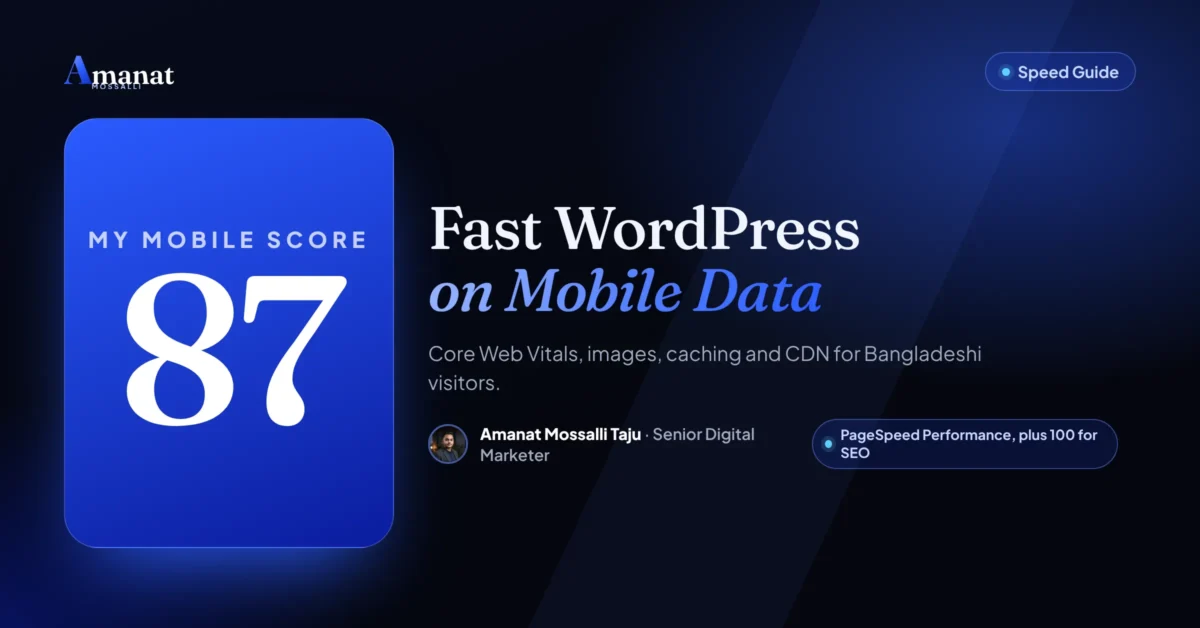
I’m Amanat Mossalli Taju, a digital marketer in Dhaka. I rebuilt my own site, amanatmossalli.com, on a lightweight theme. It now scores 87 for Performance and 100 for SEO on PageSpeed Insights mobile. I’ve done similar rebuilds for clients here and abroad. Some of them now rank first on Google in the UK and Australia. Speed was never the only reason, but a slow site was never the reason either.
That 87 is my real number. I’d rather show it than a screenshot of a blank test page scoring 100.
Notice that 87 sits just under Google’s 90 “good” line for lab scores. Real sites with real photos, fonts and tracking rarely reach 100, and they don’t need to. What matters is passing Core Web Vitals in the field data.
The biggest lesson from the rebuild: the theme is the foundation. A lightweight theme gives you a fast base. Every plugin, font and script you add after that has to earn its place, and most don’t.
The rest of this guide is my website speed optimization in Bangladesh checklist, in the order I’d do it.
Step 1Step 1: Pick a Theme That Doesn't Fight You
A lightweight theme with little built-in code. Skip the heavy multipurpose themes full of sliders and demo features. The theme decides how much code every page must load. Getting it right is the single biggest way to reduce page load time.
- Pick a theme known for small page size and clean code.
- Use the block editor or a light builder instead of a heavy page builder where you can.
- Remove sliders from the first screen. One sharp image or a text block loads faster and converts better.
- Limit fonts to one or two families and only the weights you use.
I see the same pattern on most Dhaka business sites. A big multipurpose theme loads dozens of scripts for features nobody switched on. Moving to a lighter theme usually helps more than every speed plugin combined. It’s also the step people resist most, because the demo looked so nice.
Changing themes is a developer job on a live shop. Do it on a staging copy, check every page type, then switch. If you’re building fresh, my guide to website development cost in Bangladesh shows what a properly built site should cost.
Step 2Step 2: Images, WebP and the Hero That Loads First
Convert to WebP. Resize to the slot. Lazy-load everything below the first screen. Images are nearly always the heaviest thing on the page. The Azimpur shop’s uniform photos were over 4 MB each.
WebP image compression keeps photos sharp at a much smaller file size than most JPEG or PNG files. WordPress supports WebP uploads, and many image plugins can convert your old library automatically.
AVIF is the next step. WordPress has supported it since version 6.5. The WordPress core team’s announcement says AVIF files “can be up to 50% smaller than JPEGs” at the same quality. It only works if your server’s image library supports it. Check under Tools, Site Health, Info, Media Handling.
- 1Resize before upload. A 4000px phone photo is far too big for an 800px slot.
- 2Convert to WebP, or let an image plugin do it on upload.
- 3Set width and height on images so the layout doesn’t jump (this helps CLS).
- 4Lazy-load images below the first screen, but never the main hero image.
- 5Give the hero image priority if it’s your LCP element.
That last point is the most common largest contentful paint fix. If the biggest element on screen is an image, it must load first. It shouldn’t wait in a lazy-load queue behind the footer.
What WordPress already does for you
Since version 6.3, WordPress adds fetchpriority="high" to the image it thinks is your LCP image. The core team’s 6.3 notes say this “typically improves LCP by 5-10%”. It also never lazy-loads that same image.
The catch: it guesses. A slider, a page builder or a theme that loads the hero as a CSS background can fool it. Open PageSpeed Insights, find the LCP element, and check that it’s the image you expect. Google’s Fetch Priority guide shows a Google Flights test where this one hint moved LCP from 2.6 s to 1.9 s.
Step 3Step 3: Which Caching Plugin Should You Use?
One. Set up properly. Never two at once. Caching saves a ready-made copy of each page so the server doesn’t rebuild it for every visitor. Two plugins fighting over that job will break things.
| Setting | What it does | Turn on? |
|---|---|---|
| Page caching | Serves saved HTML pages | Yes |
| Browser caching | Phone keeps files for repeat visits | Yes |
| CSS and JS minify | Removes spaces from code files | Yes, then test |
| Delay JavaScript | Loads scripts after first paint | Test carefully |
| Remove unused CSS | Cuts styles a page does not need | Test carefully |
Check your host first. Many good hosts include server caching, and some plugins clash with it. For shops, always exclude cart, checkout and account pages from page caching, or customers will see each other’s baskets.
“Delay JavaScript” deserves a warning. It can make a page feel fast in the lab and broken in real life. I’ve seen it stop a bKash checkout button and a Facebook Pixel purchase event from firing. Test a full order on your phone after you switch it on.
After each change, open the site on your phone. Then run PageSpeed Insights again. If something breaks, turn that one setting off and move on.
Step 4Step 4: Do You Need a CDN in Bangladesh?
If your server is far from your visitors, yes. A CDN copies your files to servers around the world and serves each visitor from the nearest one. For website speed optimization in Bangladesh visitors actually feel, distance is a real cost.
Many Bangladeshi sites are hosted in Singapore, Europe or the USA. A CDN with a Bangladesh location shortens the trip for local visitors. Status monitors list a Cloudflare Dhaka (DAC) location, and Cloudflare has a free plan.
- Use a CDN if your hosting is outside Bangladesh or you have visitors abroad.
- Pick a CDN Bangladesh visitors can reach through a nearby location.
- Cache static files like images, CSS and JavaScript at the edge.
- Keep checkout and account pages uncached.
- Check your server response time (TTFB). A CDN can’t fully hide a slow server.
For most small sites, a decent host plus a free CDN is plenty. Bigger shops usually need better hosting before anything else. If your TTFB is over 1.8 seconds on a cached page, no CDN setting will save you. Move host.
Step 5Step 5: Plugins and Scripts You Can Live Without
Delete every plugin and script you don’t truly need. Each one adds code the phone must download and run, which hurts loading and INP. Thirty plugins is not a feature list. It’s a weight.
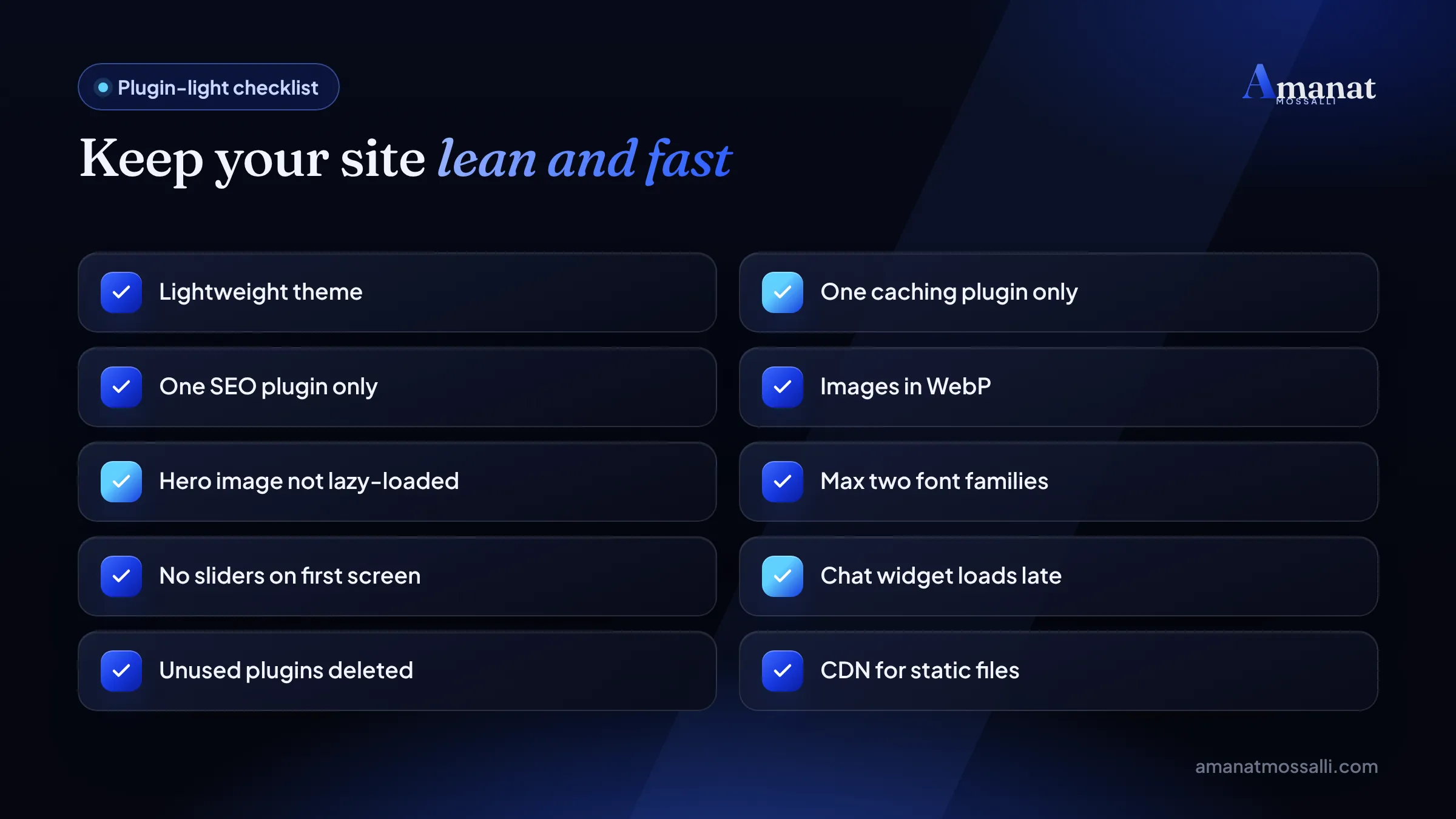
Watch the heavy extras: live chat widgets, social feeds, video embeds and a pile of tracking tags. Load chat after a delay. Use a thumbnail with a play button for YouTube videos. Run all tags through one Google Tag Manager container.
INP is mostly a JavaScript problem
If your INP fails, look at scripts before anything else. A tap on “Add to cart” should respond at once. On budget Android phones, every chat widget and tracking tag is competing with that tap. Remove what you don’t use. Delay what doesn’t need to run on the first screen.
Tracking still matters, you just want it clean. My tracking and analytics service sets up GA4 and pixels without slowing the site down. If you’d rather do it yourself, my guide to setting up GA4 and the Facebook Pixel keeps it to one container.
Step 6Step 6: Do Bangla Fonts Slow Down a Site?
They can, badly. Bangla web fonts are large files because the script has many letter shapes and joined forms. Two or three of them can add real weight to every page.
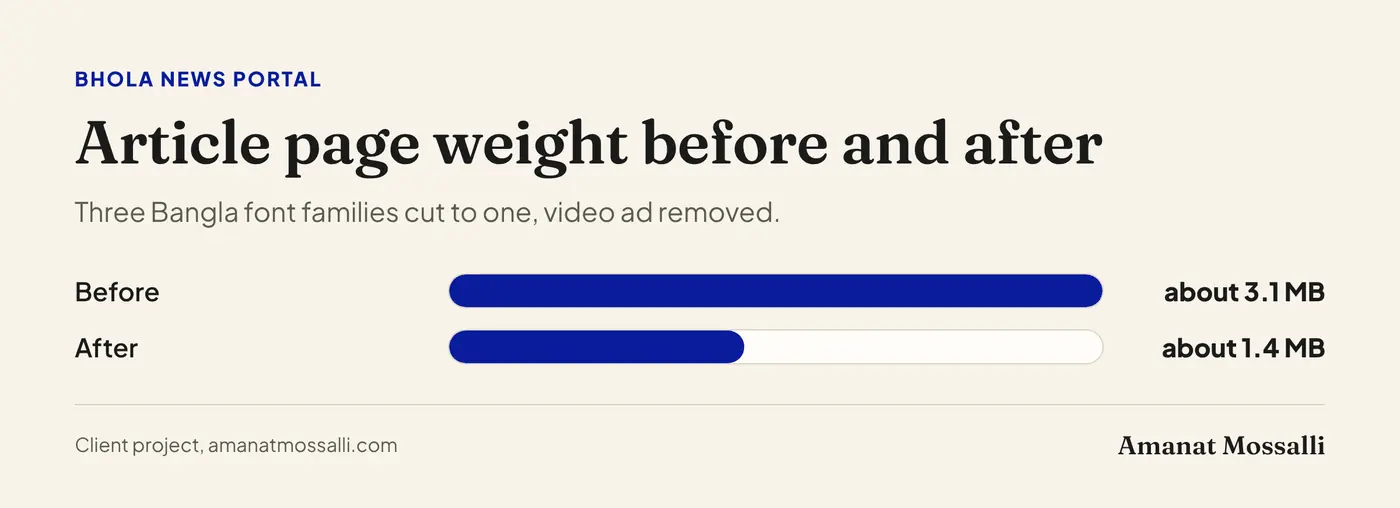
The editor called me after Friday prayers, a little annoyed. Readers in the char areas kept telling him the site “hangs”. His team had picked one Bangla font for headlines, another for body text and a third for buttons and menus. Each came in four weights, pulled from two outside services.
We cut it to one family in regular and bold, hosted on his own server, with font-display: swap. We also removed an autoplaying video ad. His article page went from about 3.1 MB to about 1.4 MB. Nobody in the newsroom noticed the font change. Readers noticed the speed. Pages per visit rose from about 1.6 to about 1.9 over the next two months. Modest, but real for a local paper.
- Use one Bangla font family and only the weights you need, such as regular and bold.
- Host fonts on your own site or CDN instead of pulling them from several outside sources.
- Use font-display: swap so text shows at once in a fallback font while the web font loads.
- For short Bangla text, test whether the phone’s system font looks good enough.
Bangla news-style sites are the usual offenders, with separate families for headlines, body text and buttons. Cutting to one family makes the page lighter, and most readers never notice the change.
Mistakes That Undo All the Speed Work
Heavy themes, huge images and stacked speed plugins. Each one cancels out the others, and I’ve seen all three on one site more than once.
- Two caching plugins at once. They fight each other and can break pages.
- Lazy-loading the hero image. This delays your LCP instead of helping it.
- Uploading phone photos as they are. A single photo can be several megabytes.
- Autoplay video backgrounds. Beautiful on Wi-Fi, painful on mobile data.
- Cheap overloaded hosting. No plugin can fix a slow server.
- Chasing 100 on desktop. Your buyers are on phones. Mobile website speed is what they feel.
- Judging a fix the next morning. Field data covers 28 days. It moves slowly, by design.
More traps like these are in digital marketing mistakes Bangladeshi businesses make. A slow site sits near the top of that list.
Test Your Site in Five Minutes
Free tools, five minutes, then fix the biggest issue first. You don’t need to be a developer to find the problem. Every website speed optimization in Bangladesh project should start with this test, not with a plugin.
Speed is one piece of SEO, not the whole of it. If you want the wider check, my guide on how to do an SEO audit covers indexing and content too. My free SEO audit tool gives you a quick first read.
How Long Until Google Sees Your Faster Site?
Longer than you’d like. The lab score changes the minute you fix something. Real user data takes weeks to catch up, because it’s a rolling 28-day window.
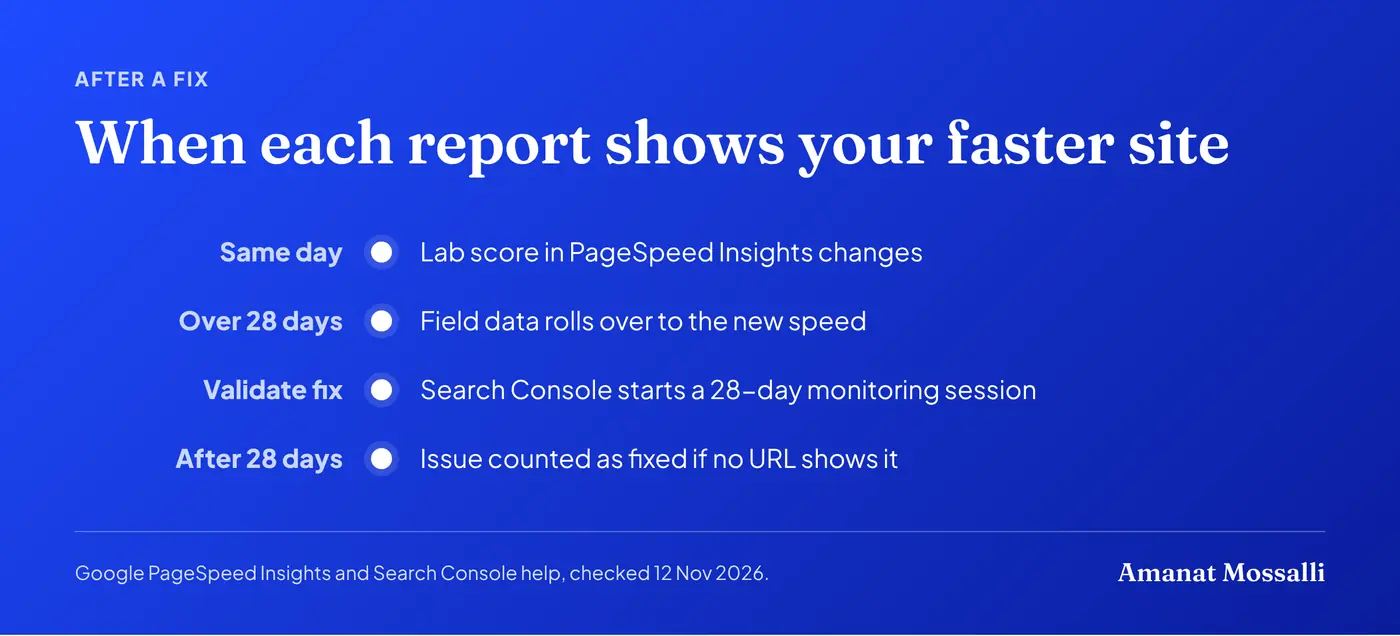
Search Console’s Core Web Vitals report help page explains the last step (checked 12 November 2026). When you click to validate a fix, Google starts “a 28-day monitoring session”. If the issue doesn’t appear on any URL in that window, it’s counted as fixed. The report’s data comes from the Chrome User Experience Report (CrUX).
So don’t panic in week one. And don’t stack five new changes on top while you wait, or you won’t know which one helped.
FAQ: Website Speed Optimization in Bangladesh
What is a good PageSpeed Insights score?
Does website speed affect Google rankings?
What is the fastest way to speed up a WordPress site?
Should my website be hosted in Bangladesh?
How do I fix a slow Largest Contentful Paint?
Is a 100 PageSpeed score necessary?
Which caching plugin is best for WordPress?
The Rickshaw Test
The Azimpur shop owner taught me a better test than any tool. Load your own site on mobile data, somewhere with a weak signal, the way your customers do. Then fix whatever made you wince.
Website speed optimization in Bangladesh isn’t about a perfect score. It’s about a page that loads on a mid-range phone before the customer gives up. Theme, images, caching, then distance. Retest every month, and every time someone installs “just one more” plugin.

Amanat Mossalli Taju
Senior Digital Marketer & SEO Expert, Dhaka, BangladeshI have grown 235+ brands over more than seven years with SEO, Google and Meta Ads, server-side tracking, WordPress and AI automation. Half of my clients are in the UK, USA, Australia and Canada. Everything I write here comes from real client work.
Want this done for your business?
Book a free 15-minute call. I look at your site and ads before we talk, so you leave with clear next steps.