What Is llms.txt? How to Create One for Your Website (With Examples)
llms.txt is a plain text map of your site written for AI tools. Here's what it does, what it doesn't do, and how to add one in a few minutes.

The question “what is llms.txt?” usually lands right after someone tells you your site needs one for AI. A plugin shows a new toggle, or a freelancer offers to add it for a fee. So here’s the plain answer. llms.txt is a short Markdown file at yoursite.com/llms.txt that lists your most useful pages for AI tools, with one line about each.
Does it work? In 2026 we finally have data, and it’s sobering. One large log study found 97% of llms.txt files got no requests at all in a month. Google Search says it ignores the file. Yet Chrome’s own audit tool now checks for it.
I’m Amanat Mossalli Taju, an SEO who has grown 235+ brands. I’ve added this file to client sites and watched what happened. Less than the hype promised, but it isn’t useless either. Below you’ll find what the data and Google say, and a template you can copy. Then my view on whether it’s worth ten minutes.
What Is llms.txt, in Plain Words?
So what is llms.txt, really? It’s a reading list for machines. You put a text file in your site’s root folder, and in it you list the pages that best explain your business.
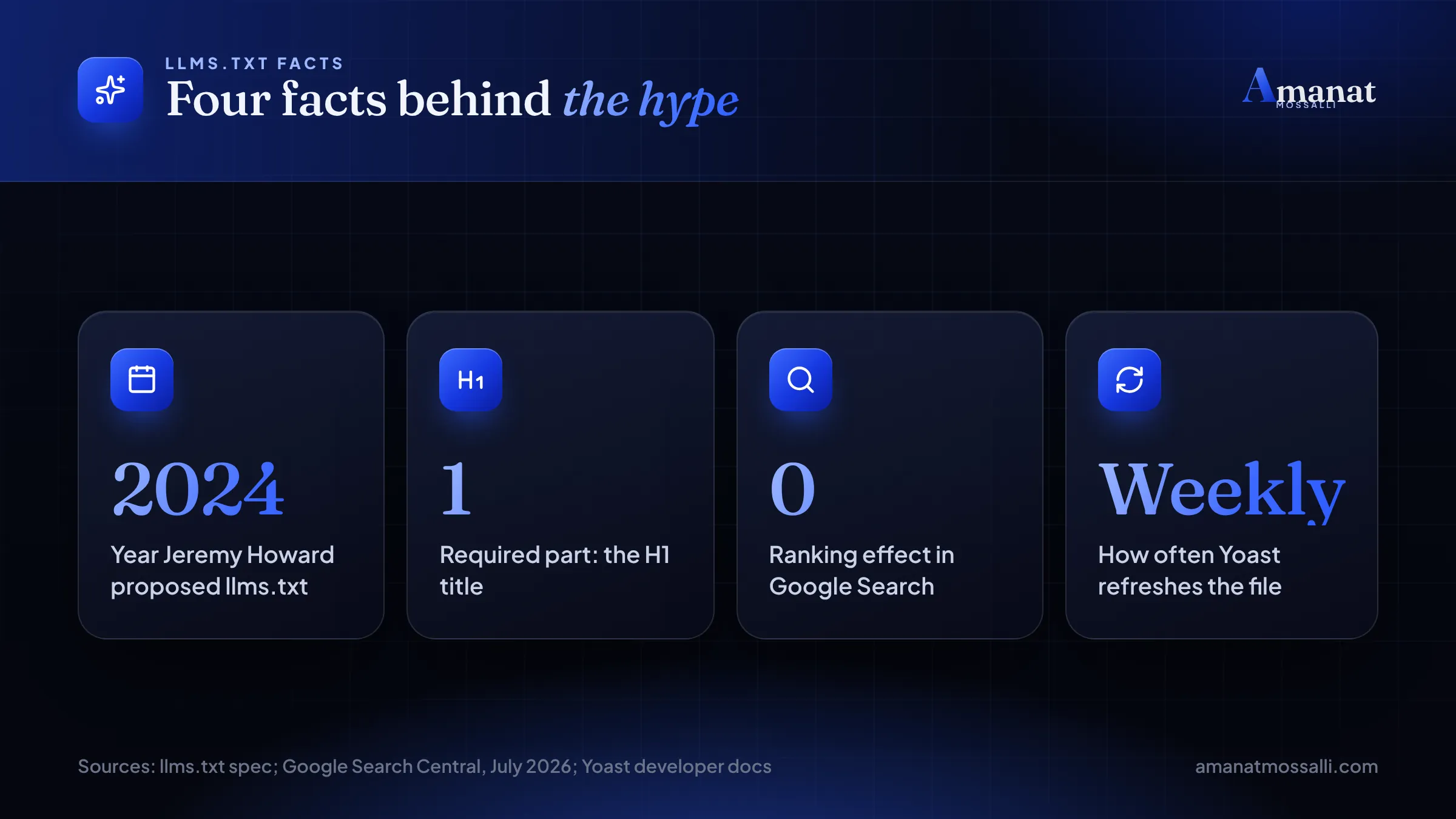
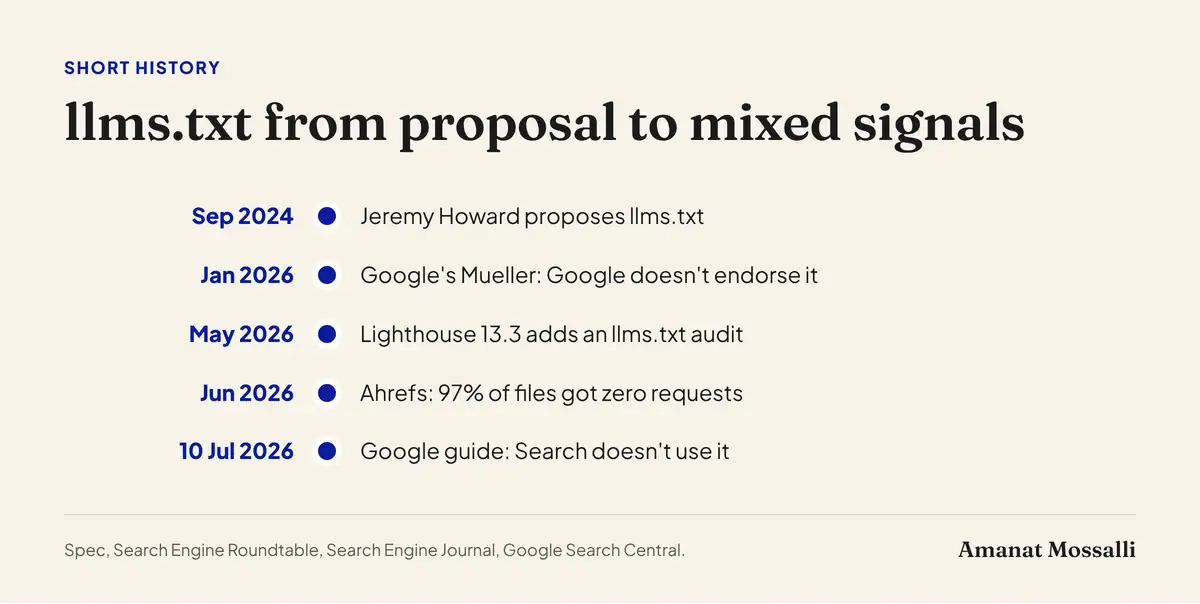
The idea came from Jeremy Howard, co-founder of Answer.AI, who published it in September 2024. The proposal’s own site now shows version 2, last modified on 10 August 2026. The llms.txt specification (checked November 2026) gives the shape. The file uses Markdown, the same simple formatting many chat tools use.
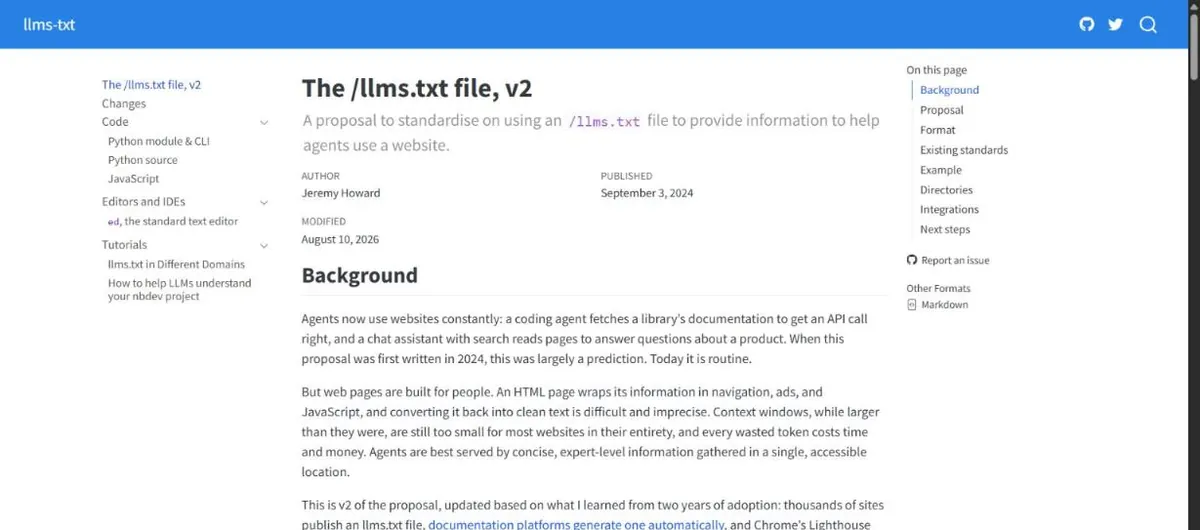
Why would AI tools want it? A normal web page is full of menus, cookie banners, scripts and footers. A large language model has to wade through all that to find the useful text. A clean llms.txt file skips the noise and says: start here.
A software founder in Banani messaged me on a Friday morning with a screenshot. His SEO plugin had a new switch labelled llms.txt, and his co-founder wanted it on “before the competitors”. His developer said it was pointless. They’d argued about it in their team chat for an hour. He asked me to settle it. I told him both were partly right. It takes two minutes and costs nothing. But it wouldn’t move his Google rankings, and nobody could promise ChatGPT would read it.
That’s the honest frame for the rest of this page. Low cost, uncertain payoff, no harm.
What the 2026 Data Says About llms.txt
For most of 2025, the debate ran on opinion. Two large studies have since put numbers on it. Both point the same way.
Almost nobody requests the file
Ahrefs looked at server logs from about 137,000 domains for May 2026. Search Engine Journal reported the results on 16 June 2026. Roughly 28% of those domains published an llms.txt file. And 97% of the files received zero requests that month.
Who did fetch them? Mostly not AI assistants. AI retrieval bots tied to ChatGPT and Perplexity made up about 1% of requests. SEO audit tools sent 21%. Slackbot fetched the files more often than PerplexityBot did.
Ahrefs’ customers lean technical, so real-world adoption is probably lower. And a request isn’t proof the content was used. These are upper limits.
No link to AI citations
SE Ranking studied nearly 300,000 domains, as Search Engine Journal reported. Only 10.13% had an llms.txt file. The study found no measurable link between having the file and being cited by AI tools. Removing the llms.txt variable actually made their model slightly more accurate.
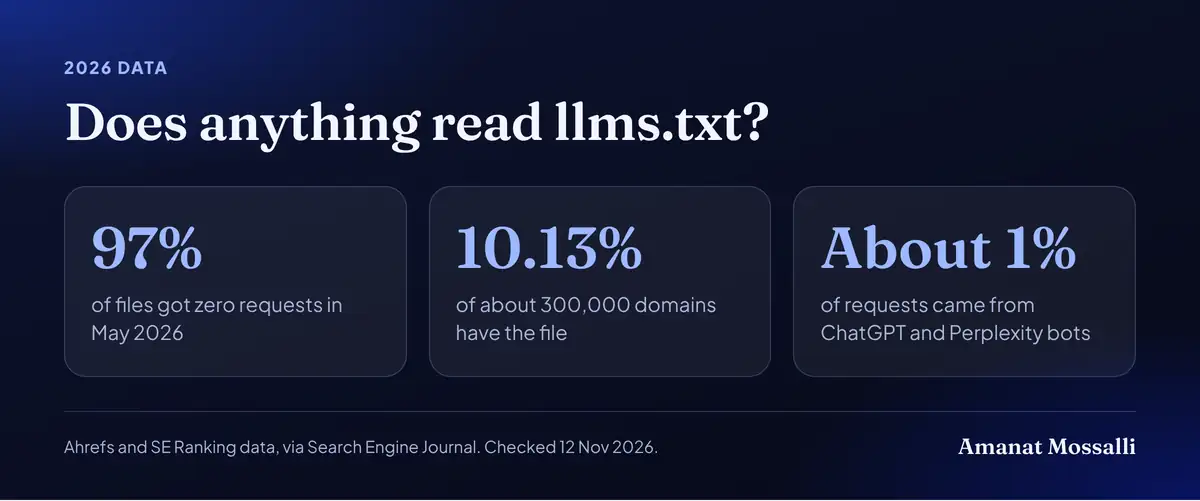
So the data matches what I saw on client sites. Adding the file changed nothing I could measure. I checked these studies on 12 November 2026.
The llms.txt Format, Line by Line
The spec is short. Only one part is required: a top heading with your site or project name. Everything else is optional, but it follows a set order.
| Part | Markdown | Required? | What goes in it |
|---|---|---|---|
| Title | # Name | Yes, the only required part | Your business or site name |
| Summary | > Quote line | No | One or two sentences on what you do |
| Notes | Plain paragraphs | No | Key facts an AI should know, like opening days |
| Sections | ## Heading plus a link list | No | Groups of pages, each with a short note |
| Optional | ## Optional | No | Less important links a tool can skip |
Each link line looks like a normal Markdown link, then a colon and a short note. The note matters. It tells the AI tool what it will find before it opens the page.
What about llms-full.txt?
Some sites also publish llms-full.txt. Instead of links, it holds the full text of the key pages in one long file. Developer documentation sites like this, because a coding assistant can load the whole manual at once.
The spec also suggests offering a clean Markdown copy of each page at the same address with .md added. For a normal business site, I’d skip both. They’re more work to keep up to date, and they suit software docs far better than a shop or a clinic.
Ten to thirty links is plenty for most small business sites. If everything is listed, nothing stands out. Pick the pages you’d want a new customer to read first.
A Copy-Ready llms.txt Example for a Small Business
Here’s an llms.txt example for an AC servicing company in Mohammadpur. Swap in your own name, pages and notes. Save it as plain text, named exactly llms.txt.
# Example Cool Care> AC servicing, repair and installation in Mohammadpur and nearby areas of Dhaka. Open every day except Friday. Service prices in BDT are listed on each service page.Book by phone or WhatsApp. Payment by cash or bKash after the job.## Services- [AC servicing](https://example.com/ac-servicing/): Prices by AC size, what a service includes.- [Gas refill](https://example.com/gas-refill/): Gas types, prices and how long it takes.- [New AC installation](https://example.com/installation/): Fitting charges and pipe costs.## About- [Our technicians](https://example.com/team/): Names, training and years of work.- [Service area and contact](https://example.com/contact/): Areas covered, hours and phone.## Optional- [Blog](https://example.com/blog/): AC care tips in English and Bangla.
Notice a few things. The summary gives the area and opening days, because a chatbot answering “do they work on Friday?” needs exactly that. The notes say how to book and pay. The team page mentions training, which helps trust.
Writing good link notes
- Say what’s on the page, not how great it is.
- Use the words your buyers use, including common Banglish terms if that fits.
- Mention prices or BDT ranges if the page has them.
- Keep each note under about 15 words.
Avoid marketing lines like “Dhaka’s best AC service”. An AI tool can’t check that, and it reads like spam.
Does llms.txt Help SEO? Google's Own Answer
No, not for Google Search. Google has said so in writing.
Google’s guide to optimizing for generative AI features was last updated on 10 July 2026. I checked it again on 12 November 2026. It says you don’t need new machine-readable files, AI text files, markup or Markdown to appear in Google Search. That includes its AI features. The reason given is simple: Google Search doesn’t use them.
The same page says it’s fine to keep the file for other services. Doing so will neither help nor harm your visibility in Google Search.
Google’s separate AI features page backs this up. There are no extra requirements to appear in AI Overviews or AI Mode. Being indexed and allowed to show a snippet is enough.
Then why does Chrome check for it?
Here it gets interesting. In May 2026, Google’s Lighthouse 13.3 added an Agentic Browsing category with an llms.txt audit. Search Engine Journal reported that it checks whether the file exists and flags server errors. A missing file (a 404) is marked Not Applicable.
So the Search team says it’s ignored, while the Chrome team treats it as optional for AI agents that browse. Both can be true. One is about rankings. The other is about helping software agents find their way around a site.
John Mueller of Google tried to square this on Reddit in early June 2026. As TechWyse reported, he wrote: “I don’t think anyone knows – it’s purely speculative for now”. He’d earlier noted that, as far as he knew, none of the AI services had said they use it.
Who Actually Reads an llms.txt File Today?
The honest answer is very few, and nobody outside the AI companies knows exactly who. No major AI provider has publicly confirmed that its crawler reads llms.txt during normal visits, as far as I could find in November 2026.
The Ahrefs data gives the clearest picture. Coding agents made up about 10% of requests and training crawlers about 5%. Chat assistants were about 2%. The rest came mostly from SEO tools, unnamed bots and tech-profiling services.
Some big tech companies do publish a file, mostly for their developer documentation. Anthropic, Cloudflare and Stripe are often cited examples. Publishing the file doesn’t prove their own AI tools read other people’s files, though.
Where it does get used is in coding tools. A developer can paste a docs site’s llms.txt link into an AI assistant and ask it to read the docs. That’s a person choosing to load the file, not a crawler finding it.
Google’s Search team has been blunt. In January 2026, Search Engine Roundtable reported John Mueller’s reply when asked if Google endorses the file. His answer, after joking he was tempted to be snarky, was “no”.
I’ll be straight with you. I haven’t seen a client’s traffic or AI citations change after adding the file. I also can’t rule out that some tool somewhere reads it. I don’t know yet, and I’m wary of anyone who claims they do.
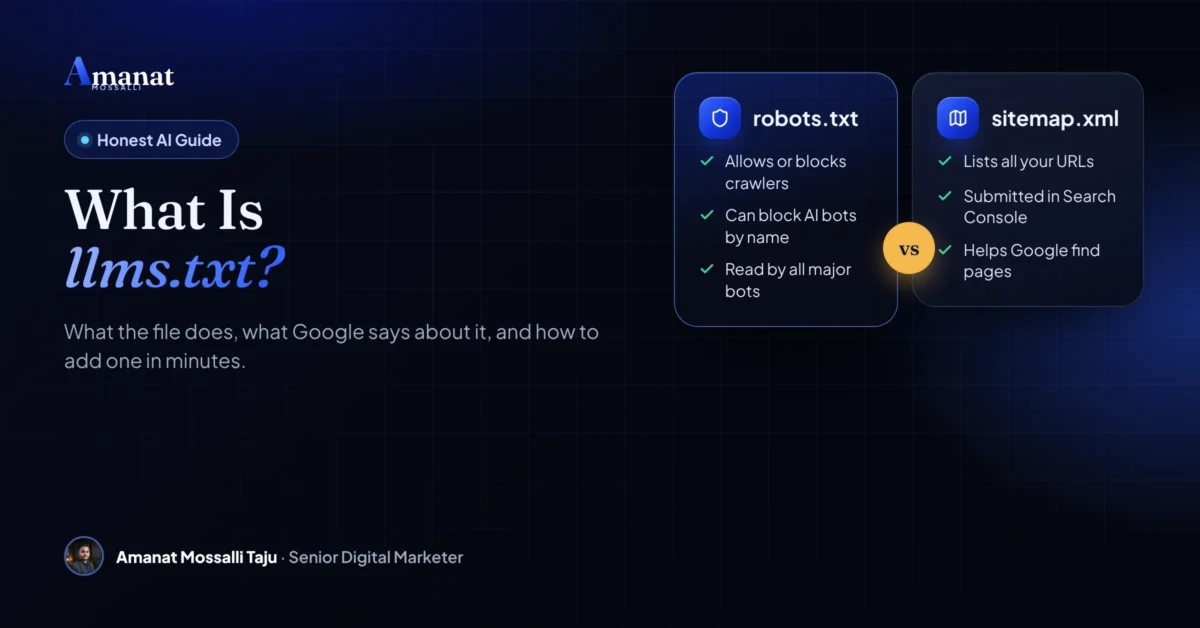
robots.txt, Sitemap and llms.txt Side by Side
People mix these three up all the time. They sit in the same root folder, but they do different jobs.
| File | Job | Who reads it | Effect on Google rankings |
|---|---|---|---|
| robots.txt | Tells crawlers which paths they may visit | Google, Bing and most AI crawlers | Indirect: blocked pages can’t be crawled |
| sitemap.xml | Lists every page you want found | Google, Bing and other search engines | Helps discovery, especially on new sites |
| llms.txt | Points AI tools to your best pages with notes | Few; mostly SEO tools and some coding agents | None, per Google |
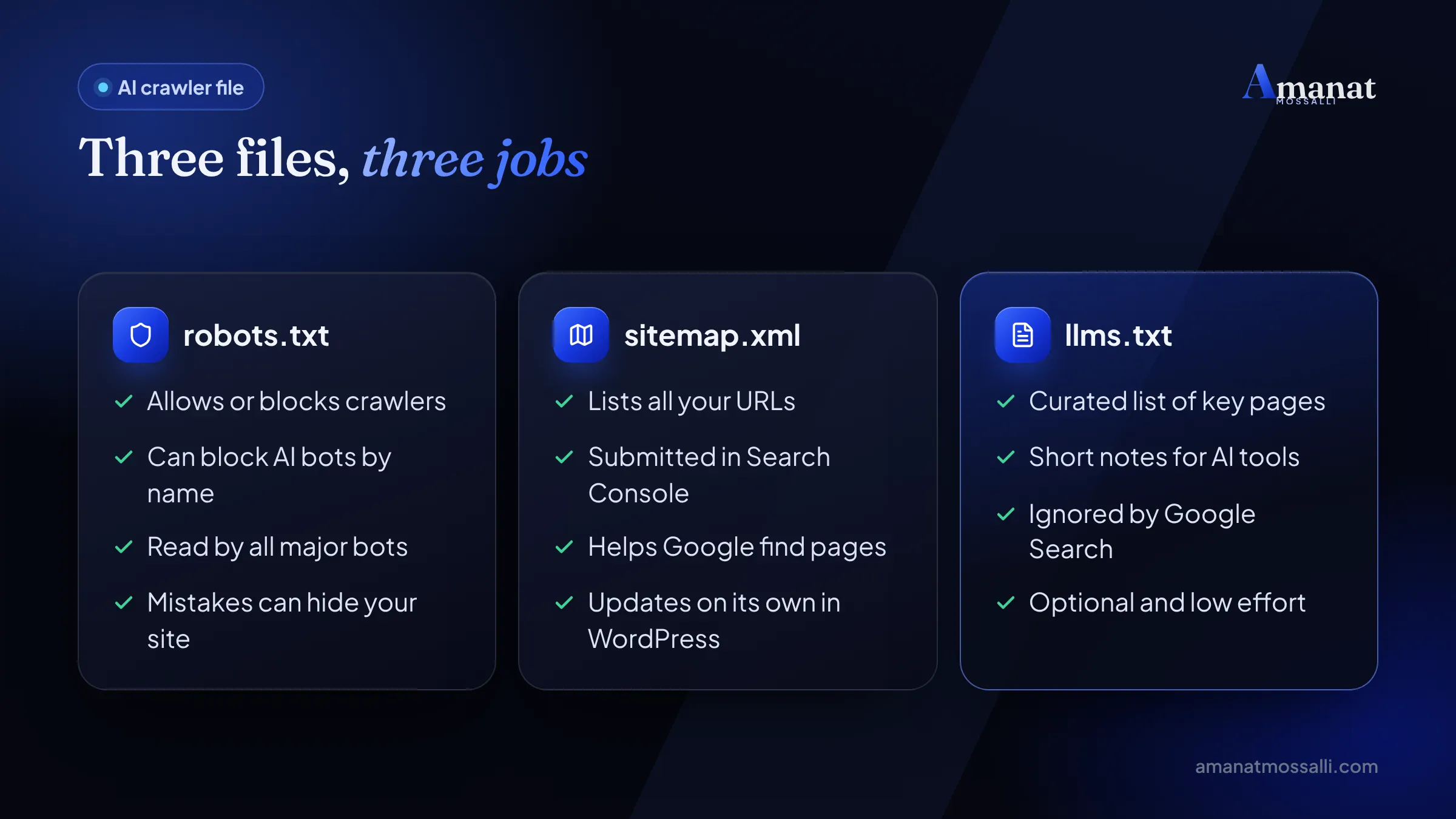
Can llms.txt block AI crawlers?
No. This is the biggest myth I hear. If you don’t want GPTBot or another AI crawler on your site, you still use robots.txt. Calling llms.txt an AI crawler file is fair only in the sense that it’s written for them. It has no power to stop anyone.
How to Create Your File in Five Steps
This takes about ten minutes by hand. Most of that is choosing the pages.
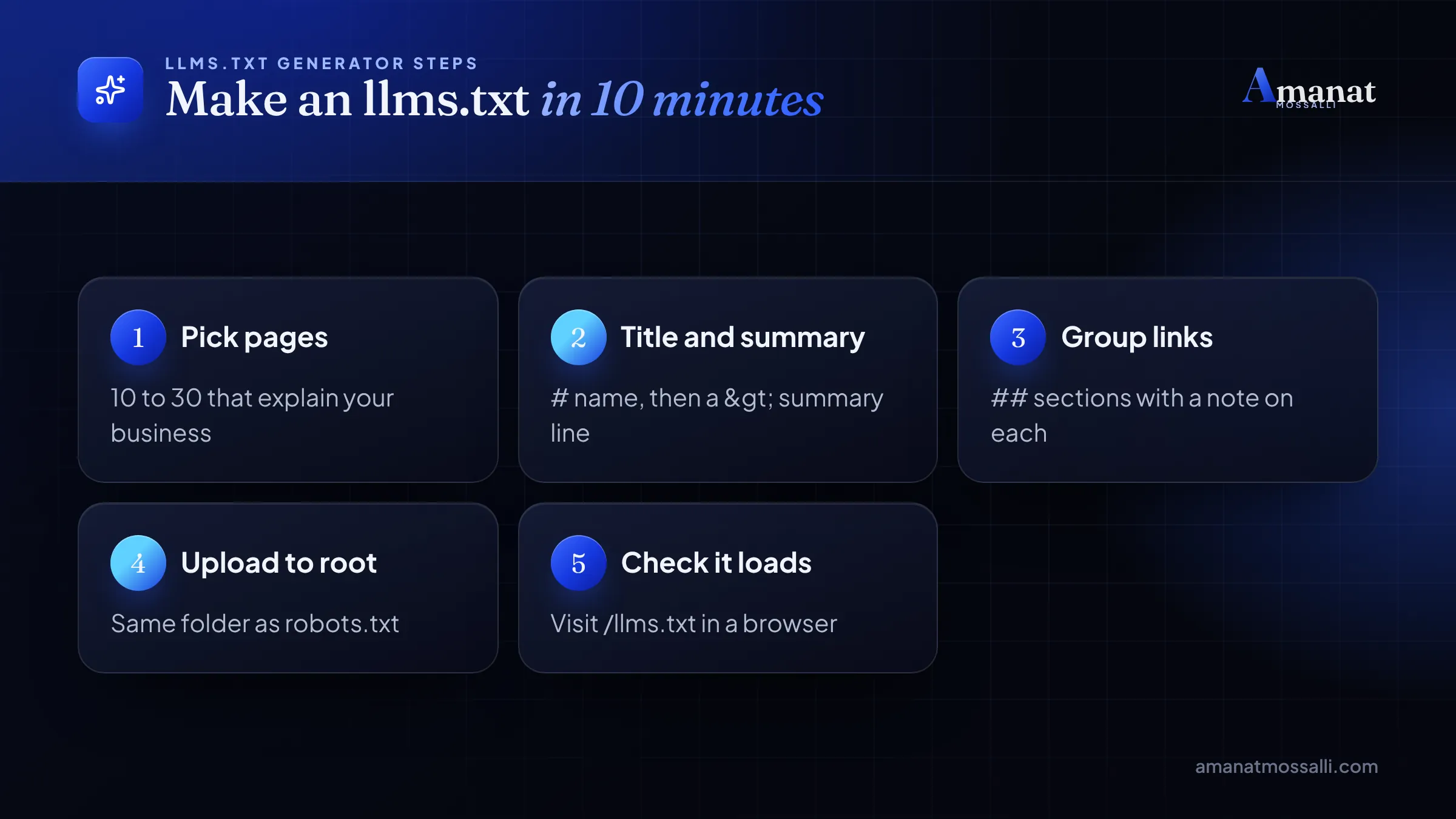
Should you use an llms.txt generator?
Online generators crawl your site and write the file for you. They save time on big sites. But they often list every page, including tags and thin posts. Treat the output as a first draft and cut it down by hand.
Setting Up llms.txt on WordPress
Setting up llms.txt on WordPress takes no coding. You don’t need to touch any files, because both big SEO plugins now include it.
With Yoast SEO
Per Yoast’s help page, go to Yoast SEO, then Settings, then Site features. Under AI tools, switch on llms.txt and save. You can let it pick pages, or choose them yourself with manual page selection.
Yoast’s functional specification (checked 12 November 2026) explains the automatic version. It lists the five most recently updated posts and pages, puts cornerstone content first, and skips posts older than 12 months. It also adds your five biggest categories and tags. A scheduled task refreshes the file weekly.
One trap: Yoast won’t overwrite an llms.txt file that already exists. If a developer once uploaded one by hand, delete it first, or Yoast’s version never appears.
With Rank Math
Per Rank Math’s knowledge base, turn on the LLMS Txt module in Rank Math SEO, then Dashboard. Its settings sit under General Settings, then Edit llms.txt. Pick post types and taxonomies there. The default limit is 100 items, and you can add custom links or text. Noindexed posts are left out.
The file stays empty until you configure it. So switching the module on and walking away does nothing.
Without a plugin
Most llms.txt WordPress guides stop at plugins, but you don’t need one. Write the file by hand and upload it through your hosting file manager or FTP into the public_html folder. On many Bangladeshi shared hosting plans, cPanel’s File Manager is the easiest route.
If your theme or plugins already clash with each other, adding more features won’t help. My WordPress development work often starts with a cleanup before anything new goes in.
What to List: Three Business Types Compared
The right pages depend on what people ask about you. A chatbot answering a buyer’s question needs facts, not slogans. Here’s how I’d fill the file for three common kinds of business in Bangladesh.
| Business | Pages to list | Facts for the summary |
|---|---|---|
| Online fashion shop, Dhaka | Main categories, size guide, delivery, returns, payment options | Delivery areas, cash on delivery, bKash and Nagad |
| Local service or clinic | Each service page, staff, prices, contact and map | Area, opening days, how to book |
| Garment or software exporter | Capabilities, certifications, case studies, contact | Factory or office city, export markets, minimum order |
Notice what’s missing. No blog archive pages, no tag pages and no thank-you pages. Those add bulk without adding answers.
Keep it current
A stale file is worse than none. If your summary says “open Friday” and you no longer are, a tool that trusts the file will repeat the wrong fact. I put a reminder in my calendar to review client files every three months. On WordPress, Yoast’s weekly refresh helps, but only for the pages it chooses itself.
Also check that every link in the file returns a normal page. A redirect or a 404 in the list is a small sign of neglect. You can catch these with the same crawl you’d run during an audit.
Allowing AI Crawlers Matters More Than This File
If AI tools can’t reach your site, llms.txt won’t help. Access is controlled in robots.txt, and many site owners block AI crawlers by accident through security plugins or CDN settings.
The big AI companies now split their bots by job. That gives you a real choice: you can refuse training and still be found in AI search. Here’s what each company says, checked on 12 November 2026.
| Company | Training bot | Search bot | Bot for live user requests |
|---|---|---|---|
| OpenAI | GPTBot | OAI-SearchBot | ChatGPT-User |
| Anthropic | ClaudeBot | Claude-SearchBot | Claude-User |
| Google-Extended (a control token, not a separate bot) | Googlebot | Not listed separately |
OpenAI’s crawler page says GPTBot collects content that may be used to train its models. OAI-SearchBot finds sites to show in ChatGPT’s search answers. Sites that opt out of OAI-SearchBot won’t be shown in those answers. ChatGPT-User visits only when a person asks, so robots.txt may not apply to it.
Anthropic’s help page describes the same split. Blocking Claude-SearchBot or Claude-User may reduce your visibility when people search through Claude. It also warns that blocking Anthropic’s IP addresses may backfire, because the bots then can’t read your robots.txt.
Google’s crawler documentation says Google-Extended controls use of your content for Gemini training and grounding. It doesn’t affect inclusion or ranking in Google Search.
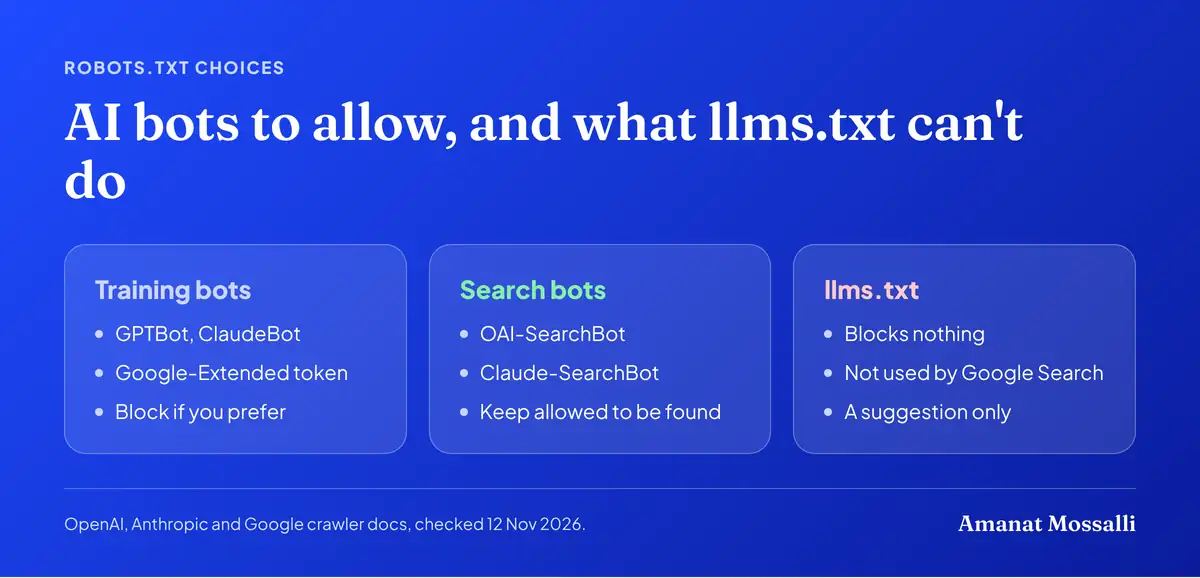
A simple robots.txt that blocks OpenAI’s training but allows its search looks like this:
User-agent: GPTBotDisallow: /User-agent: OAI-SearchBotAllow: /
Most businesses I work with want to be found, so they allow the search bots. Blocking training is a values choice, and both answers are fine. Just make it on purpose.
Cloudflare and some hosting firewalls can block bots before robots.txt is even read. If AI tools never cite you, look at your firewall’s bot settings as well.
Mistakes People Make With llms.txt
- Paying someone a big fee for a file you can make in ten minutes.
- Expecting a jump in Google rankings. Google says it ignores the file.
- Thinking it blocks AI bots. Only robots.txt can ask them to stay out.
- Listing every URL on the site, including tag pages and empty categories.
- Linking to pages that are noindexed, redirected or broken.
- Forgetting to update it after you change prices or remove a service.
- Writing hype in the notes instead of plain facts about each page.
Late one evening in Chattogram, an online clothing seller sent me his new llms.txt link. A free generator had made it. It ran to 2,400 lines: every product, every size variant, every tag. Half the links were old products that now showed “out of stock”. I told him to cut it to about twenty lines. Main categories stayed, plus delivery, returns and the size guide. So did a page on bKash and cash-on-delivery. He did it in fifteen minutes. Then I asked him to spend the next hour on something that mattered more. His delivery page had no charges for outside Chattogram, and buyers kept asking in Messenger. Fixing that page was the real win.
Remember the founder in Banani? He turned the toggle on, spent five minutes editing the page list and went back to work. That’s about the right amount of effort.
What Helps AI Search More Than llms.txt
Once you know what llms.txt is good for, its limits are clear. If you want ChatGPT, Gemini or Perplexity to mention your business, the file is a small extra. The real work is elsewhere, and it overlaps almost fully with good SEO.
Google’s own guide says much the same. It calls unique content based on first-hand or expert knowledge the most important factor over time. It says structured data isn’t required for AI search, and there’s no need to chop pages into tiny chunks. It also tells you to be sceptical of services that promise AI ranking success.
That matches what I’ve seen. Some of my clients’ pages have been cited in Google’s AI Overviews, in the UK, USA, Australia and Canada. Every one earned it with a clear answer and real expertise on the page. Not one got there through a text file.
For the wider shift in local marketing, read my piece on how AI is changing digital marketing in Bangladesh. If you’re new to the topic, my organic traffic guide is a good first read. For the search basics underneath it all, start with my SEO guide for Bangladeshi businesses.
You can also run my free SEO audit tool. It checks AI search readiness along with normal SEO, and it takes about a minute.
So Is It Worth Ten Minutes This Week?
Yes, if those ten minutes come after the basics. It’s cheap, it can’t hurt your Google rankings and it may help an AI agent someday. Just don’t pay much for it, and don’t expect it to fix traffic.
Here’s how I’d decide, in order:
- 1Check robots.txt and your firewall first. If AI search bots are blocked, fix that today.
- 2Make sure your key pages answer buyer questions in plain text, with prices and facts.
- 3Then add llms.txt with 10 to 30 links, using your SEO plugin or a hand-written file.
- 4Put a reminder in your calendar to review it every three months.
If your business sells to developers, add it sooner. Coding agents are the one group that clearly fetches these files. And if you’re thinking bigger than a text file, I’m happy to talk through AI agents for your business.
FAQ: What Is llms.txt and Should You Use It?
What is llms.txt used for?
Does llms.txt help SEO?
Where do I put the llms.txt file?
What is the difference between llms.txt and llms-full.txt?
Can llms.txt stop ChatGPT from using my content?
How do I add llms.txt in WordPress?
Is llms.txt an official web standard?

Amanat Mossalli Taju
Senior Digital Marketer & SEO Expert, Dhaka, BangladeshI have grown 235+ brands over more than seven years with SEO, Google and Meta Ads, server-side tracking, WordPress and AI automation. Half of my clients are in the UK, USA, Australia and Canada. Everything I write here comes from real client work.
Want this done for your business?
Book a free 15-minute call. I look at your site and ads before we talk, so you leave with clear next steps.